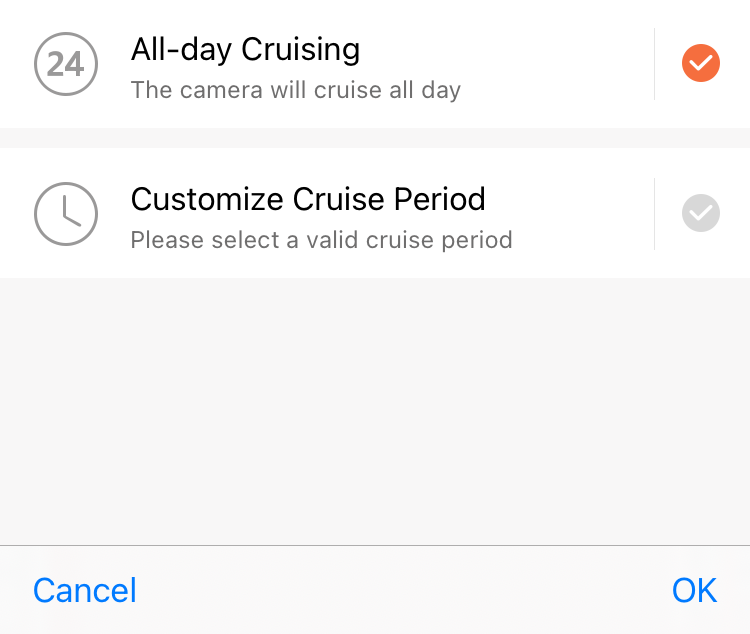
How to set auto cruise:
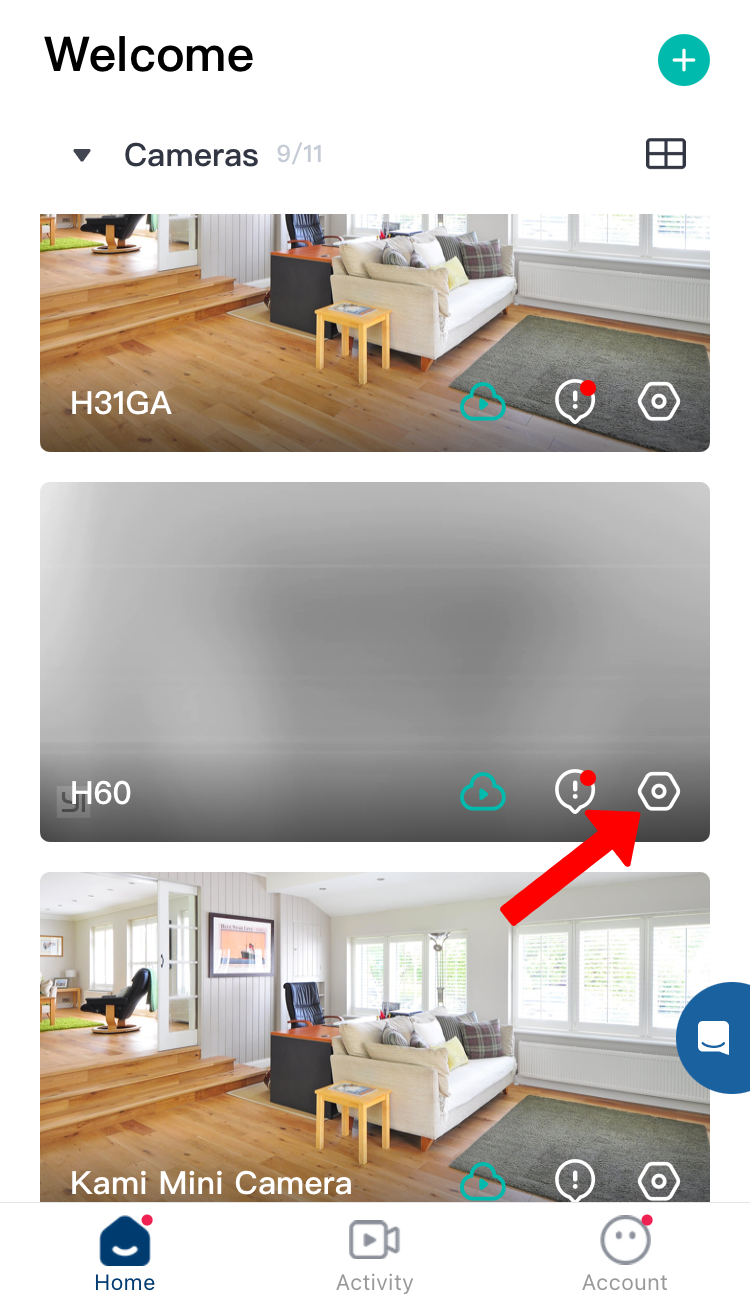
1. Tap on the Hexagon symbol
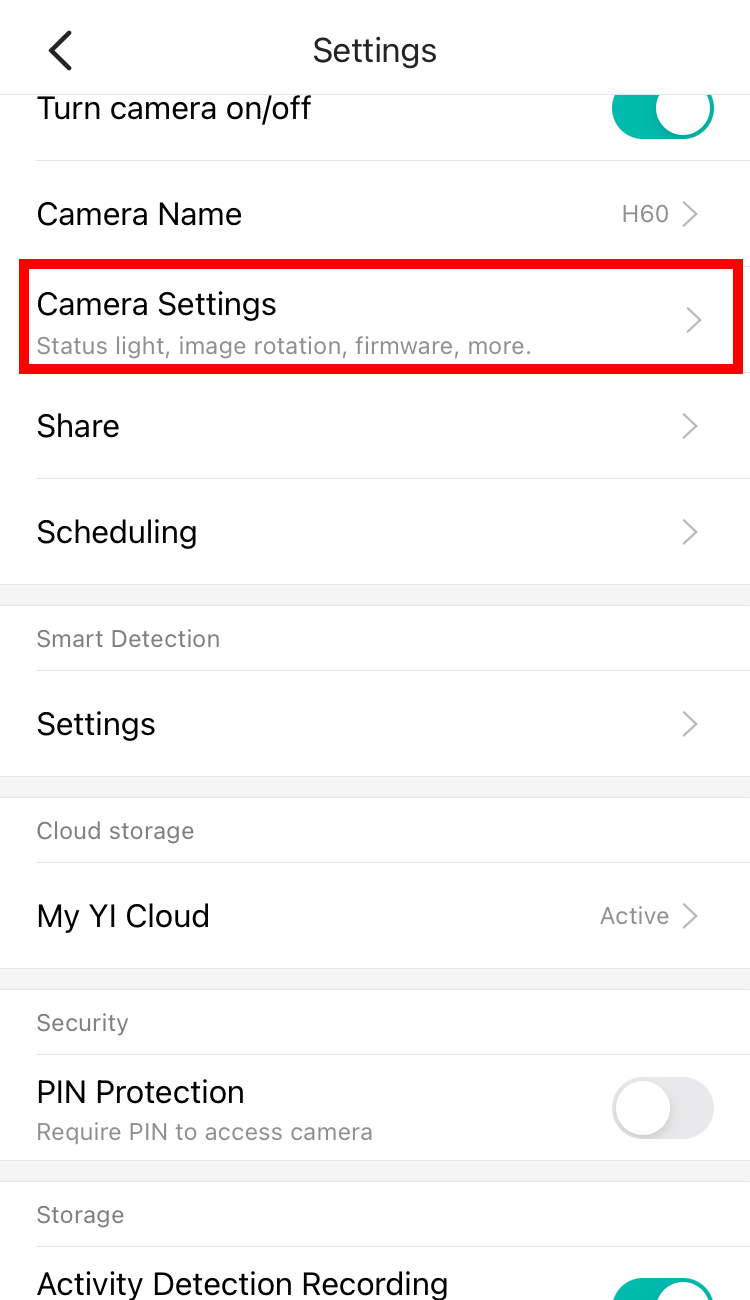
2. Tap on Camera Settings.
3. Tap on Auto-Cruise.
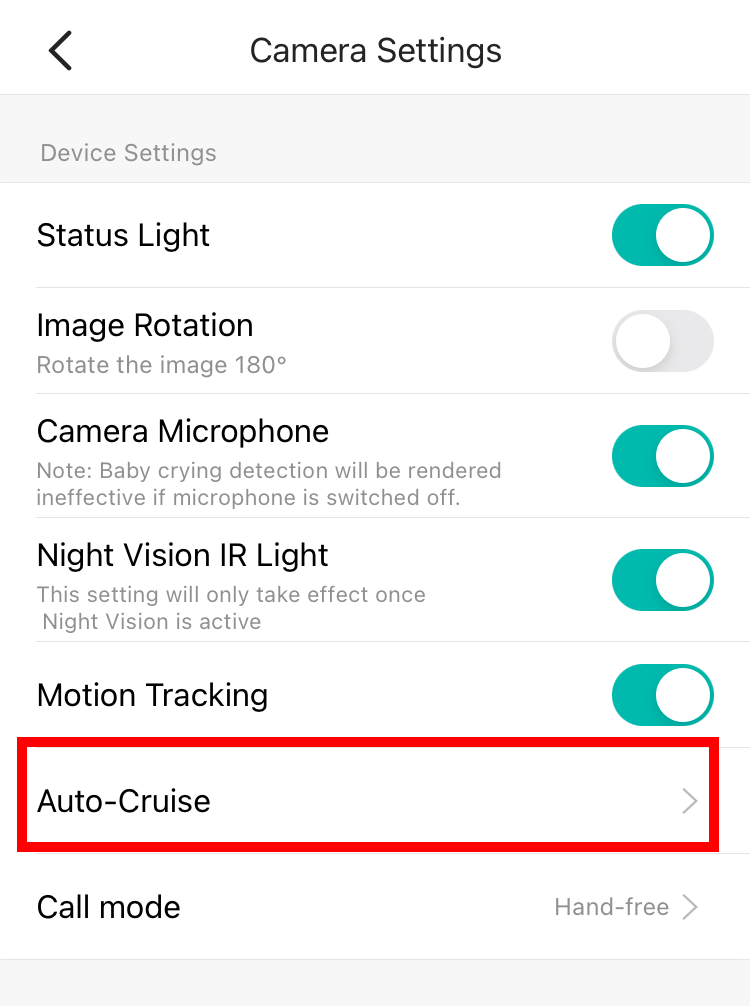
4. Enable the Auto-Cruise feature.
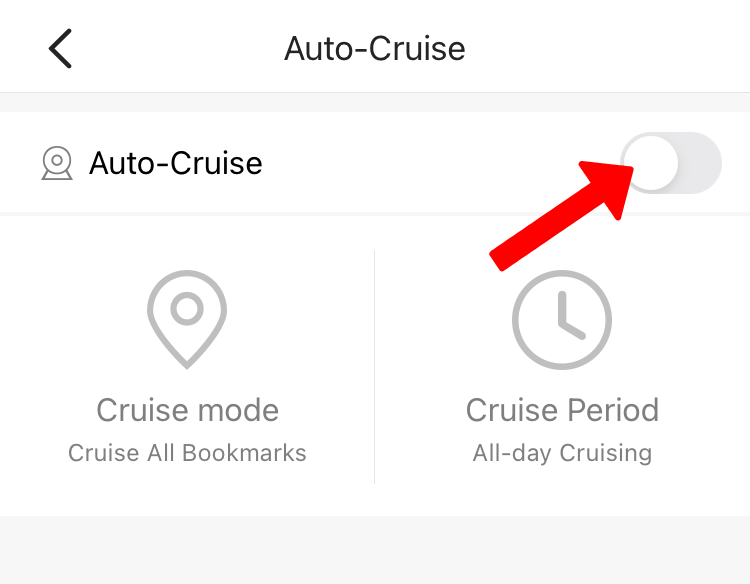
5. Once the auto cruise is on, you can select Cruise Route or Cruise period mode
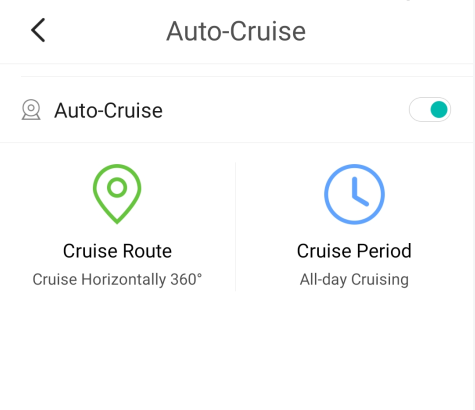
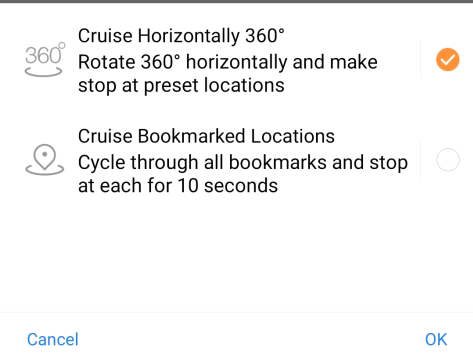
6. The Cruise Route - stops for 10 seconds at all bookmarked locations.
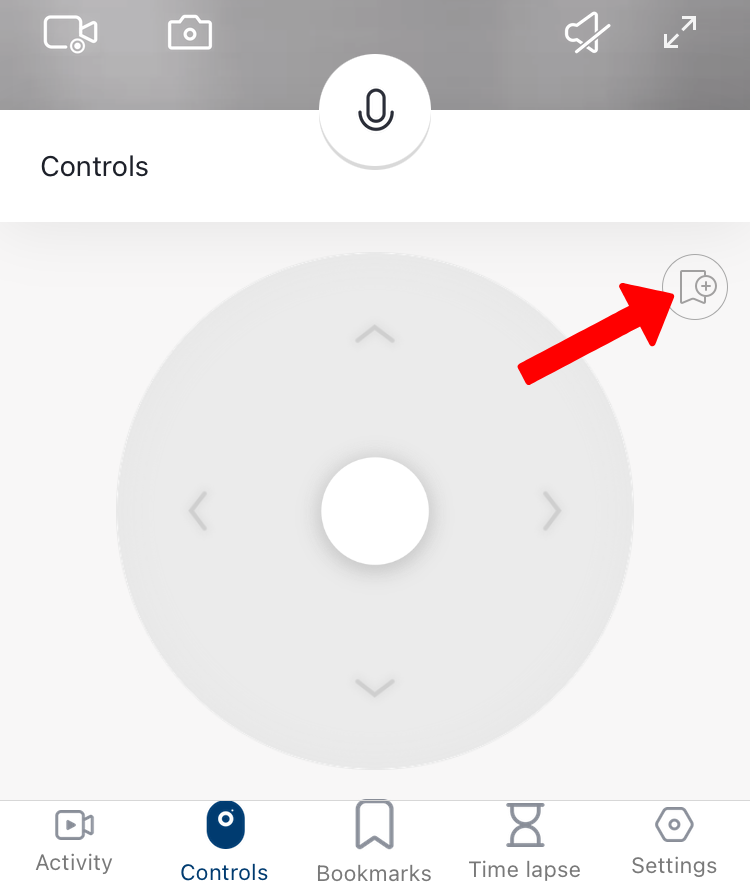
How to bookmark:
Move using the 4-way controller and Tap bookmarks on every desired angle.
7. Cruise Period - rotates and stops at preset locations.