Annke Vision - How to Share Your Device with Other Users?
Applies to:
DT41Y/DT61Y/DT81Y/DN41R/DN61R/DN81R/DT41GB/DT81GB/DT61GB/DW41JD/DW81KD/DW61LD/DT81DP/N48PI/N44PI/N46PI/N44PAM/N48PAW/N46PCK/N88PCH/S500/H800/FC800/E800/S300/FC200/NCK800/H500
Here are the steps:
1. Connect your device to Annke vision, you can refer to this link to connect your device.
How to connect system by Annke Vision?
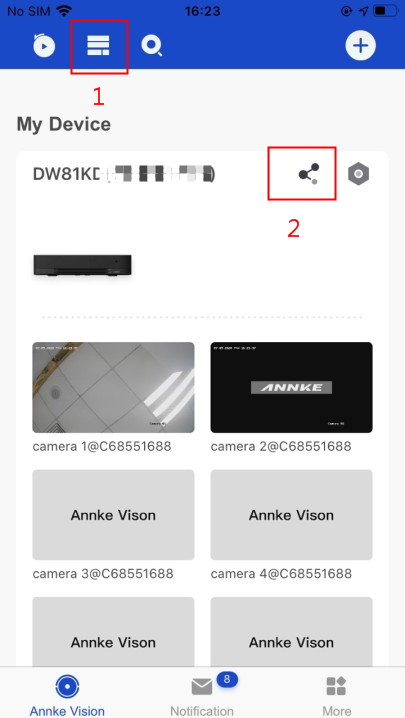
2. Run the app, click "Annke Vision", change to the below view then you can find the share button:
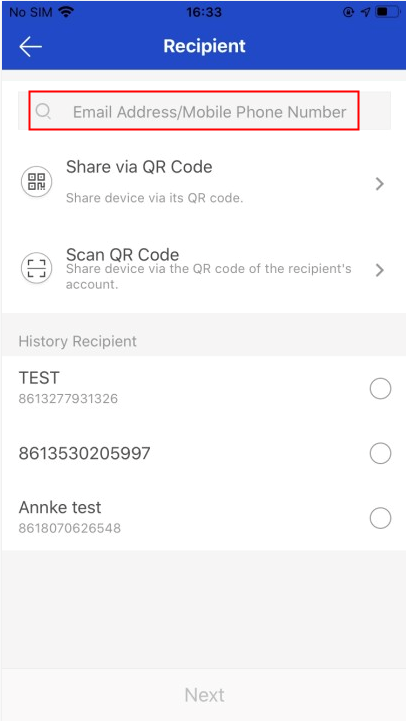
3. Click "Add Recipient", input the account you want to share, If the account user name is the phone No., it should add the country code. Or you can scan the QR code of the shared account.
Note: The recipient needs to have an Annke Vision account which is registered by his/her email address or phone No., then you can find his/her account via his/her email address or phone No by clicking "Add Recipient" and share the camera views.
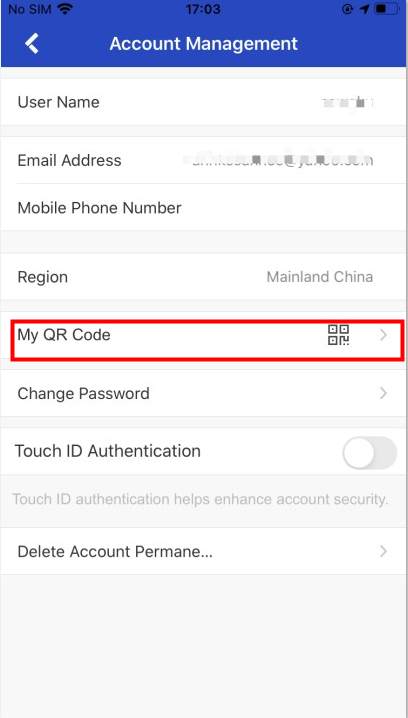
Where to find the QR code of the account on your shared account:
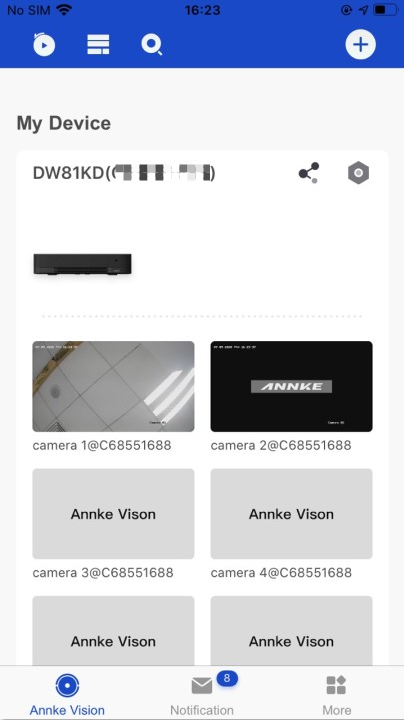
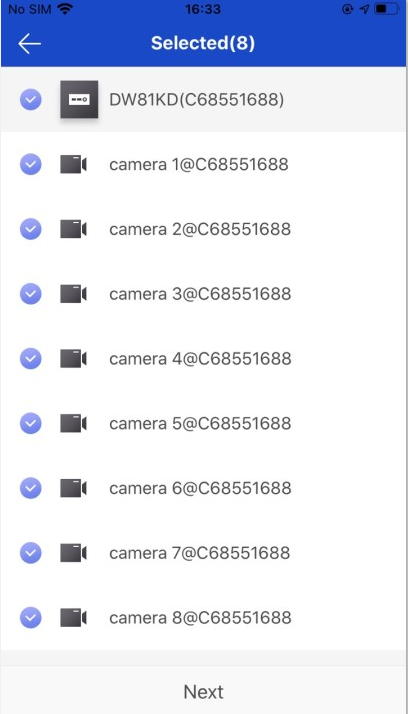
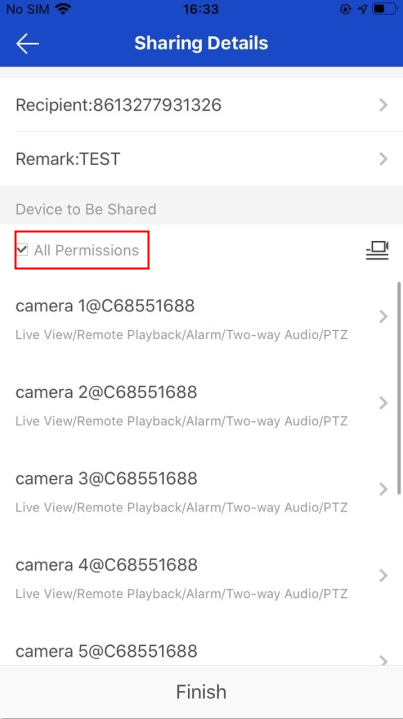
4. Select device channels and setting permission to share
You can choose to share all or part of the channel, or you can have partial or full permissions on the device. The default is only the permissions for preview and playback.
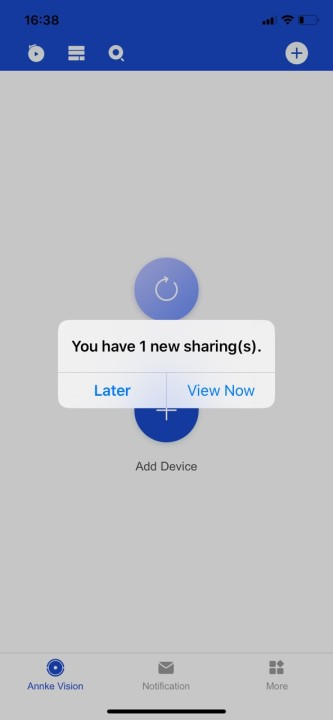
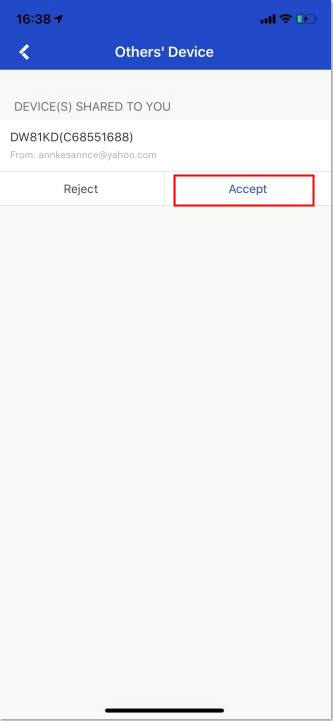
5. Log in to the shared account and accept the shared device. Log in to the shared account and you can see the information shared by the device. Click Accept to see the shared device in the device list.
Note: If you don`t receive the notification below, please close and restart the APP.
Was this article helpful?
Bu bilgiler sorununuzu çözmeye yardımcı oldu mu?
Still need help?
Uzman ekibimiz size yardımcı olmak için burada.