Annke Vision-What to Do If the APP Keeps Saying The Captcha Code Is Wrong?
Applies to:
DT41Y/DT61Y/DT81Y/DN41R/DN61R/DN81R/DT41GB/DT81GB/DT61GB/DW41JD/DW81KD/DW61LD/DT81DP/N48PI/N44PI/N46PI/N44PAM/N48PAW/N46PCK/N88PCH/S500/S300/FC200/NCK800/H800/H500/CZ400/CZ500/C500
Introduction:
When the user is logging in to the Annke Vision APP on the phone, the APP will ask the user to type in a captcha code to verify the identity sometimes. Even the user types in the correct captcha code, the APP still can not be accessed. In this article, we will show you how to solve the problem.
Steps:
1. Please double-check if the user name and password are correct.
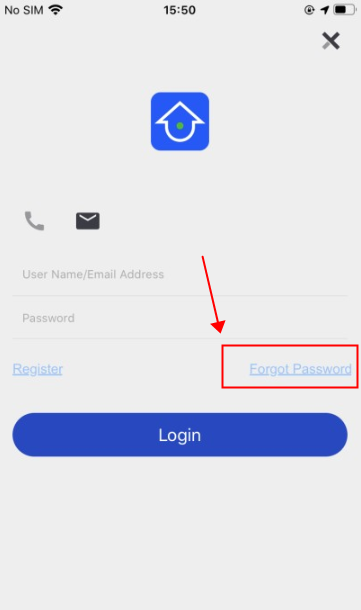
2. Please click “forgot password” to reset a new password and log in to the APP again.
Notice:
If you have any other questions, please contact ANNKE technical support at support@annke.com by email.
If this article is helpful to you, please click the "helpful" button after you review it. Any comments would be appreciated.
Was this article helpful?
Bu bilgiler sorununuzu çözmeye yardımcı oldu mu?
Still need help?
Uzman ekibimiz size yardımcı olmak için burada.