Annke Vision - What to Do if the Exported Videos From Annke DVR Do Not Show in Correct Size?
20 Aug 2026
371 views
Applies to: DN41R/DN81R/DN61R
Purpose:
For 1080N / 1080P lite surveillance systems, the camera videos are recorded in 960*1080 at maximum, which means the exported video will not show in the correct size (width/height) by default.
To show the video in the proper size, we can use the aspect ratio function on the player.
Below we will take the VLC player as an example.
Steps:
-
Open the video via VLC player.
Here is the download link of the VLC player: https://www.videolan.org/vlc/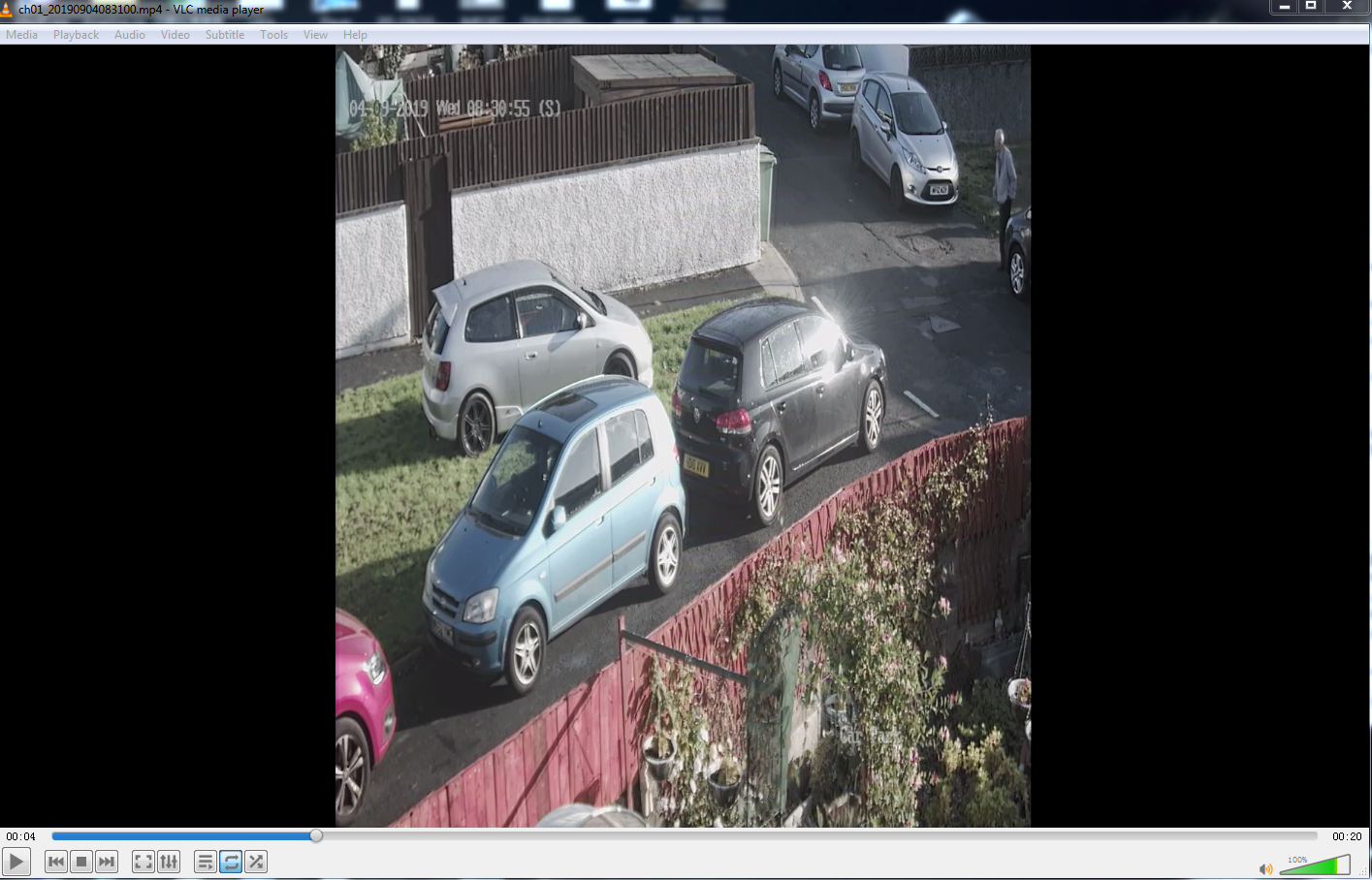
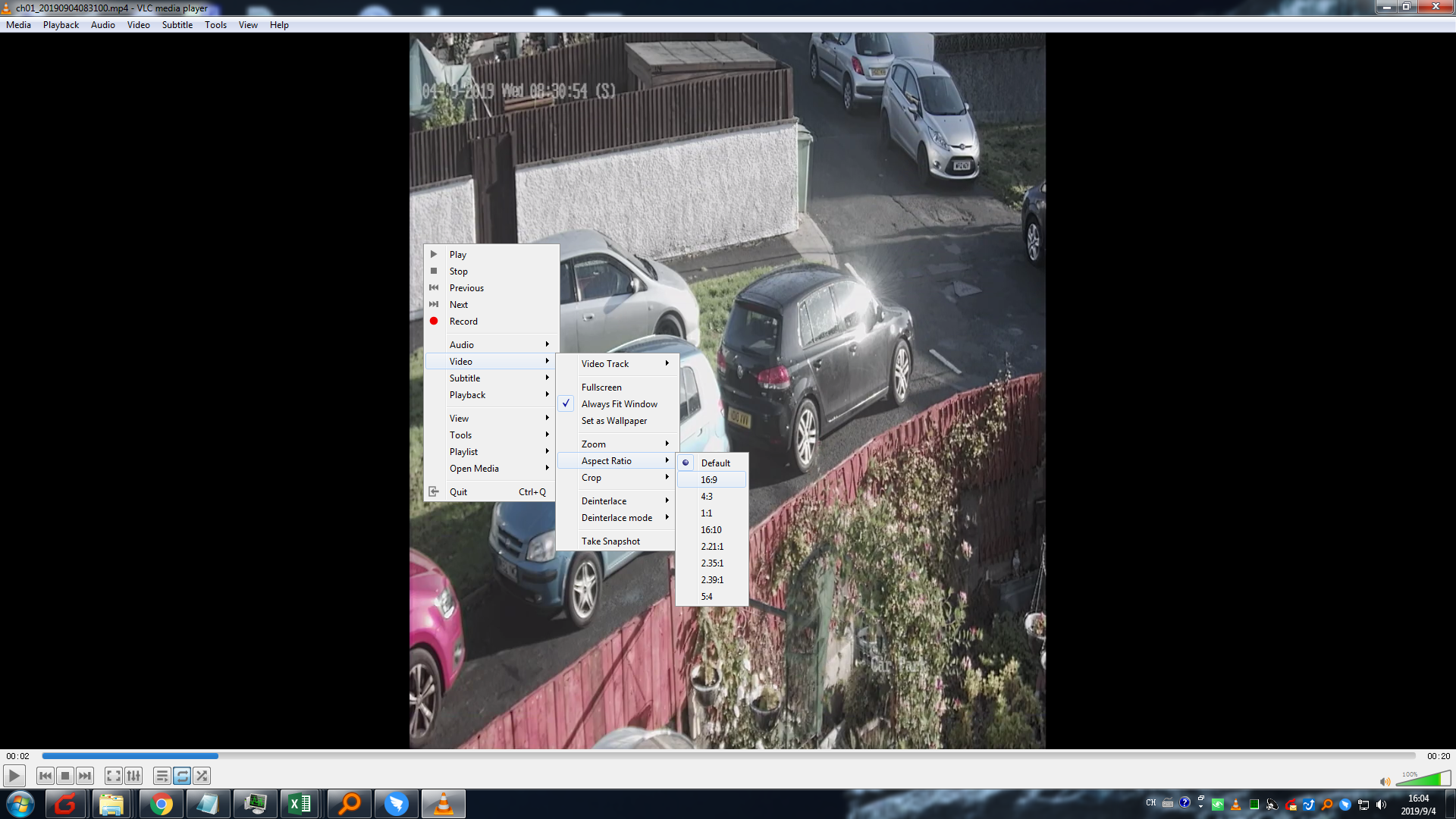
- Right-click the mouse on the player, go to Video--Aspect Ratio, choose 16:9.
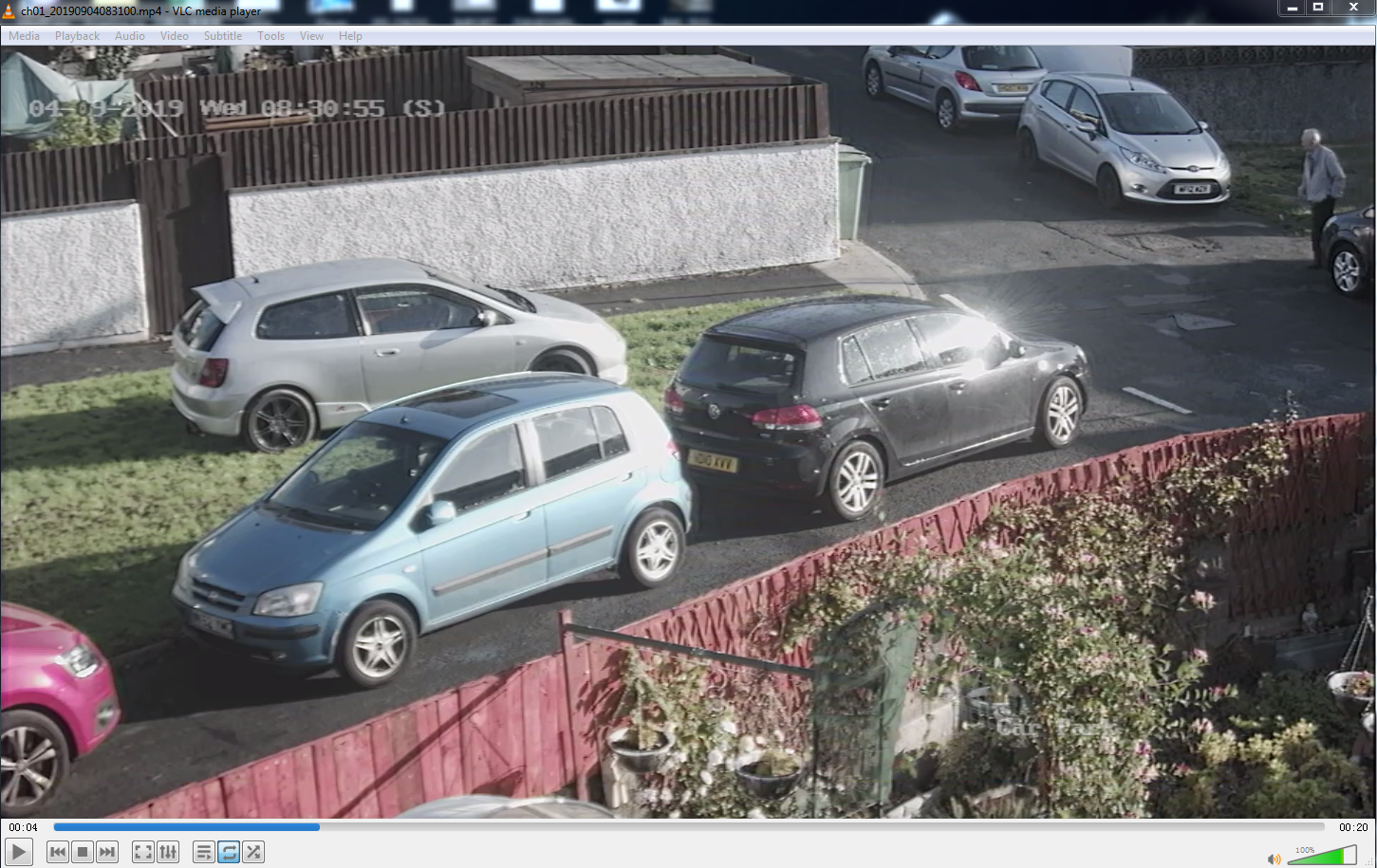
- Now you can see the video in the correct size.
Was this article helpful?
Bu bilgiler sorununuzu çözmeye yardımcı oldu mu?
Thanks for your feedback!
Still need help?
Uzman ekibimiz size yardımcı olmak için burada.