Annke Vision - What to Do If The NVR(H800) Is Offline?
19 Aug 2026
404 views
Applies to: N48PAW/N46PCK/H800
Purpose:
If you want to remotely access the Annke system on the phone APP, the network status of the system must be "Online". We will show you how to make the NVR "Online" if it is "Offline" in this article.
Steps:
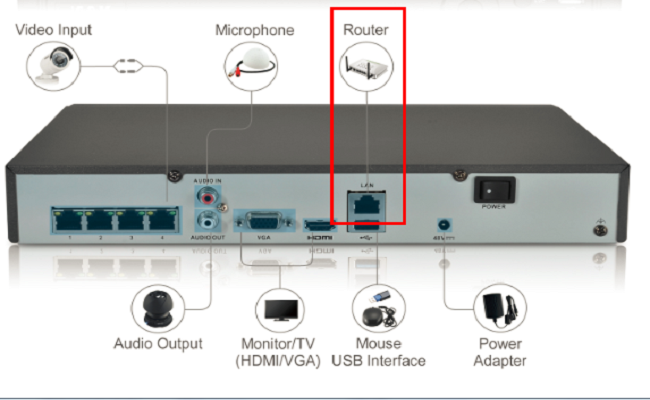
- Make sure the NVR is connected to a router via ethernet cable.
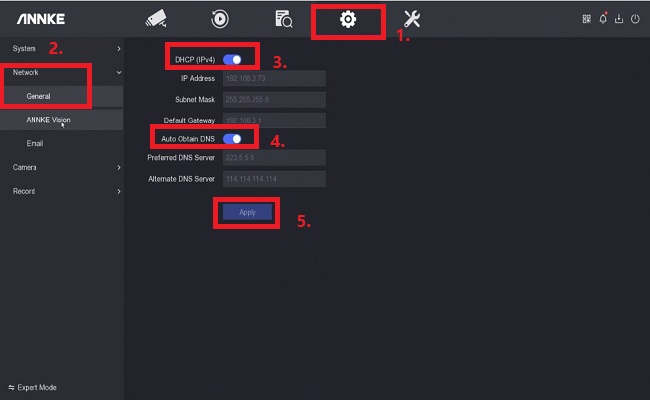
- Go to "System Configurations- Network- General", enable "DHCP" and "Obtain DNS automatically", then click on 'Apply'.
-
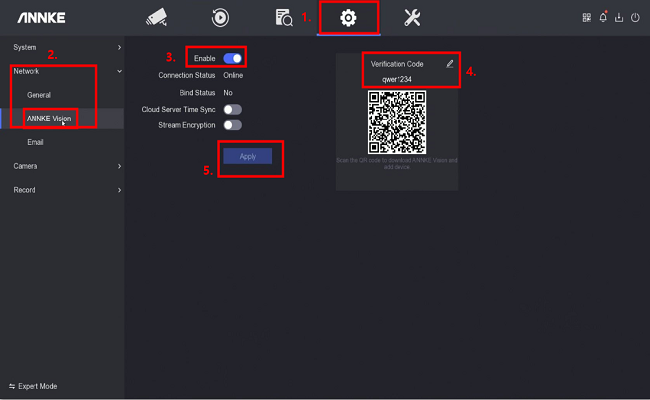
Go to ANNKE Vision, tick on 'Enable'. Please make sure the Verification Code has been set up. The verification code is created by the user, which should include letters and numbers. For example, qwer1234.
If the NVR is still offline, please go back to Setting- Network- General to disable 'DHCP' and "Obtain DNS automatically", input '8.8.8.8' in Preferred DNS server, then click on "Apply" to save the settings. After that, you can Reboot the system to see if the NVR becomes online.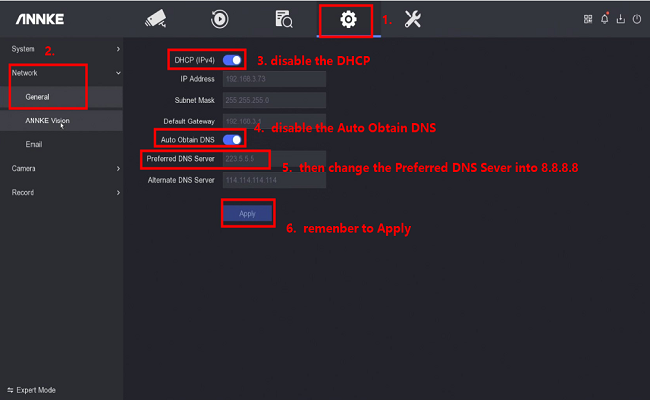
If you find the NVR is still offline even all the above steps have been completed, please reset the NVR to the factory default.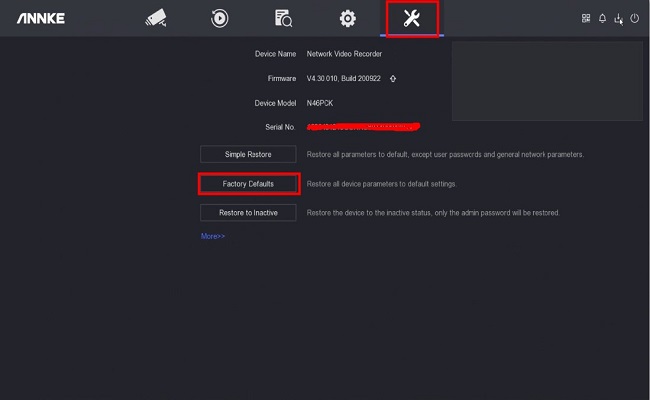
Notice:
- In case you are accessing the ANNKE system on a computer browser, refer to this video to make the system online:
-
For any other questions, please feel free to contact ANNKE technical support at support@annke.com by email.
If this article is helpful to you, please click the "helpful" button after you review it. Any comments would be appreciated.
Was this article helpful?
Bu bilgiler sorununuzu çözmeye yardımcı oldu mu?
Thanks for your feedback!
Still need help?
Uzman ekibimiz size yardımcı olmak için burada.