(Browser)(Plugin) - Install Plug-in for the Sapphire series
Browser Support: Internet Explorer (for Sapphire Series)
How to find Internet Explorer from Windows 10?
If you are using the Windows 10 system, please find the Internet Explorer from the search bar.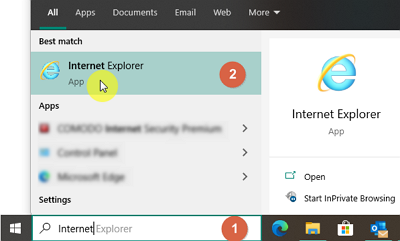
First-time Use, add the Trust Site in the Internet Options
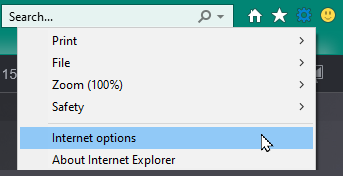
Go to the Internet Explorer > Gear icon (Tool Menu) > Internet Options.
please add the address to the Trust site list before installing the Plug-in. 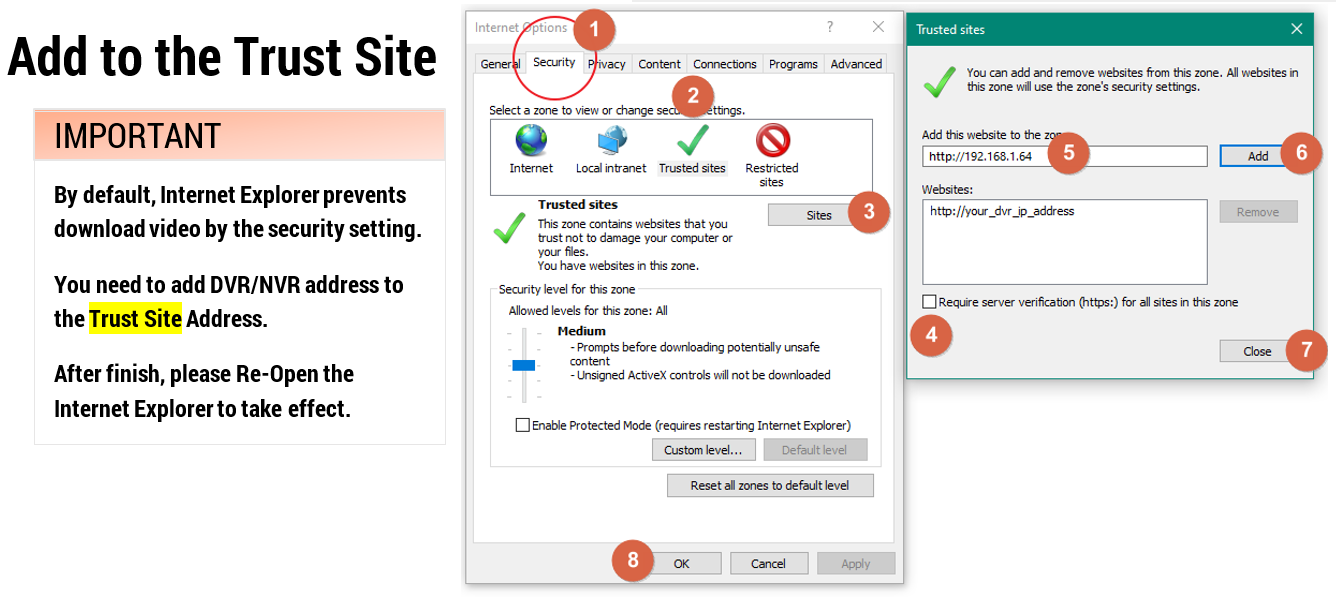
Click the Security Tab on the top, switch to the Trust Site. Click Sites to add your DVR ip address.
After completed the setting. Close the Internet Explorer and re-open it to take effect.
Login
After entering the IP address, and Login first.
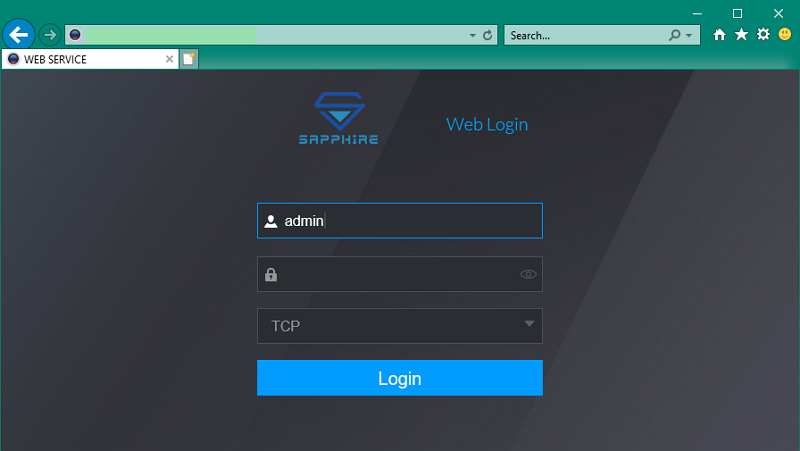
Click the Live button.
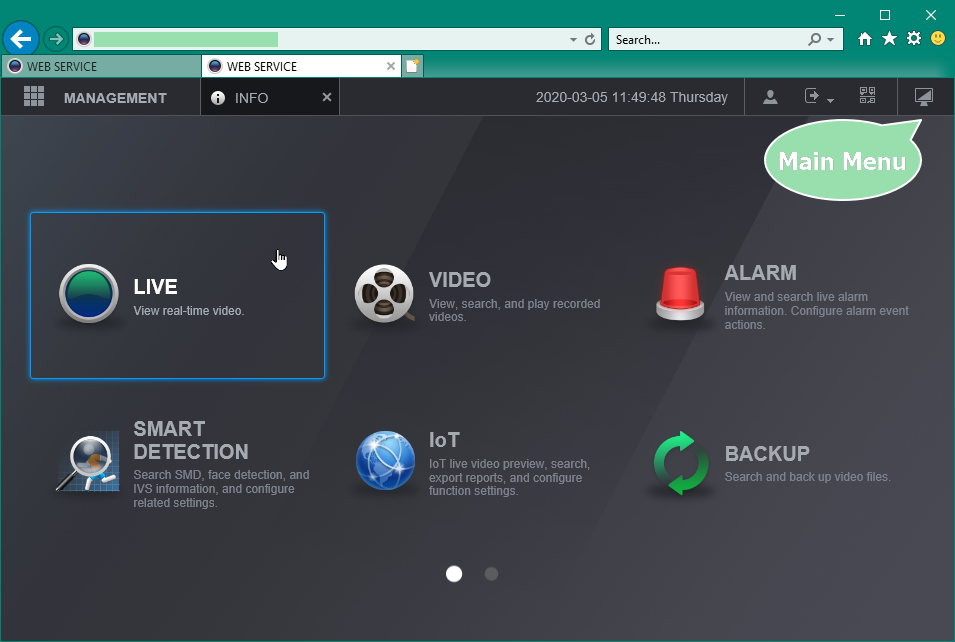
Install the Plugins
Please click the Please install plugins first! link in the middle
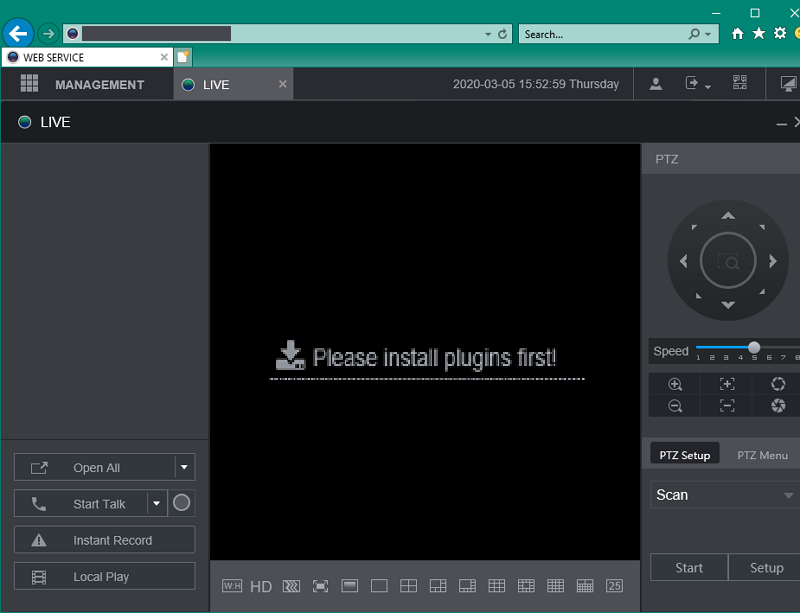

Click Run and complete the installation.
Please Refresh the Page and allow the Plugin.
Live View
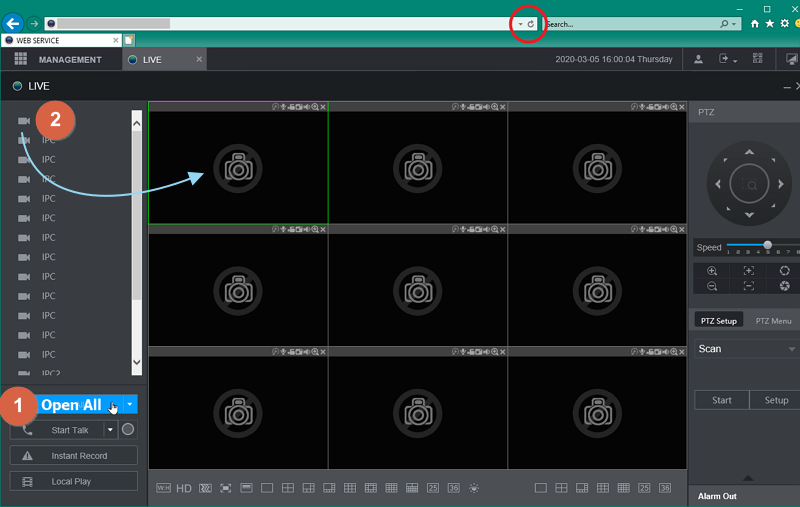
#1 Click Open All to view all the cameras at once. (only available for the IE version with the firmware v4)
(Substream Default)
#2 Click each camera icon to view it. (Main Stream Default)
Was this article helpful?
Bu bilgiler sorununuzu çözmeye yardımcı oldu mu?
Still need help?
Uzman ekibimiz size yardımcı olmak için burada.