Camb - How to Reset the AI Floodlight Cam?
Applies to: I41MV/I41MW/I41MX/I41MY
Purpose: When you swift the camera from one network to another, when you can't view your cameras on your phone and when you change some setting and don't know how to change it back. You can try to reset the camera to see will it back to normal.
Note: When resetting the AI Floodlight Cam, it will be restored into the factory settings.
Steps:
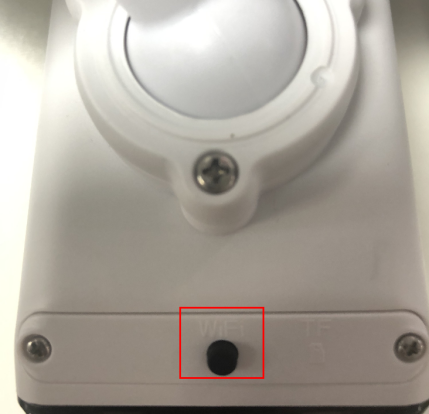
Click the “reset” button on the camera’s body for 3 seconds and the indicator light (blue light and the red light) will stay solid for 15 seconds, and then you will hear the prompt voice "Wating for installation", you can go to the next step when you see the red light is flashing, which indicates the reset procedure is finished.
Was this article helpful?
Bu bilgiler sorununuzu çözmeye yardımcı oldu mu?
Still need help?
Uzman ekibimiz size yardımcı olmak için burada.