Camb - What if the Motion Notifications from AI Floodlight Camera Delays or Even No Notifications ?
Applies to: I41MV/I41MW/I41MX/I41MY
Purpose: Motion detection alarm delay is caused by network reasons. If the network condition is not good, alarm delay will occur. The user needs to check whether the network is abnormal.
1. Turn on Motion detection on the app.
You can choose Detection on All Motion
Please set a suitable sensitivity and an area for detection.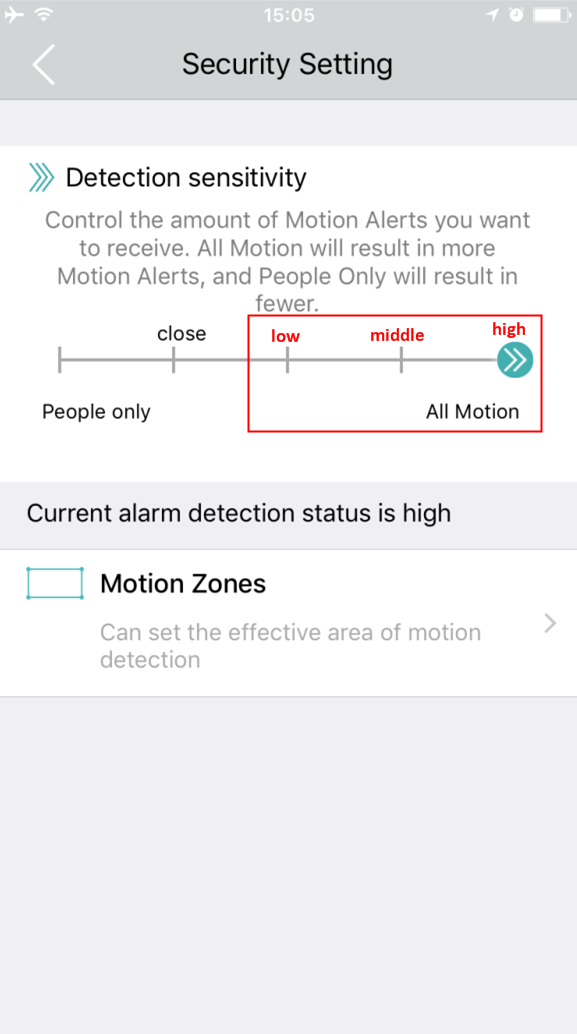
Or you can choose Detection on People only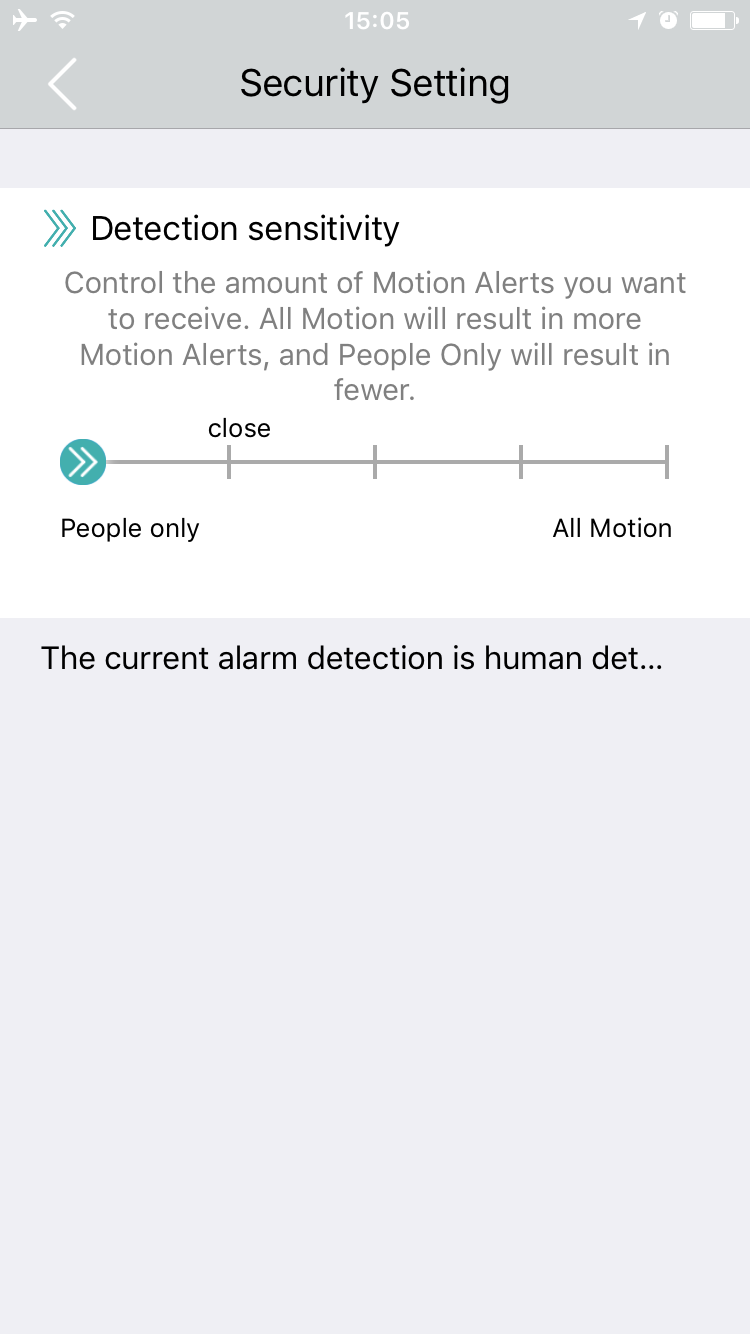
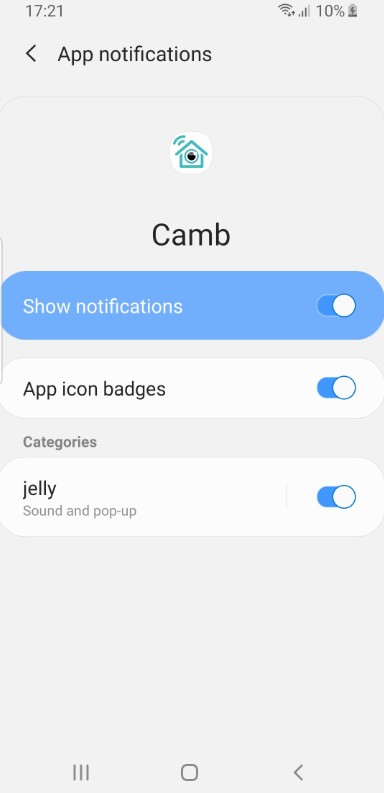
2. Open the phone system settings, find the "Camb" App in the notification options, and set to allow Camb to push messages to the phone. If the notification permission of the APP is not turned on, the mobile APP cannot push the alarm information to the user.
For iOS user: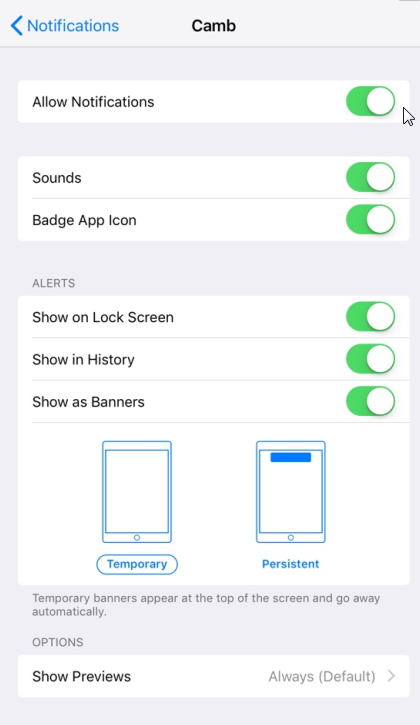
For Android user:
Note: For Android devices, please don't end the Camb software service via task manager. As the software needs to run in the background to send notifications.
3. In addition, users need to ensure that the camera can be connected to a 2.4G WiFi network with sufficient signal stability before installing because our products rely on the network for notification. If the network is not available, it is not possible to push messages.
Was this article helpful?
Bu bilgiler sorununuzu çözmeye yardımcı oldu mu?
Still need help?
Uzman ekibimiz size yardımcı olmak için burada.