Camb - What to Do If You Forget The App's Account Password?
18 Aug 2026
341 views
Applies to:
I41MV/I41MW/I41MX/I41MY
Purpose:
If you forget your account's password, you can refer to the steps below to find it back.
Steps:
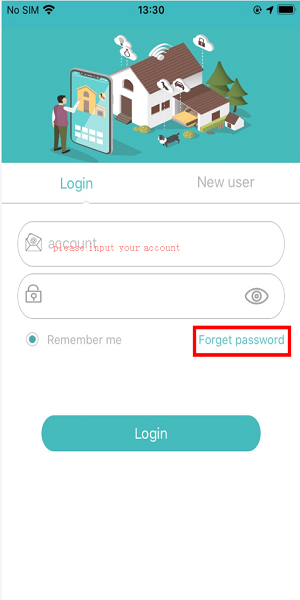
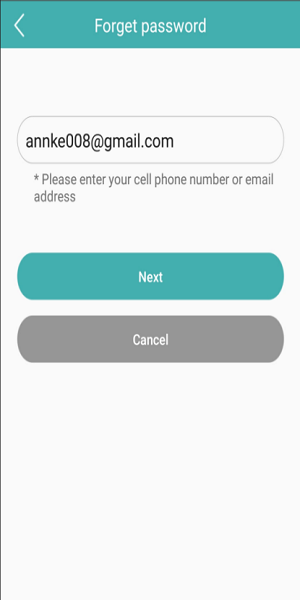
1. Run the app “Camb”->Click the “Forget password” on the login page-> Input the registered Email->Next->Check the verification code which sends to your email.
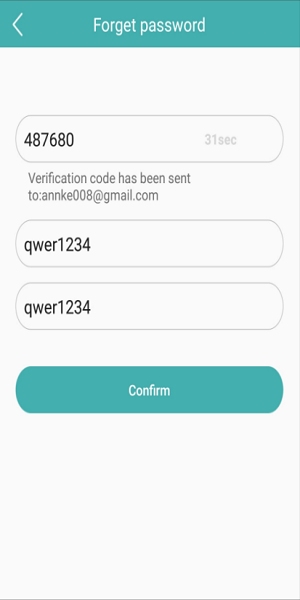
2. Input the verification code->input your new password->confirm your new password->Confirm.
Was this article helpful?
Bu bilgiler sorununuzu çözmeye yardımcı oldu mu?
Thanks for your feedback!
Still need help?
Uzman ekibimiz size yardımcı olmak için burada.