Change Video Format from default 4MP to 5MP on TVI 5MP Camera on Web Portal
20 Aug 2026
288 views
TVI 5MP Camera, The video format is set 4MP as default. Here are the steps to change from 4MP to 5MP
Take example of CMHT1752W-28CF
1. Login to DVR
2. On DVR Live Veiw, Select camera, click IRIS + on PTZ menu
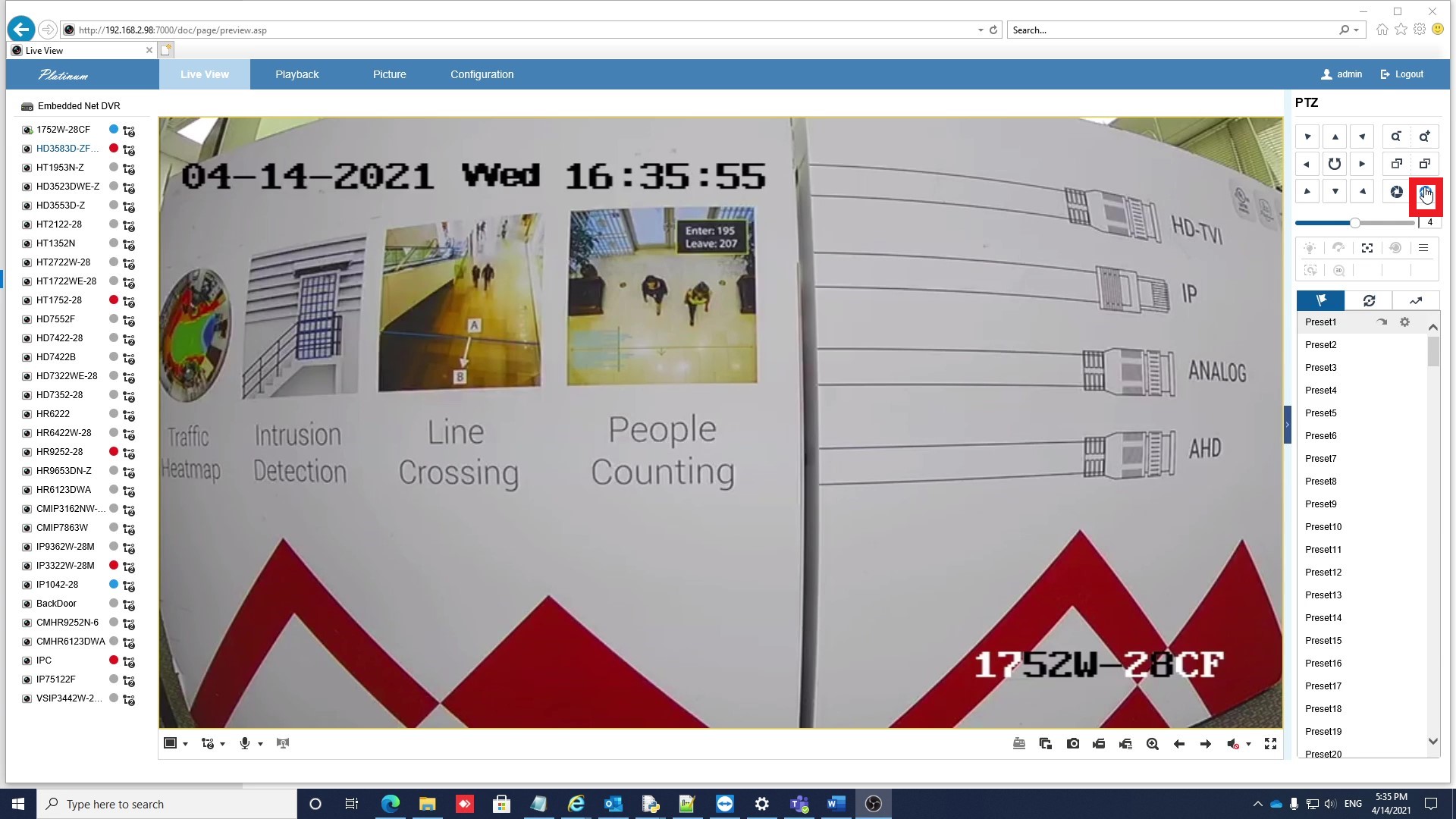
3. Under Menu, current video format is 4MP(4M30)

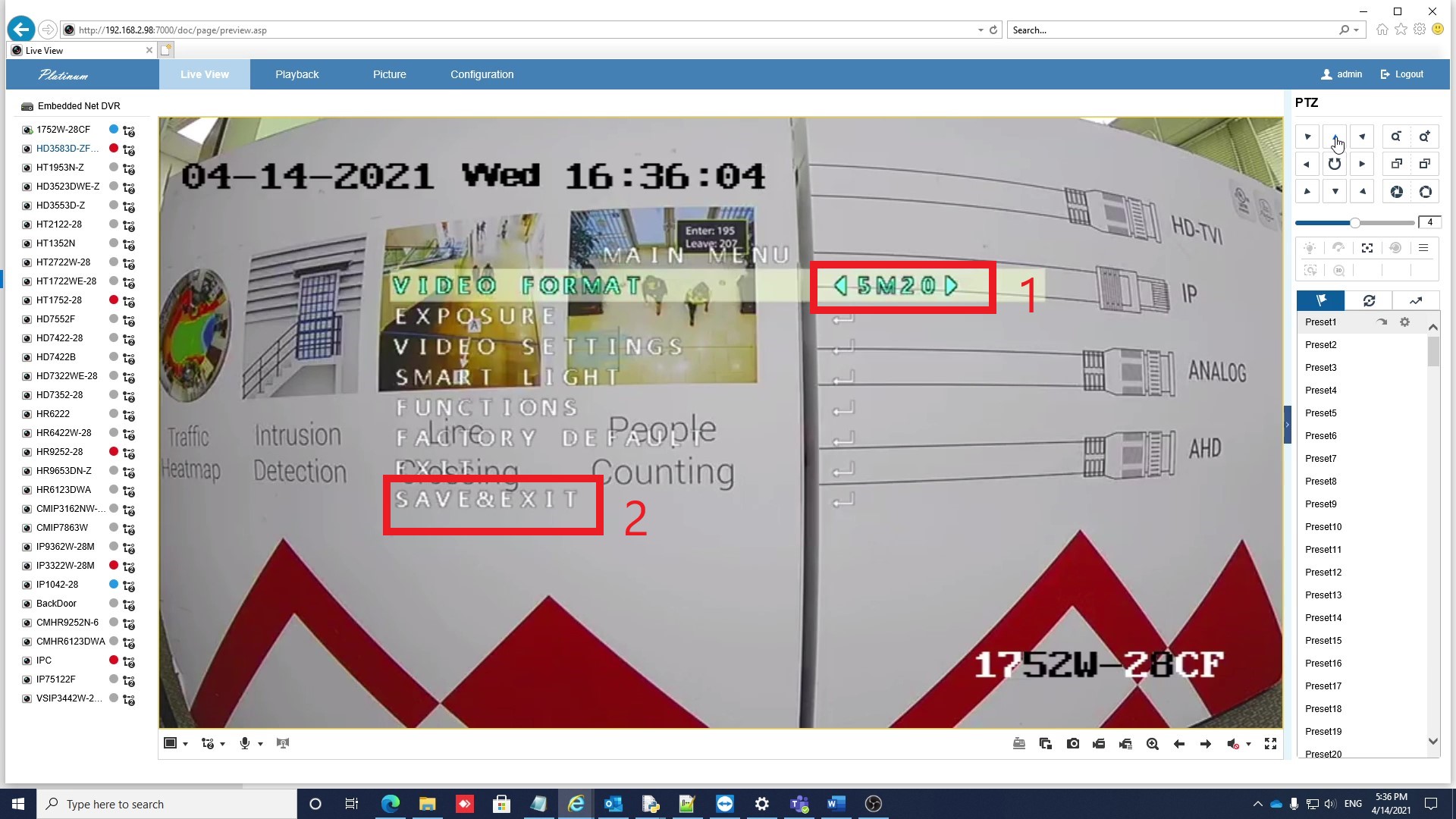
4. Use ◄ ► to change to 5M20 , use ▼ ▲ to SAVE & EXIT, click IRIS + to save the setting, camera will reboot
Was this article helpful?
Bu bilgiler sorununuzu çözmeye yardımcı oldu mu?
Thanks for your feedback!
Still need help?
Uzman ekibimiz size yardımcı olmak için burada.