Changing Parameters on IP Portal
Changing Parameters
The Platinum IP Portal tool can be used to modify the network parameters of your devices as long as you have the necessary connections to their respective network.
Note: This guide assumes you have already installed the program. If you have not, click here to learn more.
Modifying Devices
Step 1. Run the Platinum IP Portal program.
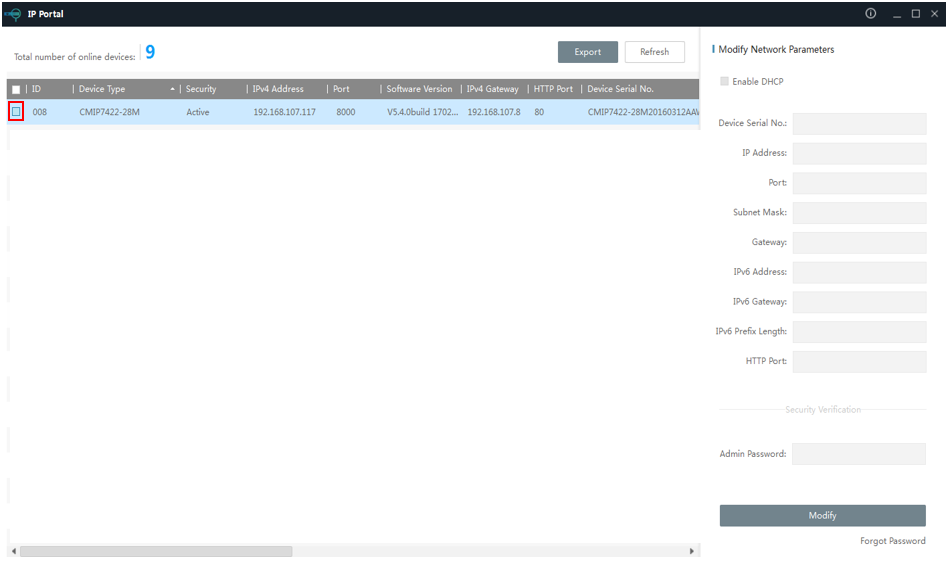
Step 2. Select your device from the device list. Select only one or it will not work.
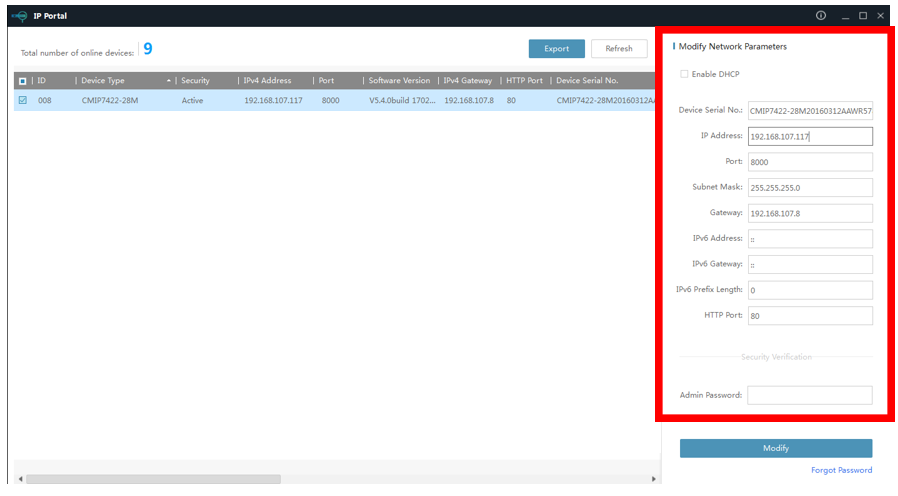
Step 3. Change the parameters on the right side of the Platinum IP Portal as you see fit.
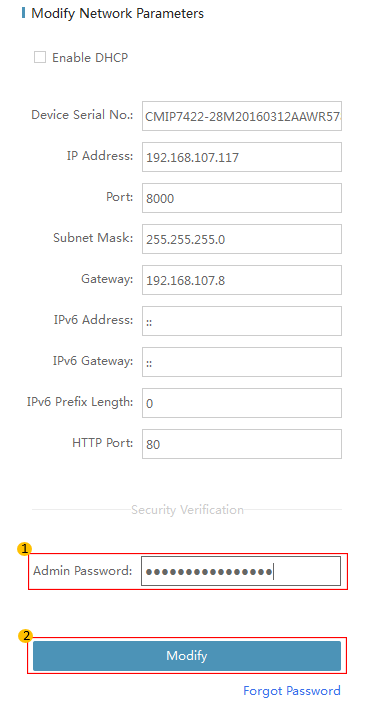
Step 4. Input the admin password for the device and then click on modify to save the settings.
Step 5. If successfully, it will indicate that your changes were successfully saved. You have successfully changed the network parameters of your device.
Was this article helpful?
Bu bilgiler sorununuzu çözmeye yardımcı oldu mu?
Still need help?
Uzman ekibimiz size yardımcı olmak için burada.