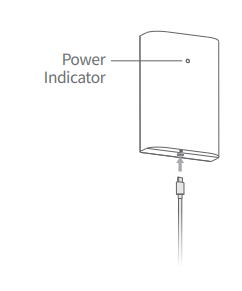
A. Charge the Battery
Please charge the battery, using a micro USB cable and a power adapter(not included).
The indicator light will be red while charging and turn green/white when fully charged.
B. Remove the Protective Cover
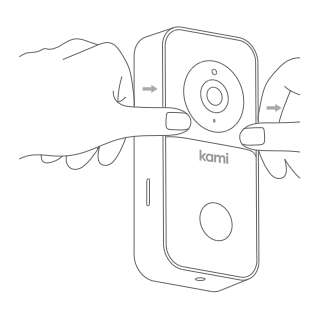
Press down on the face of the doorbell with your thumbs and pull the outer protective cover up and away from the main body, as shown in the diagram.
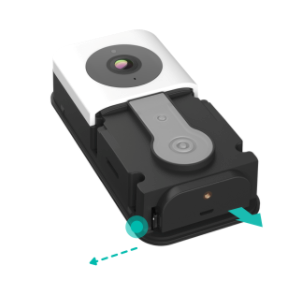
B. Remove the Battery from the Kami Doorbell
Press the lock outward to pull the battery out.
Note: The doorbell runs off the battery power and if wired to AC powering the AC keeps the battery charged only.