Dahua - How To Set Up Face Detection
20 Aug 2026
344 views
This guide will show how to enable Face Detection in the New SystemUI on a Dahua device.
Step By Step Instructions
1. From the Main Menu
Select AI
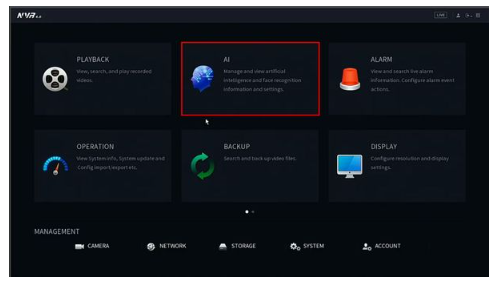
2. A Smart Plan must be created for the channel
Select Parameters > Smart Plan

3. Use the drop-down box to select the channel

4. Click to select/enable Face Detect
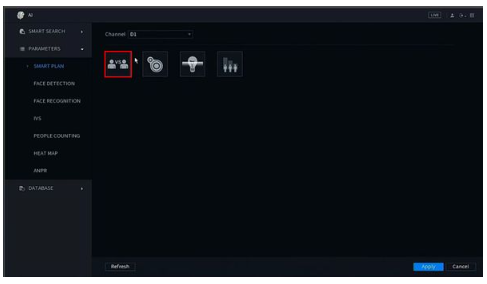
5. Click Apply to save

6. Now the Face Detection feature must be enabled
Select Parameters > Face Detection

7. Use the drop-down box to select the channel
Toggle the switch to Enable
The Face Detection feature is now enabled

8. Use the additional parameters to adjust other settings for the Face Detection feature:

9. The Live View can now show live Face Detection

Was this article helpful?
Bu bilgiler sorununuzu çözmeye yardımcı oldu mu?
Thanks for your feedback!
Still need help?
Uzman ekibimiz size yardımcı olmak için burada.