(DVR) - Motion Detect Setup & Recording
20 Aug 2026
341 views
Go to Main Menu > Alarm
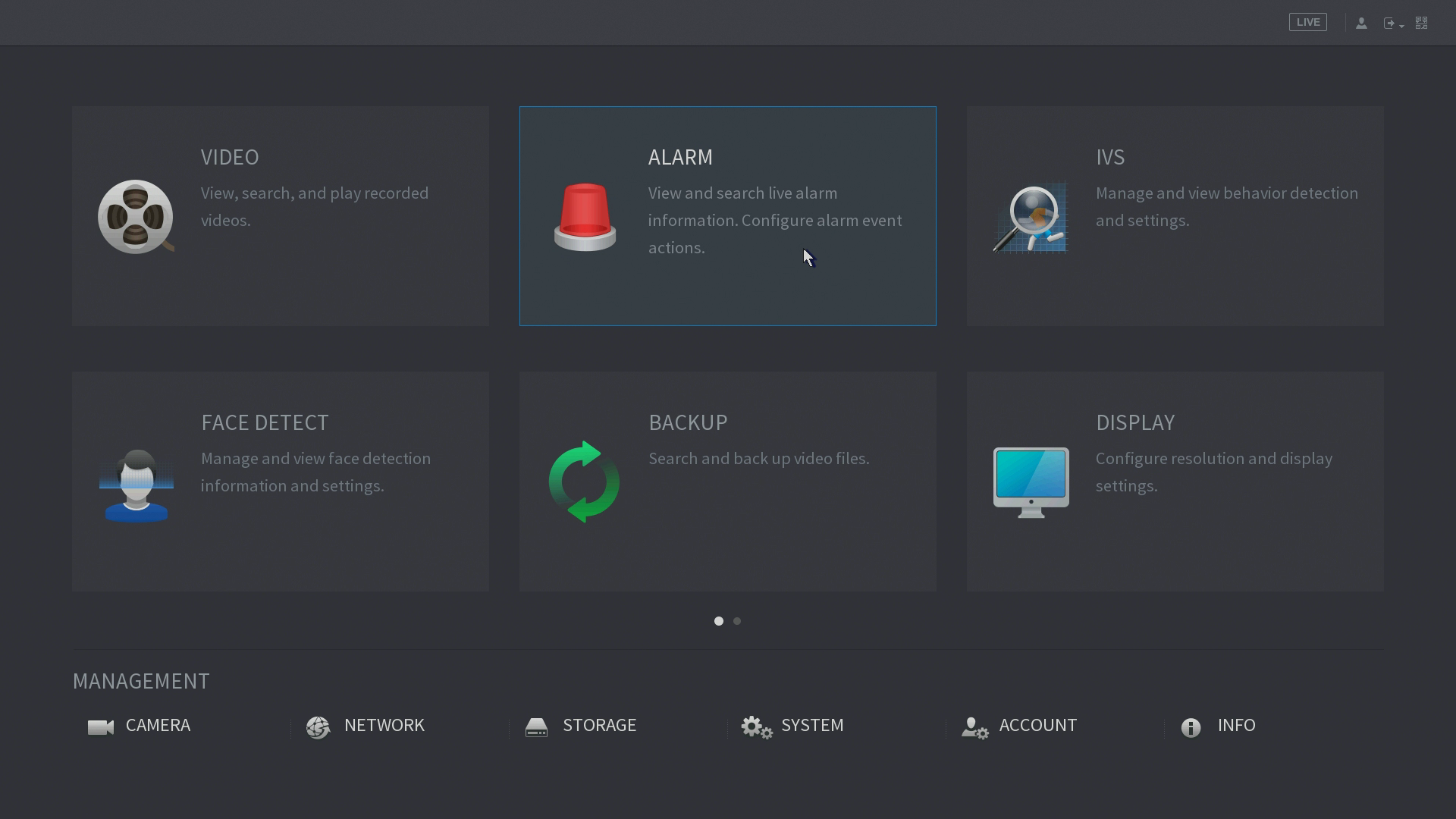
Go to Video Detect
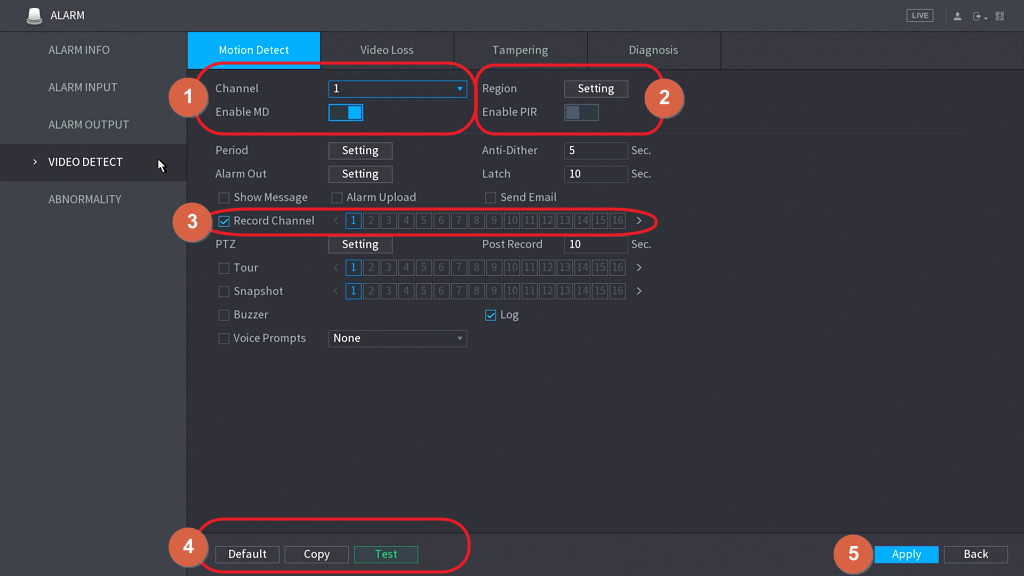
- select a channel and check “Enable MD (Motion Detection)”.
- Set region setting that will apply motion detect, it works on the whole image by default.
You may define 4 different sensitivities area by drawing the region.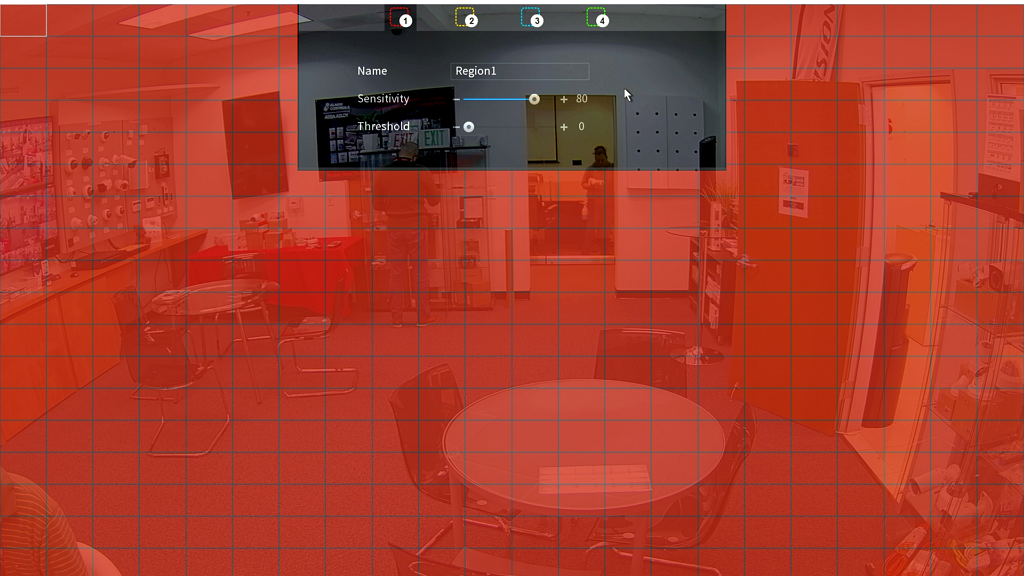
- Make sure the corresponding Record Channel has been selected.
- Click Copy to apply to each channel (if needs)
- Click “Apply”and “Save” to activate the function.
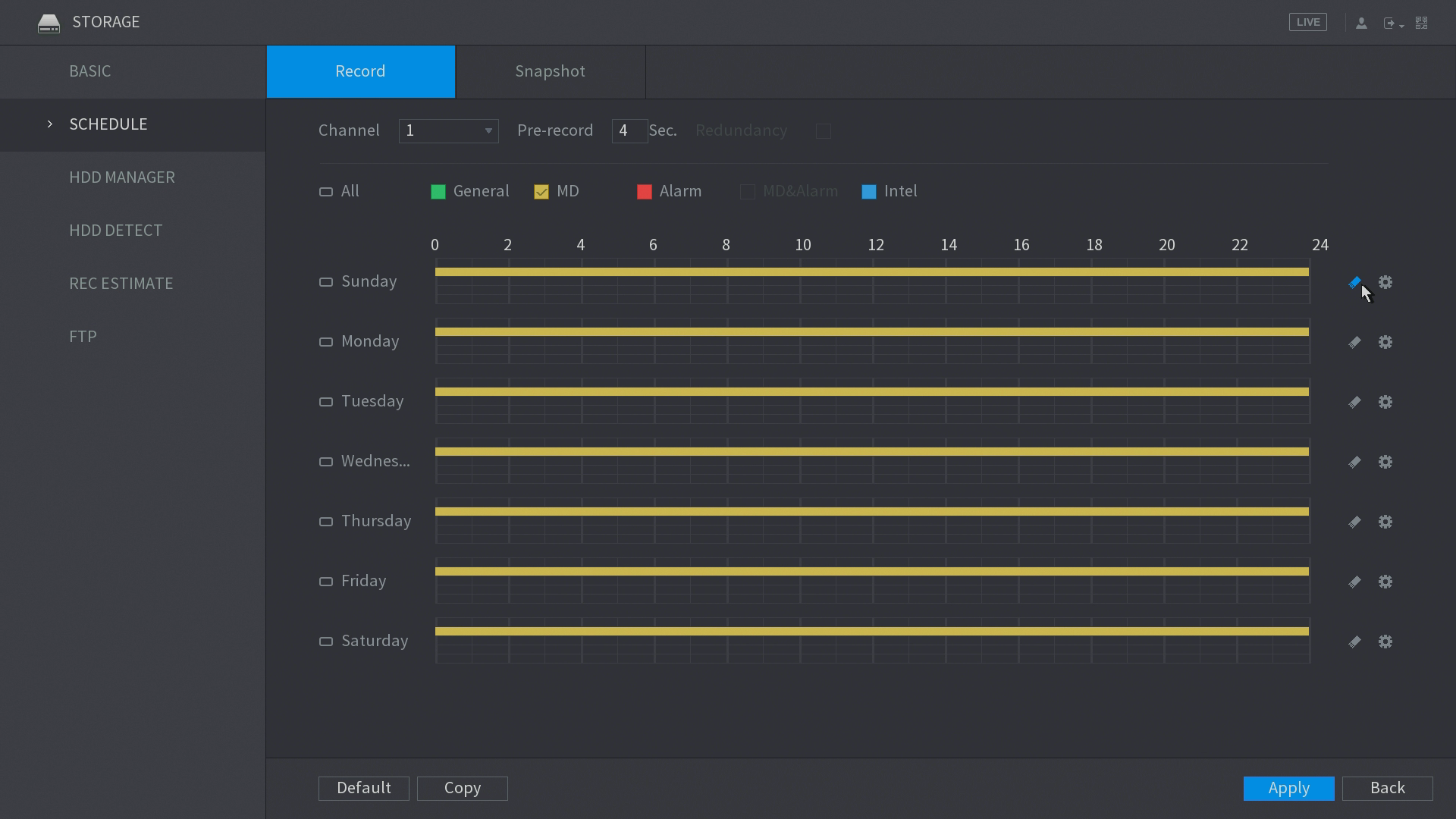
Schedule Recording to Motion Detect
Go to Main Menu > Storage (bottom; see cursor)
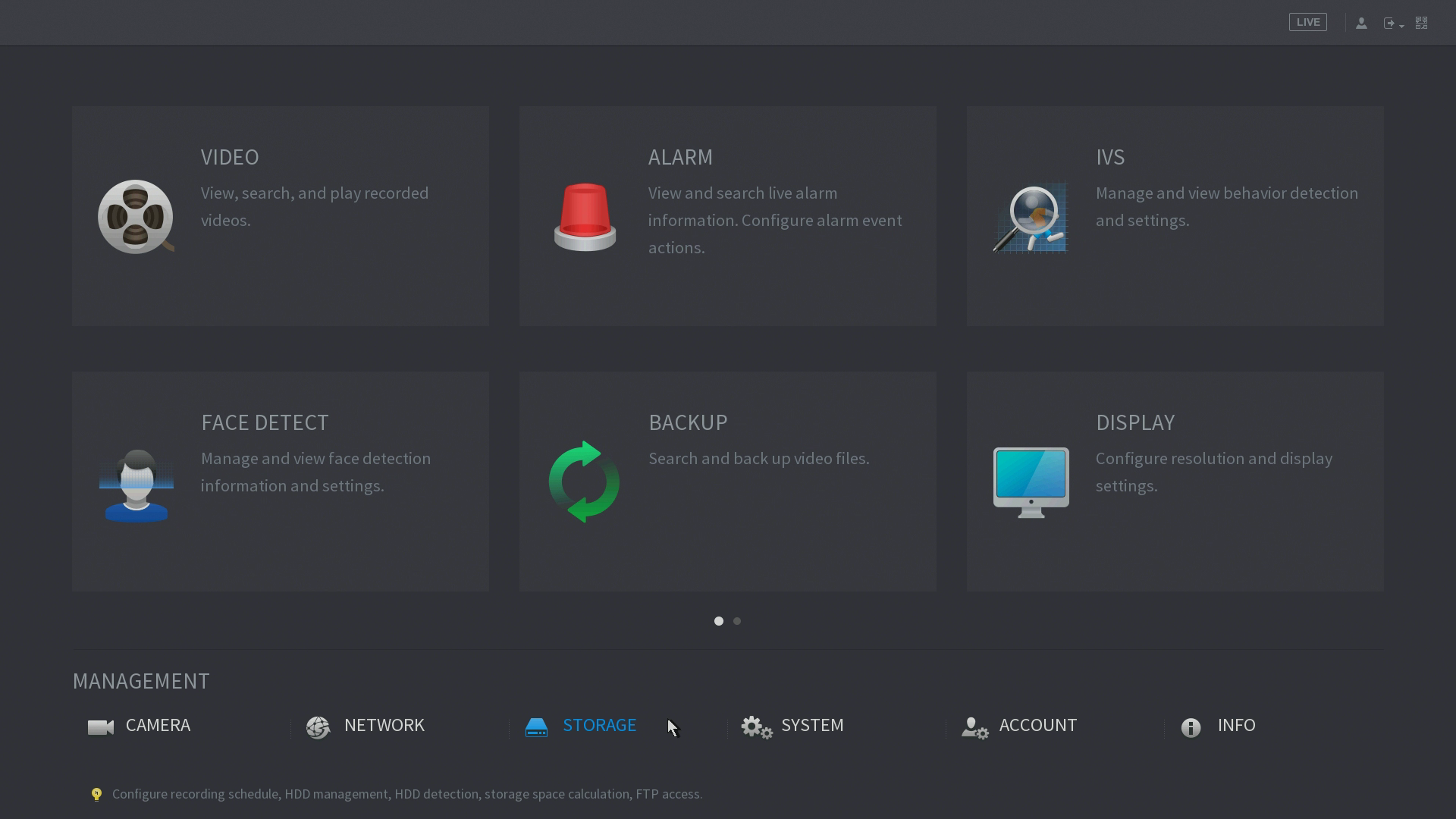
Go to Schedule, change every color bar to MD (Yellow)
Was this article helpful?
Bu bilgiler sorununuzu çözmeye yardımcı oldu mu?
Thanks for your feedback!
Still need help?
Uzman ekibimiz size yardımcı olmak için burada.