gDMSS lite - How to Set up Email Alert?
Applies to: N44PS/N48PS
Here are the steps:
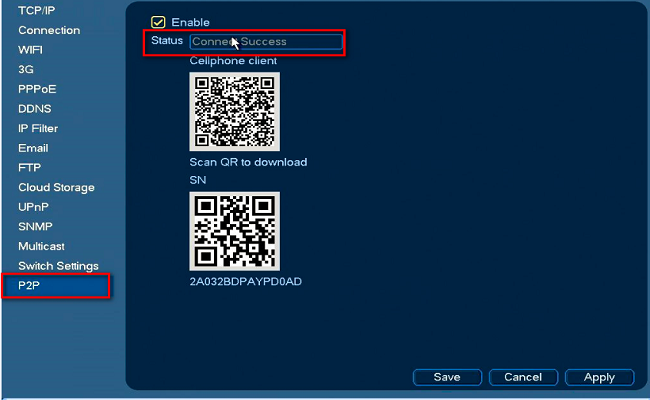
1. Go to Network---P2P to check status. It must be a successor online.
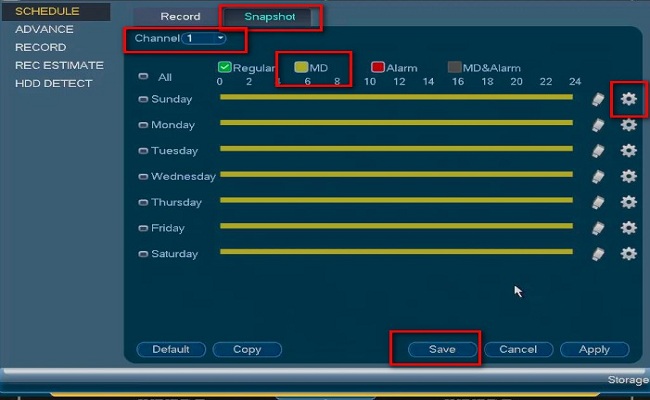
2. Go to storage to select the motion detection Snapshot period.
a). Select Snapshot
b). Select Channel
c). Click setting to select MD and copy it to all
d). Click Save
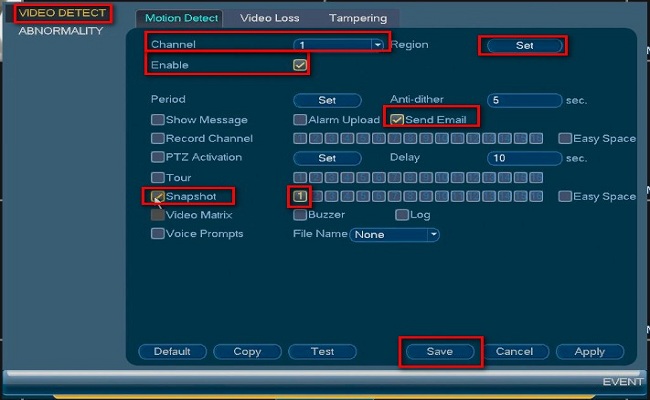
3. Go to the event to enable motion detection function.
select channel----enable---select region--select period---tick send email----tick snapshot---tick channel.
REMEMBER TICK ALL OPTIONS IN RED BOX ON PICTURE.
4. Please log in your Gmail account and open website below. Tick turn on.
https://myaccount.google.com/security?pli=1#connectedapps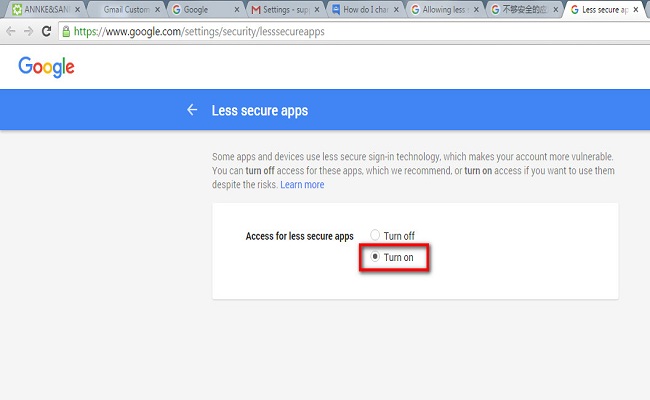
5. Go to Network--Email to set up email.
Please use Gmail instead of other emails.
SMTP server is smtp.gmail.com
the port is 587( if 587 can‘t work, try 465)
the user name is your Gmail user name
password is your Gmail password
the receiver can be any email address
the sender is your Gmail user name, too
encryption type is TLS
tick attached file
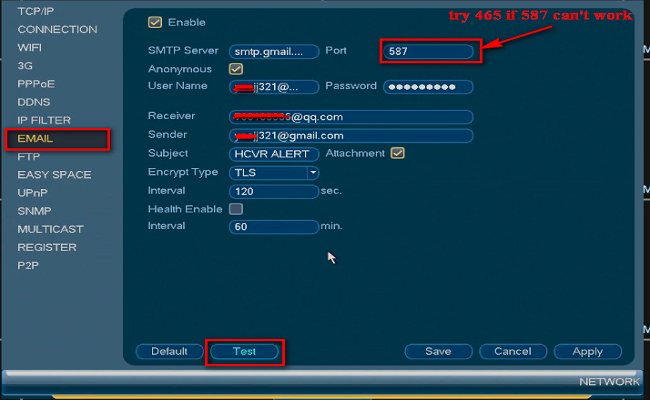
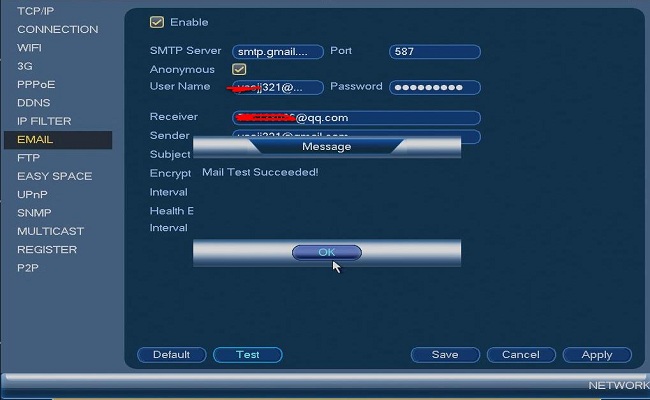
6. Click test if it shows success, all is working. When there is motion, you will receive emails with 1 picture.
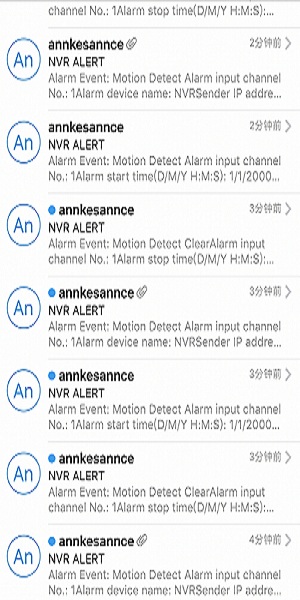
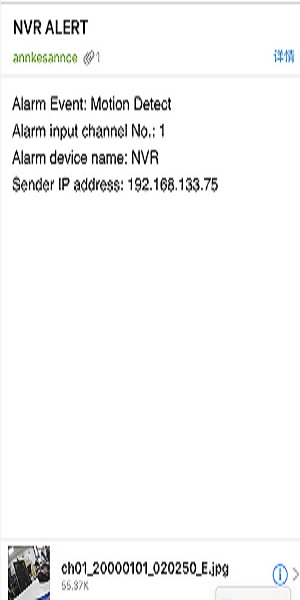
You will receive 3 emails when there is motion detection. Only 1 has a picture and the other 2 don‘t.
Was this article helpful?
Bu bilgiler sorununuzu çözmeye yardımcı oldu mu?
Still need help?
Uzman ekibimiz size yardımcı olmak için burada.