How to change recording settings on Speco Blue Recorder via web browser
20 Aug 2026
449 views
If you don't have the system set up locally online, please refer to the article first:
How to Connect to a Speco Blue Recorder from a Computer.
- Connect to the recorder locally using its IP address
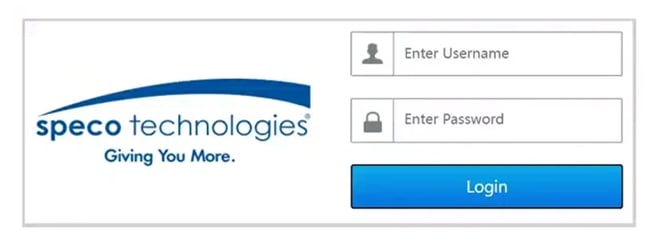
- Insert the user name and password of the recorder, select Login.
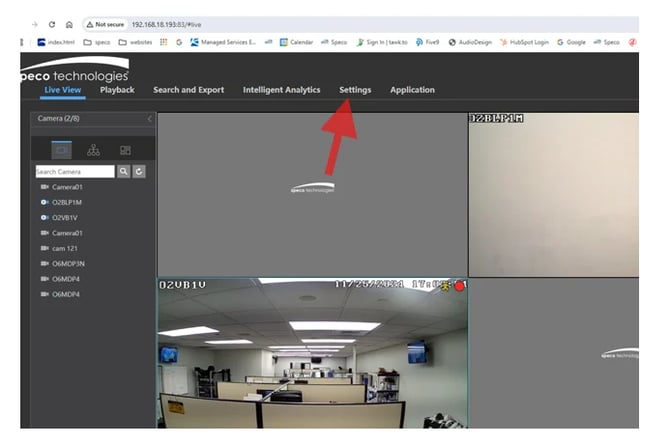
- Click on Settings
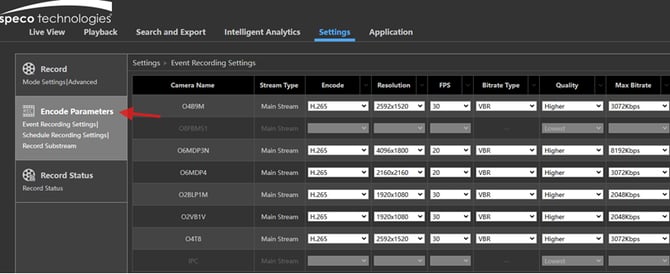
- Click on Encode Parameters
- Change recording settings as desired for Event, Scheduled and Substream Recording
Initial publish Date: January 9th, 2025

Article authored by: Phil Benanti, Tier 2
If you don't have the system set up locally online, please refer to the article first:
How to Connect to a Speco Blue Recorder from a Computer.
- Connect to the recorder locally using its IP address
- Insert the user name and password of the recorder, select Login.
- Click on Settings
- Click on Encode Parameters
- Change recording settings as desired for Event, Scheduled and Substream Recording
Initial publish Date: January 9th, 2025

Article authored by: Phil Benanti, Tier 2
Was this article helpful?
Bu bilgiler sorununuzu çözmeye yardımcı oldu mu?
Thanks for your feedback!
Still need help?
Uzman ekibimiz size yardımcı olmak için burada.