How To Default R-Series NVRs From An Attached Monitor
20 Aug 2026
307 views
Step One: Access the Menus and Login
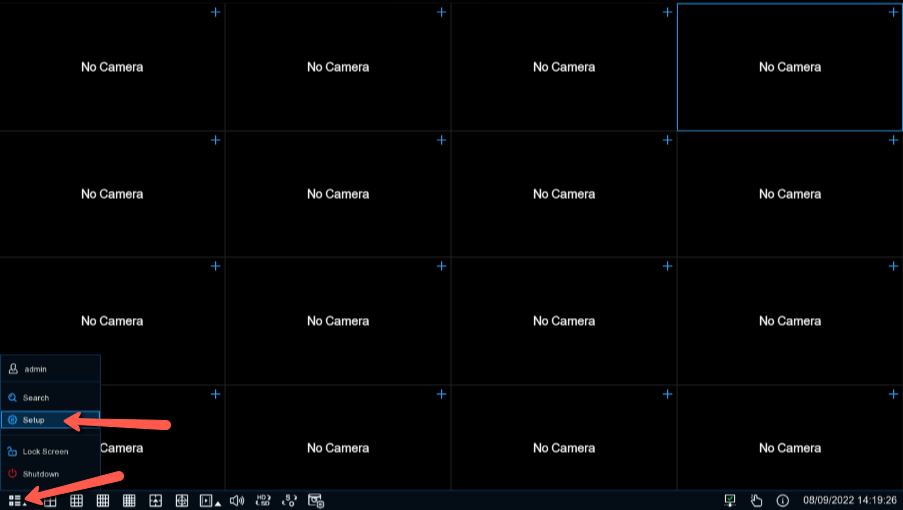
- Click the four box icon in the bottom left corner with an upwards arrow and click setup
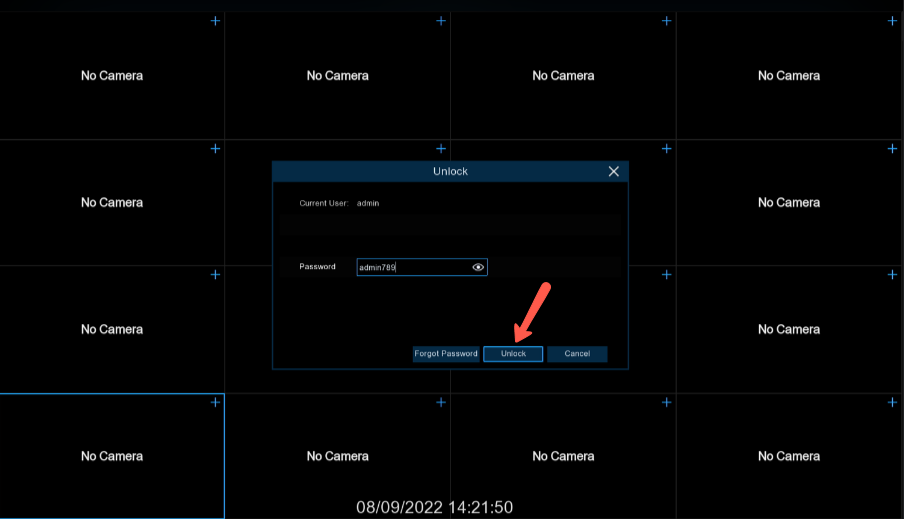
- Login to the NVR with the default username and password if it hasn't been changed. If you do not know the password, please contact us at customerservice@nellyssecurity.com or 855-340-9999 . The Default login is as follows:
- Username: admin
- Password: admin789
Step Two: Navigate to the Load Default Menu and Default
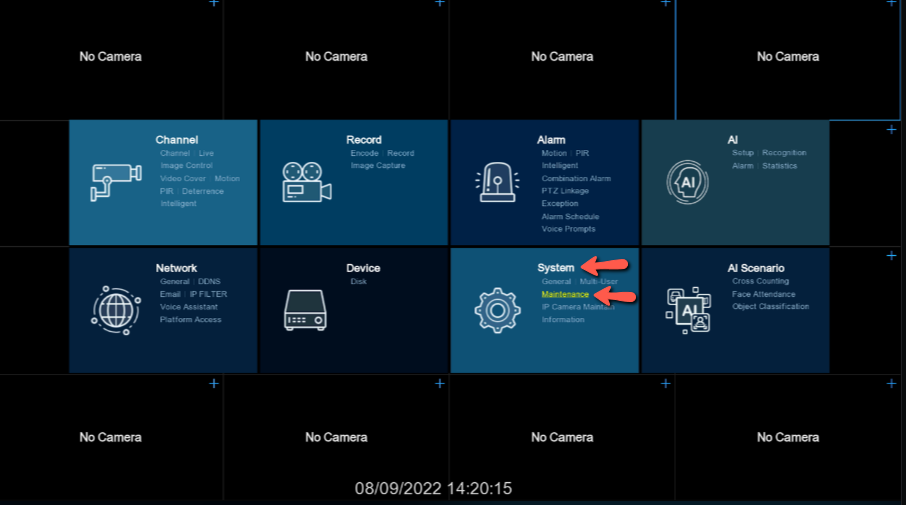
- Select "Maintenance" under "System"
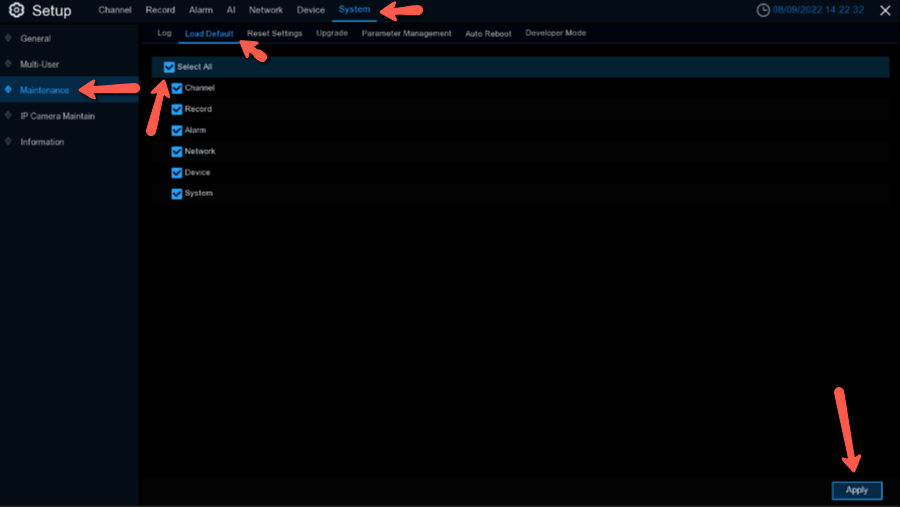
- Select "Load Default" and check "Select All" then hit "Apply"
- Enter the password in the "Authentication" menu and select "Authenticate"
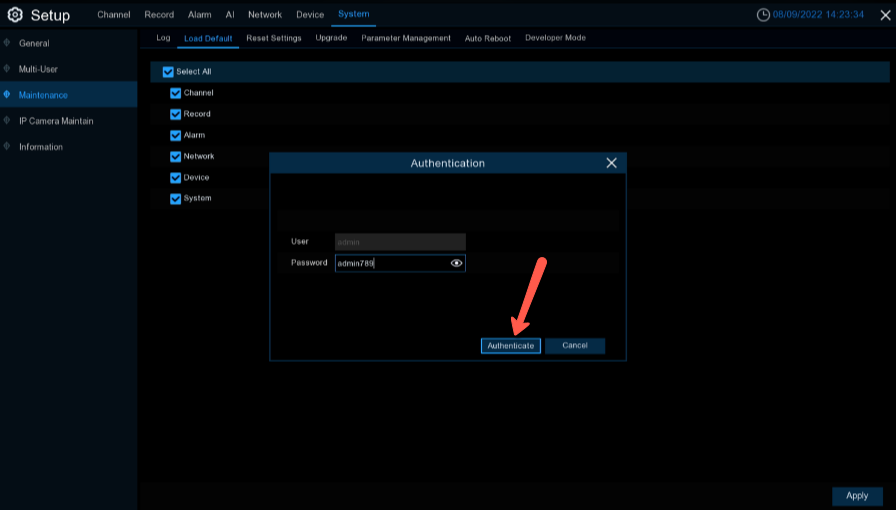
- The NVR will now Default to factory settings and reboot
Was this article helpful?
Bu bilgiler sorununuzu çözmeye yardımcı oldu mu?
Thanks for your feedback!
Still need help?
Uzman ekibimiz size yardımcı olmak için burada.