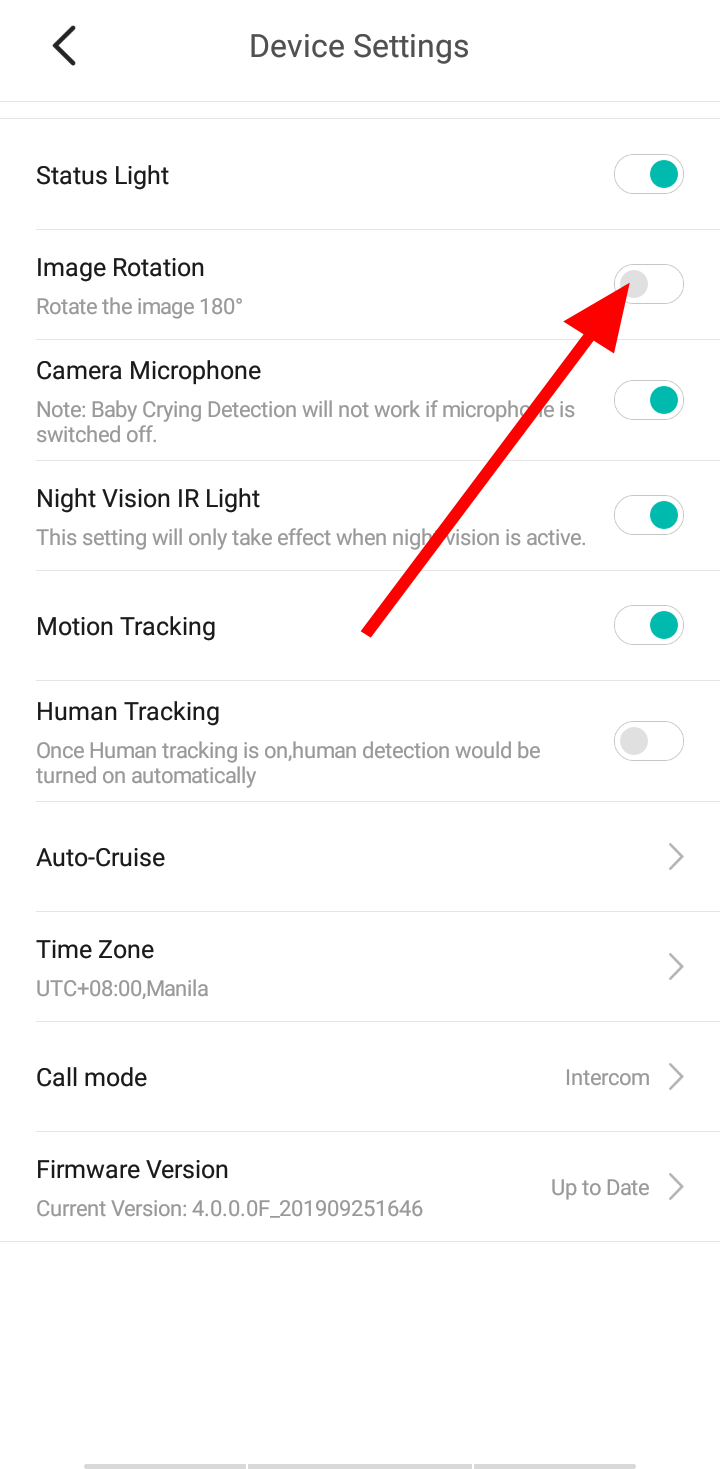
You can change the orientation of the image by turning Image rotation on/off by going to settings and camera settings on the YI Home/Kami Home app.
To enable or disable the Image Rotation, please follow the instruction below:
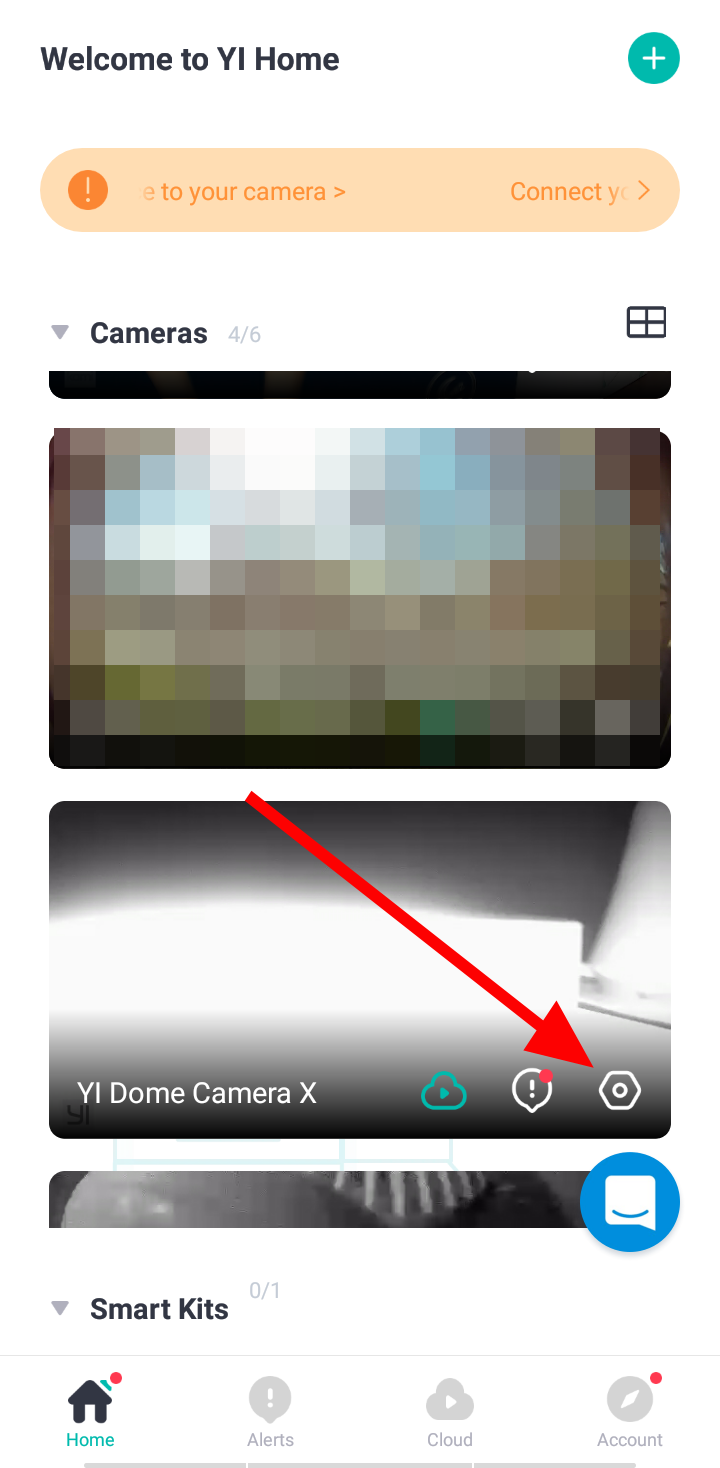
1. Launch YI Home/Kami App.
2. Click on the gear icon of the camera to access the camera/device settings.
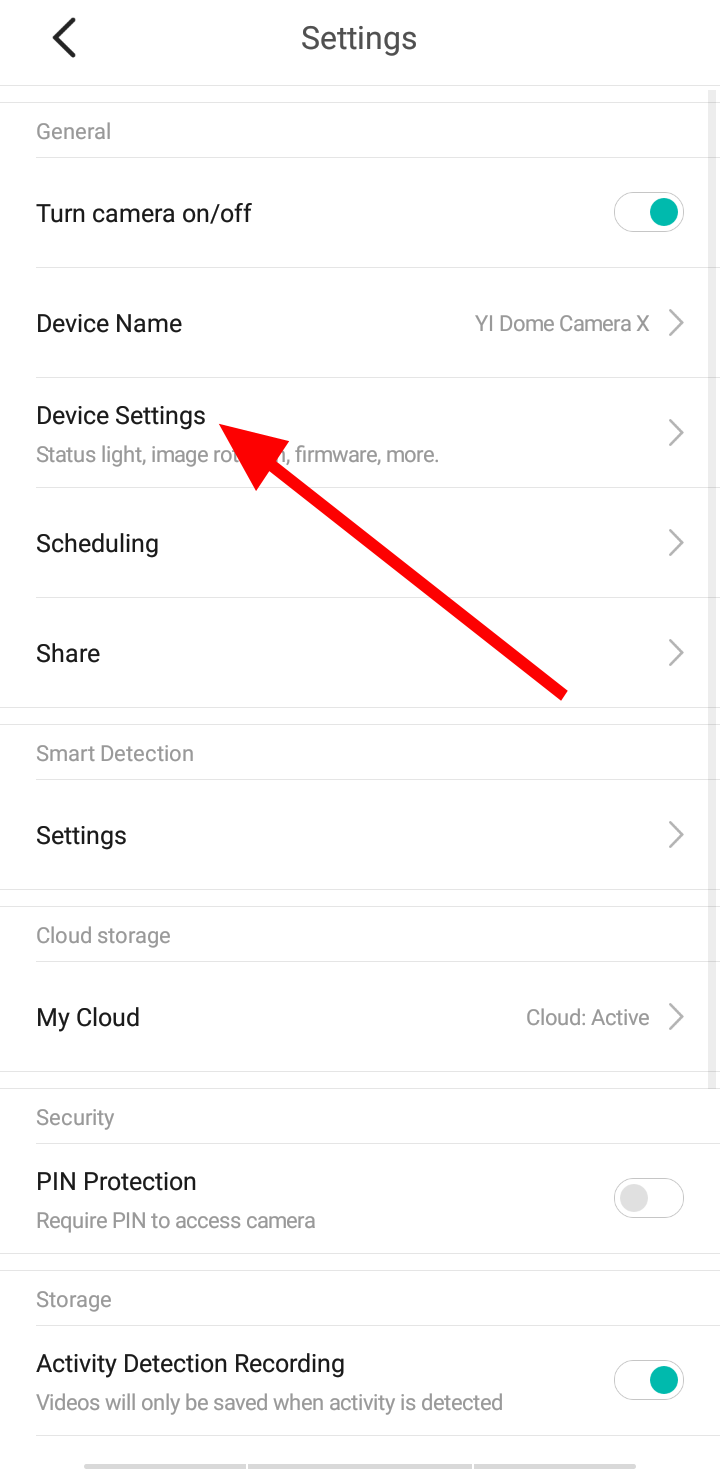
3. Click on Device/Camera Settings.
4. Under Image Rotation, click the toggle button to enable and disable the feature.