How to Get a Valid URL & Screenshot of Your Product Review from Amazon?
Applies to: All ANNKE products
#1. How to Get a Valid URL
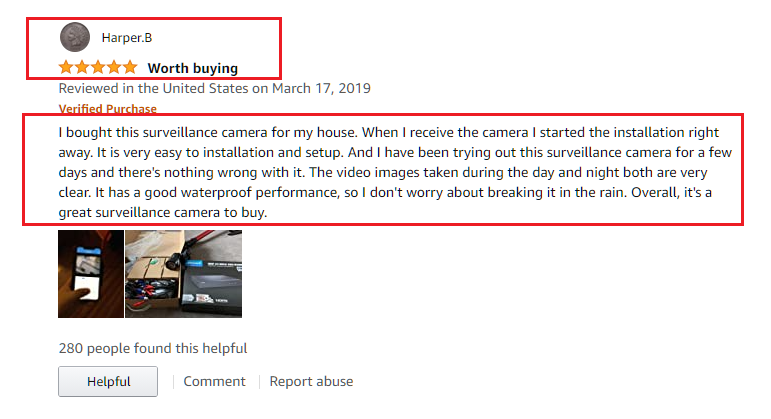
#2. The Sample of a Valid Screenshot
1. How to get a valid URL from Amazon.
Step 1. Go to Your Account on the home page of Amazon.
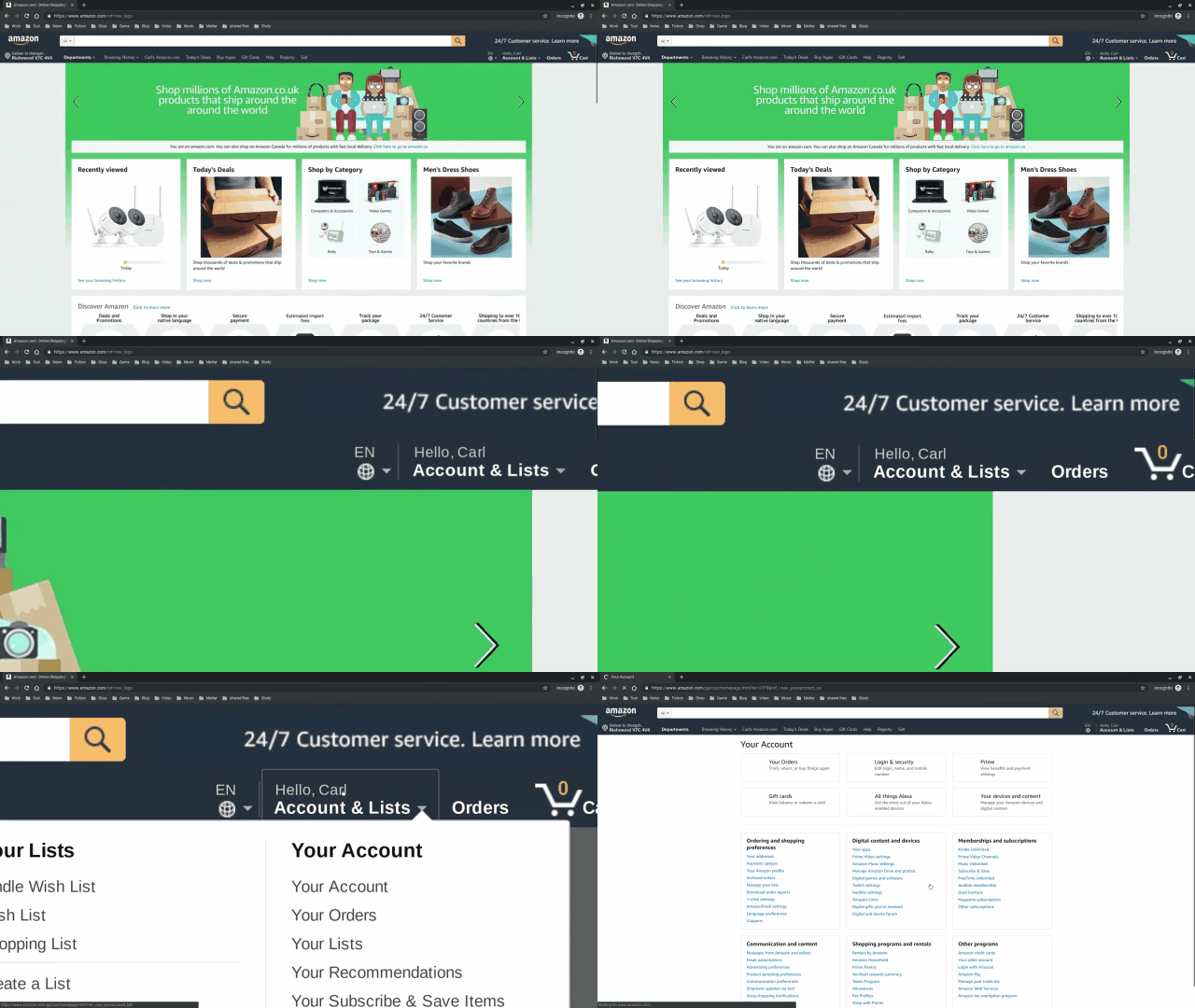
Step 2. Go to Ordering and shipping preference -> Your Amazon profile and click it.
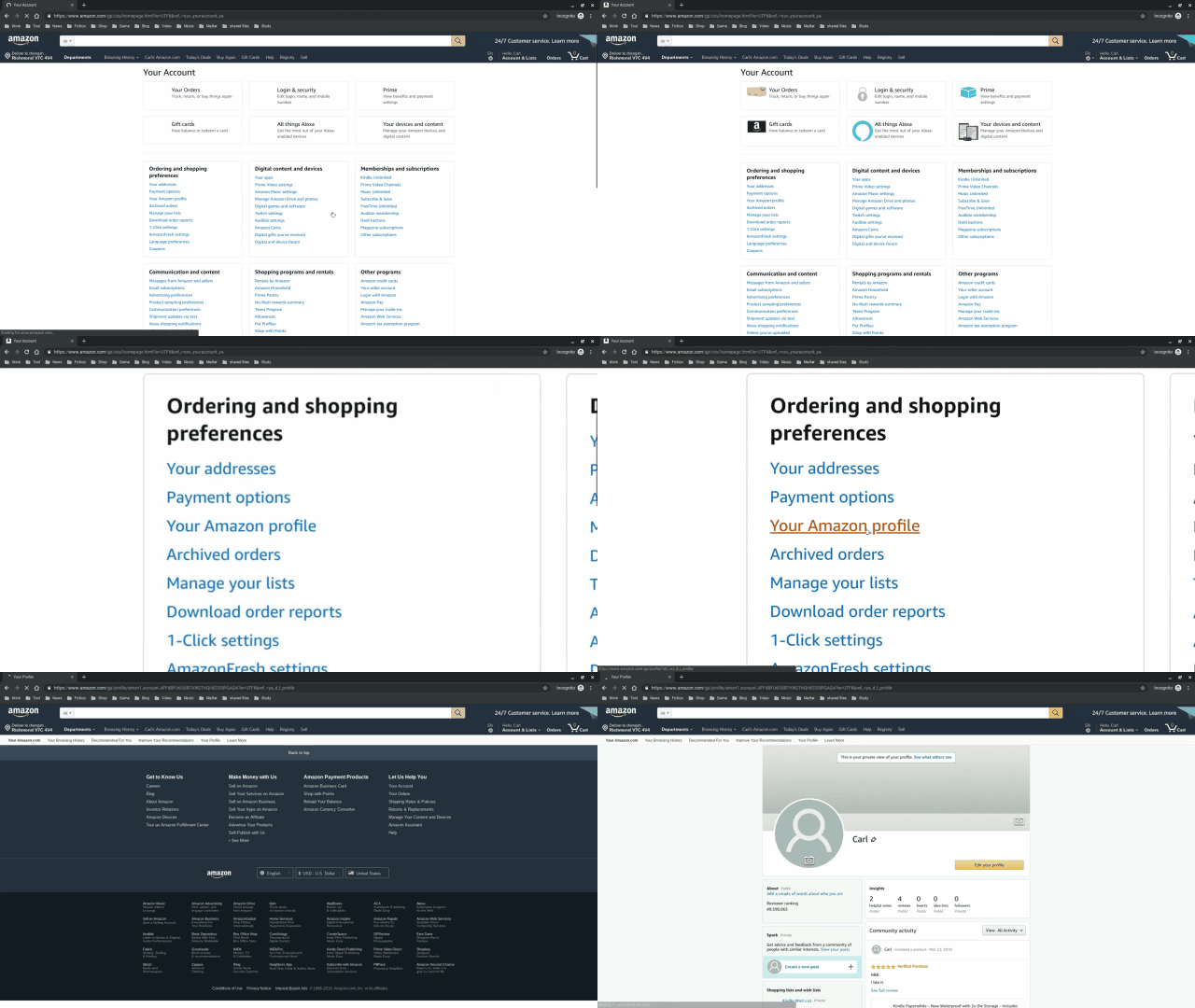
Step 3. Go to Community Activity and find the review you need, click the See full review.
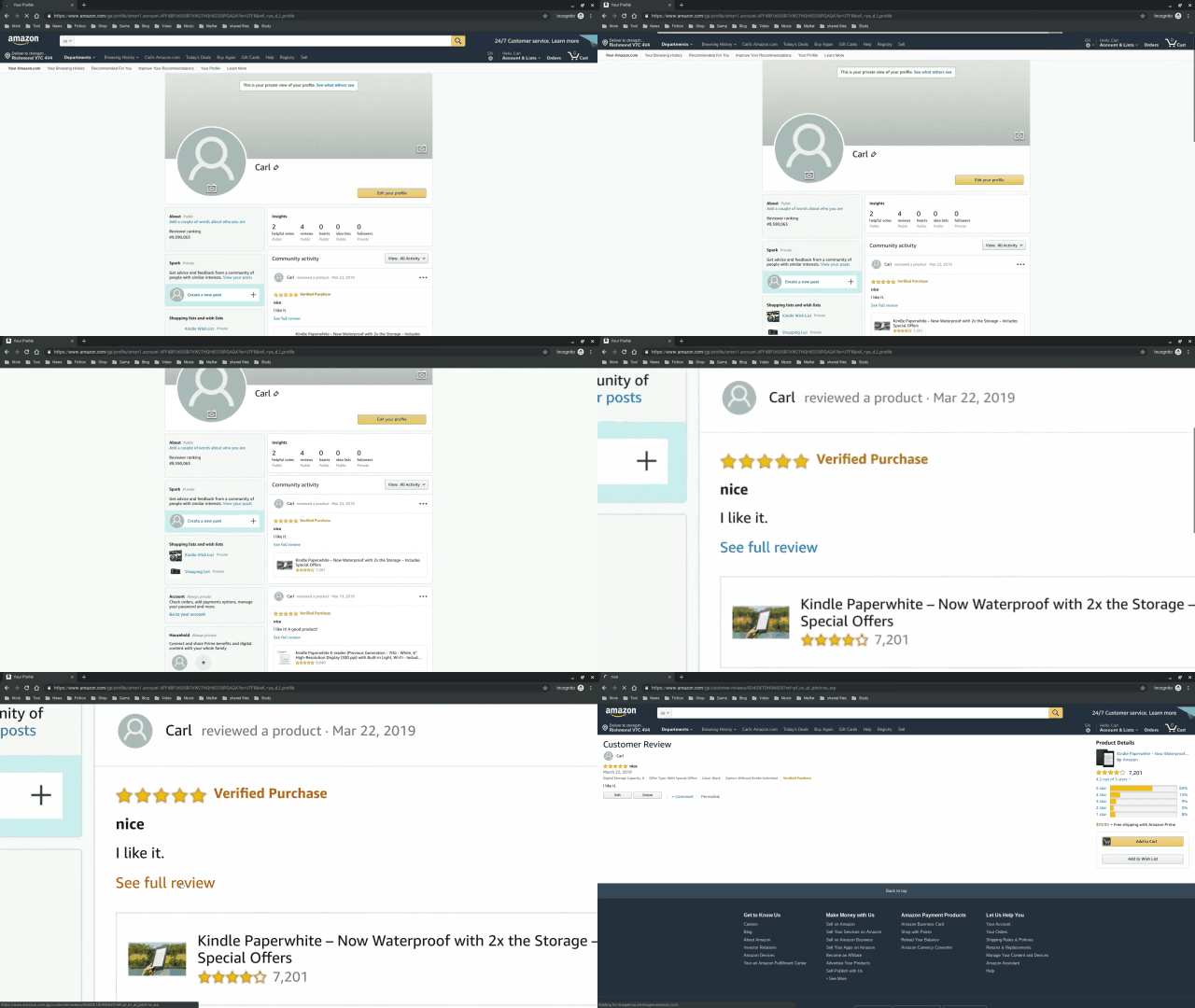
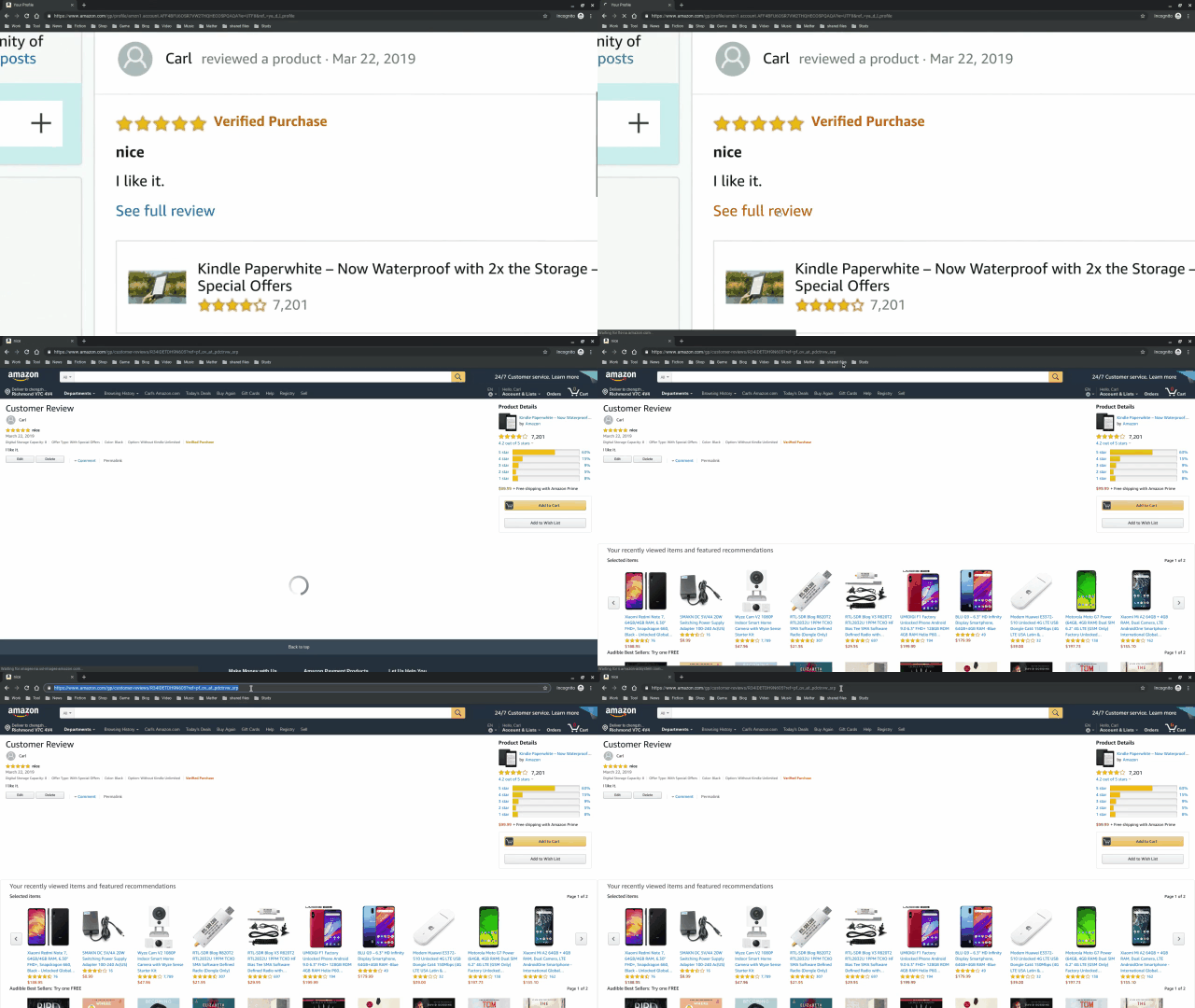
Step 4. Copy the URL in the browser address bar.
2. The Sample of a Valid Screenshot
The VALID screenshot you are about to upload should look like the following picture. A valid screenshot should at least include:
a.) Your username.
b.) Content of the review on your product.
c.) Pictures are advised and help your uploaded proof get approved.
Was this article helpful?
Bu bilgiler sorununuzu çözmeye yardımcı oldu mu?
Still need help?
Uzman ekibimiz size yardımcı olmak için burada.