How to Restore Your Annke DVR/NVR?
19 Aug 2026
405 views
Purpose: If you want to restore your DVR/NVR, please follow the steps below.
Before you start: You have logged in to your devices.
| Applies to | Path | Interface |
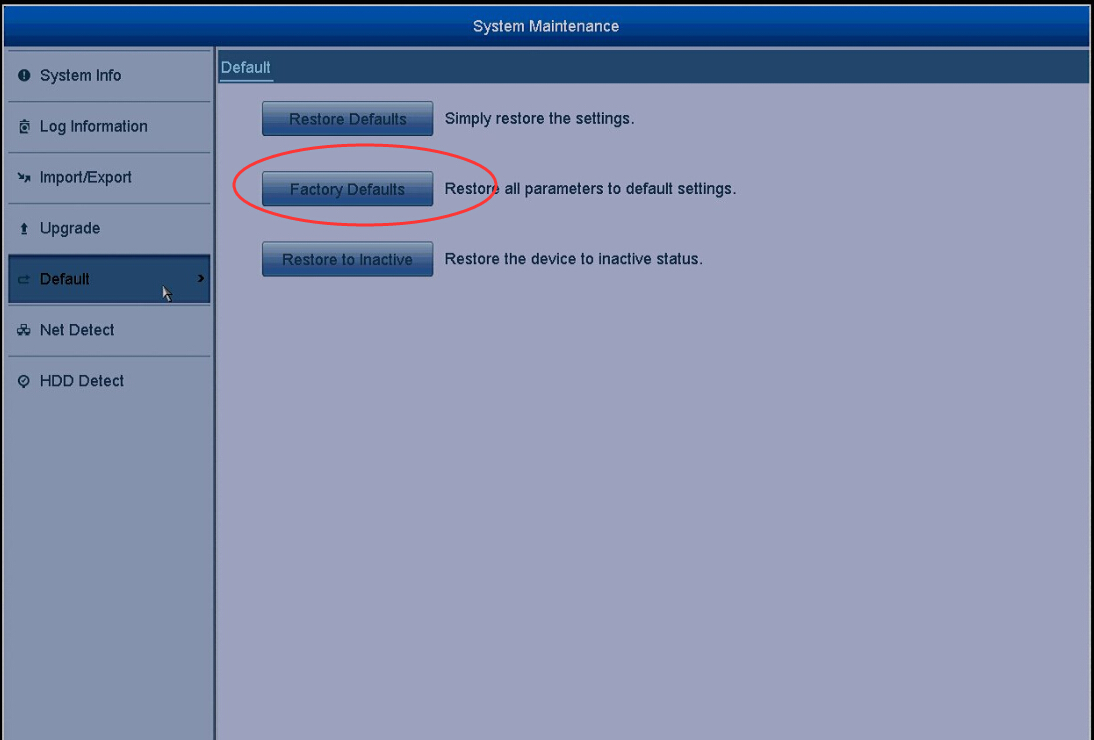
| DT41Y/DT61Y/DT81Y/ DN41R/DN61R/DN81R/ DT41GB/DT81GB/DT61GB/ DW41JD/DW81KD/DW61LD/ DT81DP/N48PI/N44PI/ N46PI/N44PAM/N48PAW/ N46PCK/N88PCH |
Go to System Maintenance> Default>Factory Defaults |
 |
| DW81KD/DW61LD/DW41JD New Series | Go to System>Information | 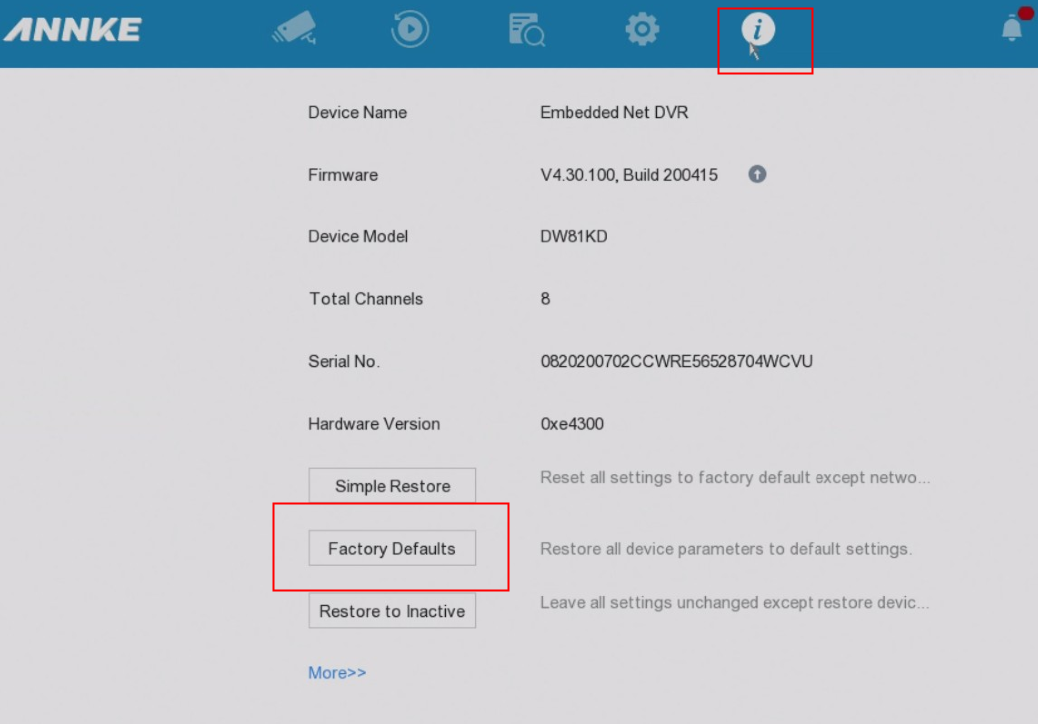 |
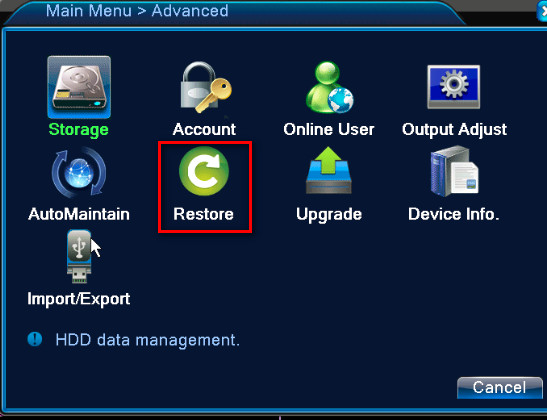
| DH81NK/DH41NK/DM21O/ DM31O/DL81A/DH81S/ DH81NG/DN81NB/DM41G/ DN41CJ/DN81BJ/DN61EC/ DG81W/DG61X/DG41T/ DT81DQ/DT41DC/DT61ER/ DG41BE/DG81BE |
Go to Main Menu> |
 |
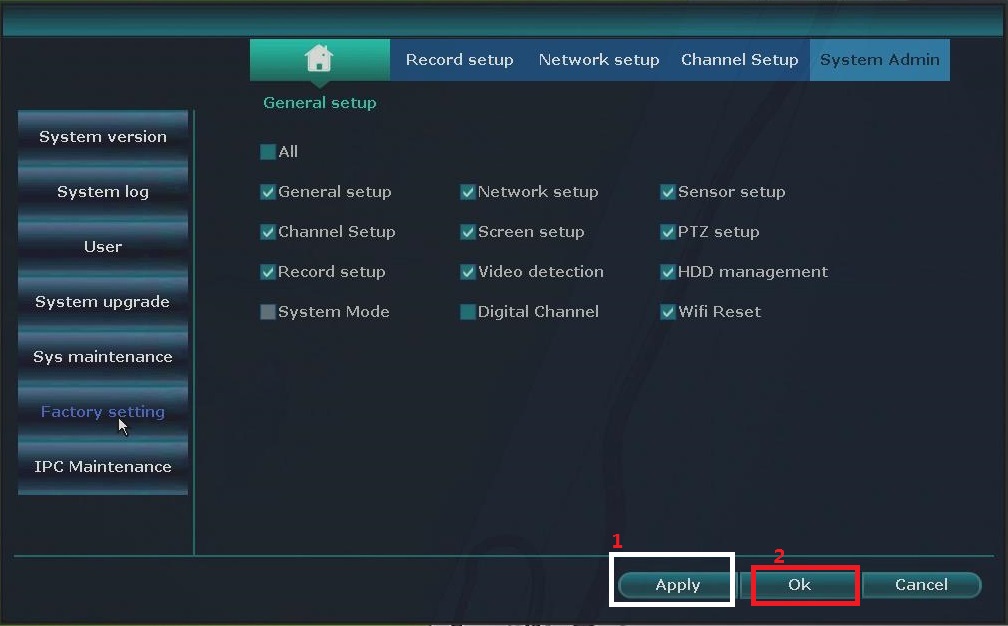
| NW41V/N441H/N441K/ N28WEB/N441B/N441D/ N441L/N44PAN/N44PAJ/ N34WDB/N34WDD/N44WEB /N44WED/N44WEC/NW41V/ N44WBD/N48WHP/N48WHE |
Go to General Setup> Factory Setting>Apply>OK |
 |
Was this article helpful?
Bu bilgiler sorununuzu çözmeye yardımcı oldu mu?
Thanks for your feedback!
Still need help?
Uzman ekibimiz size yardımcı olmak için burada.