How to set a Custom Grid on a Speco Blue Recorder
20 Aug 2026
399 views
Locally at the Recorder:
- From the live view screen navigate to the side text bar and click on the displayed text. This will bring up a dropdown to select from.
- Select "Customize Layout"
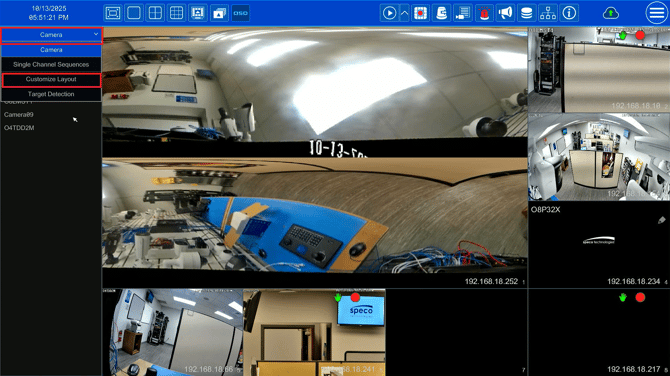
- Press the Add button,
- Name the layout and then press OK.
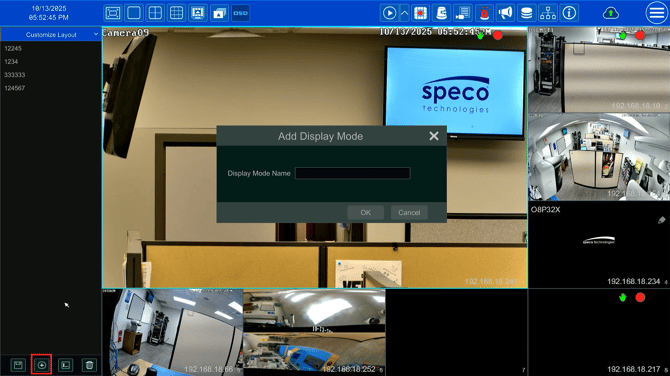
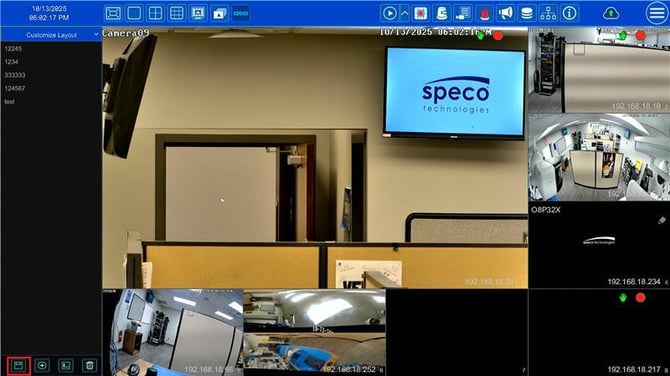
- Configure the layout by clicking and dragging cameras to their desired position.
- Once finished press the Save button.
For the Web Interface:
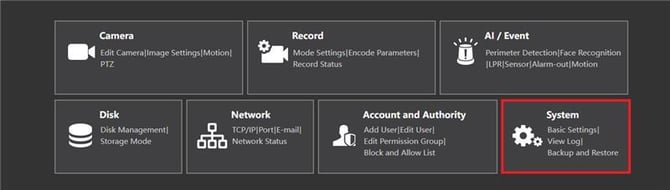
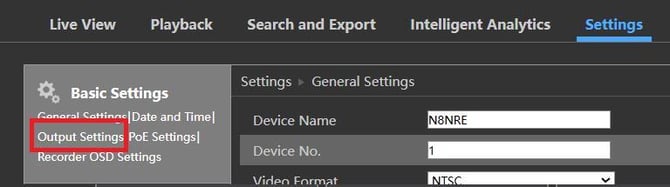
- Navigate to Settings > System > Output Settings
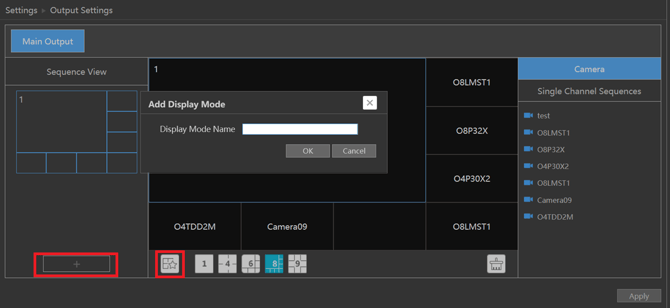
- Click the "+" icon to create a new layout
- Or the existing layout and customize by dragging cameras from the sidebar.
- Once finished click the Save icon and set a name for the preset.
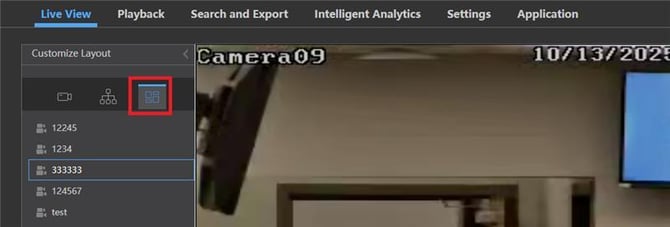
- To use the new preset, navigate to the live view and click on the Customize Layout icon.
- From here, the newly created layout can be selected.
Initial submission Date: October 10, 2025

Article authored by: Michael Pagano, Technical Support Agent - Tier 1
Locally at the Recorder:
- From the live view screen navigate to the side text bar and click on the displayed text. This will bring up a dropdown to select from.
- Select "Customize Layout"
- Press the Add button,
- Name the layout and then press OK.
- Configure the layout by clicking and dragging cameras to their desired position.
- Once finished press the Save button.
For the Web Interface:
- Navigate to Settings > System > Output Settings
- Click the "+" icon to create a new layout
- Or the existing layout and customize by dragging cameras from the sidebar.
- Once finished click the Save icon and set a name for the preset.
- To use the new preset, navigate to the live view and click on the Customize Layout icon.
- From here, the newly created layout can be selected.
Initial submission Date: October 10, 2025

Article authored by: Michael Pagano, Technical Support Agent - Tier 1
Was this article helpful?
Bu bilgiler sorununuzu çözmeye yardımcı oldu mu?
Thanks for your feedback!
Still need help?
Uzman ekibimiz size yardımcı olmak için burada.