How to update VAST status in iViewer?
20 Aug 2026
258 views
Question
How to update VAST status in iViewer when the substation has been disconnected or substation name has been modified?
Answer
Please follow below steps to update VAST status:
1. Slash toward left on VAST icon
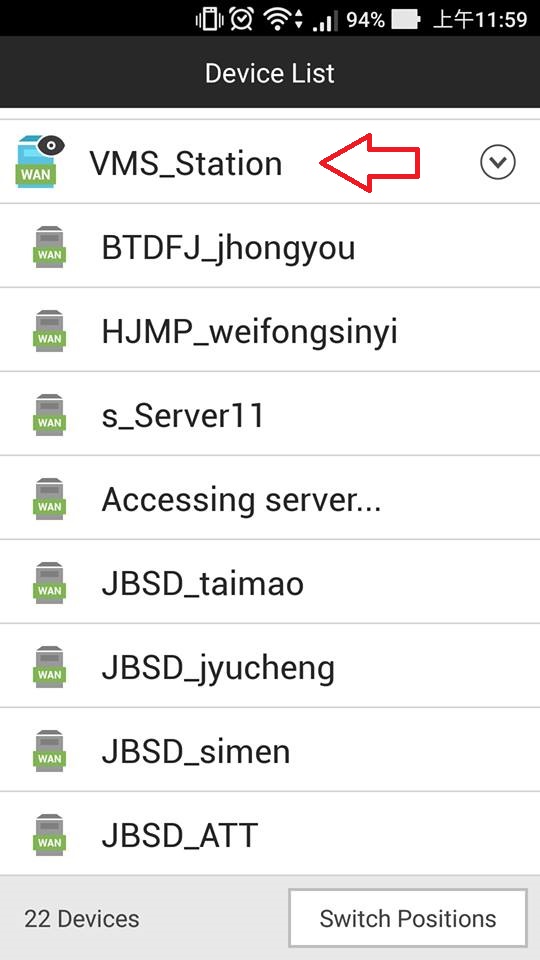
2. Click update icon
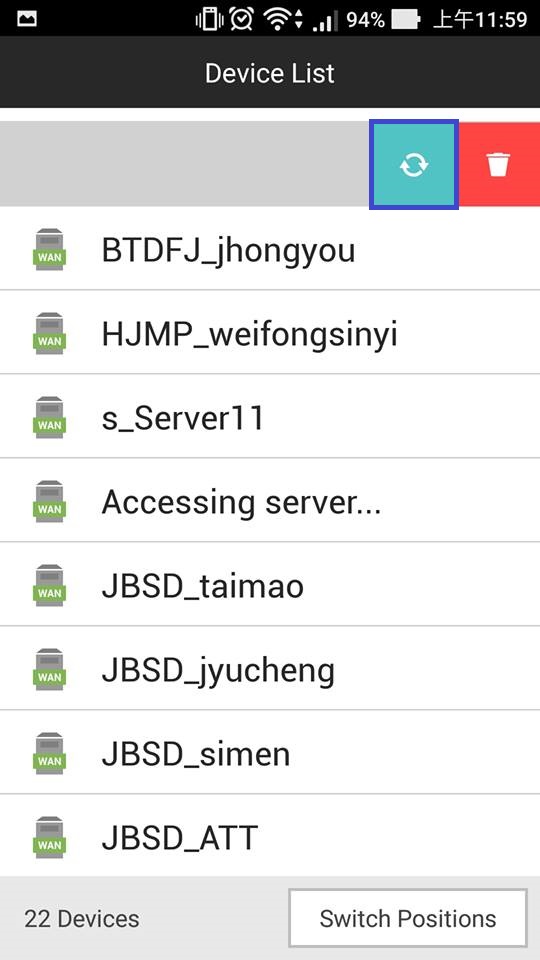
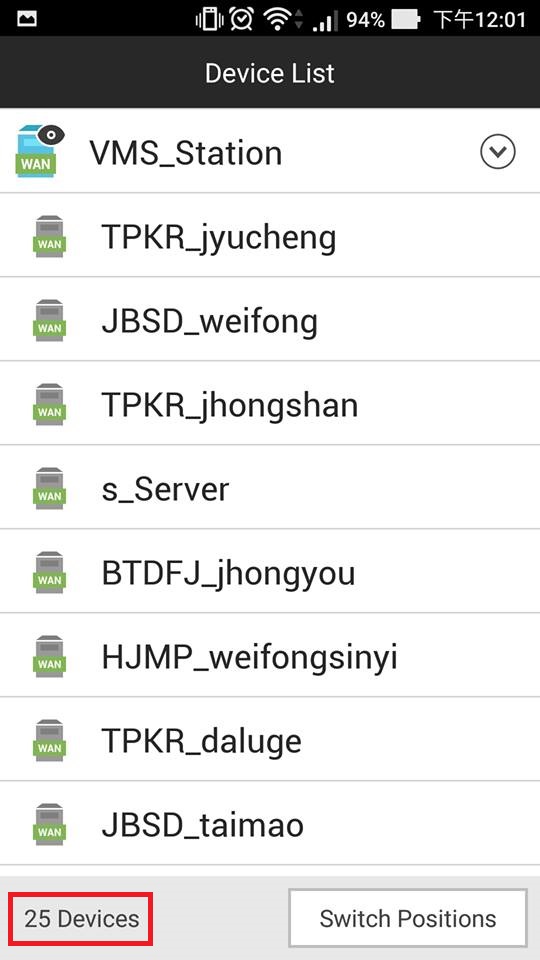
3. After a while, the VAST status will be updated.
The connection status, substation name and total device number will be updated also.
1. Slash toward left on VAST icon
2. Click update icon
3. After a while, the VAST status will be updated.
The connection status, substation name and total device number will be updated also.
Was this article helpful?
Bu bilgiler sorununuzu çözmeye yardımcı oldu mu?
Thanks for your feedback!
Still need help?
Uzman ekibimiz size yardımcı olmak için burada.