How to use an RTSP Stream from a Speco Blue Camera
20 Aug 2026
395 views
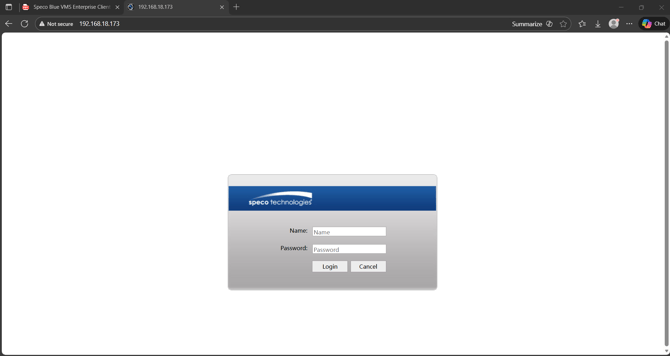
- Access the camera with its IP address and enter the username and password
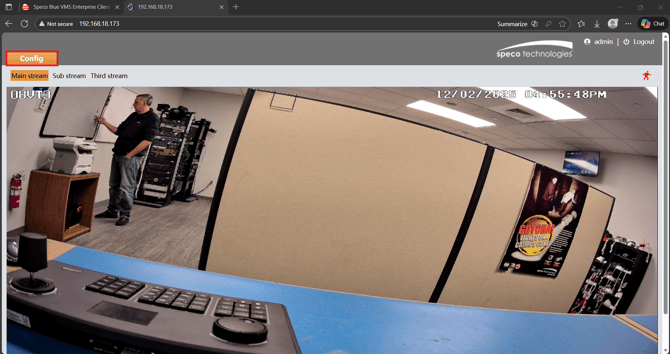
- Select Config in the top left of the live view
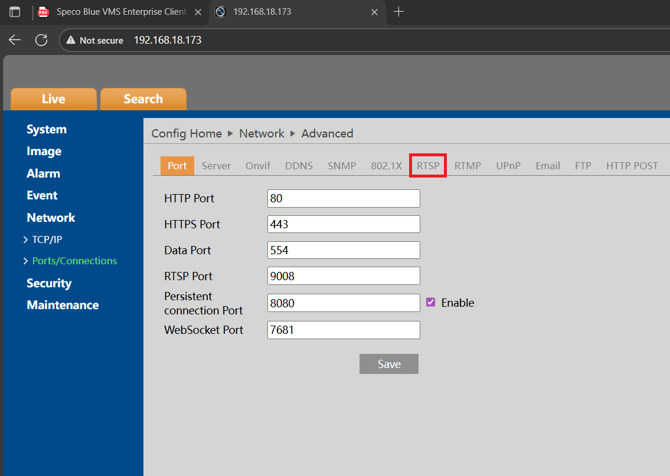
- Select Network > Ports/Connections

- Select RTSP
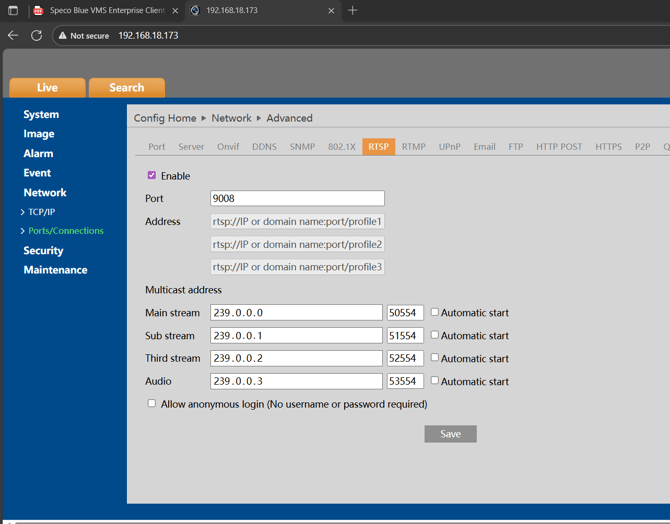
- Ensure RTSP is enabled and take note of the Port (9008 by default)
- The addresses will be your template for your RTSP URLs
- You can check off Allow Anonymous Login to disable the username and password requirement when accessing this cameras RTSP stream
- The URL format will be - rtsp://IP or DomainName:port/profileX
- For the camera in this demonstration, the URL will be:
- Main Stream - rtsp://192.168.18.173:9008/profile1
- Sub Stream - rtsp://192.168.18.173:9008/profile2
- You can use this in software like VLC Media Player to test and view
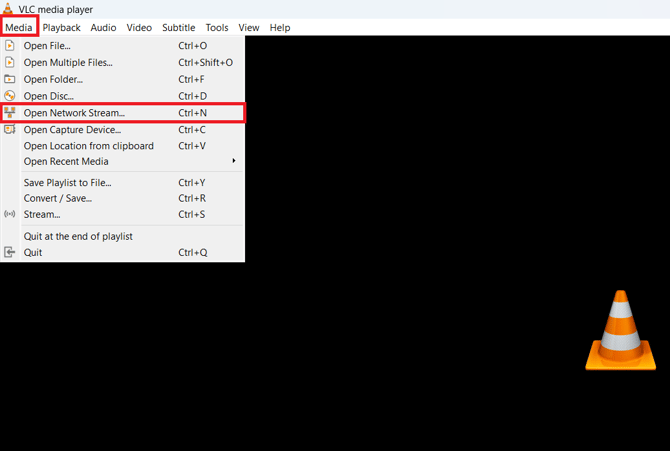
- Select Media > Select Network Stream
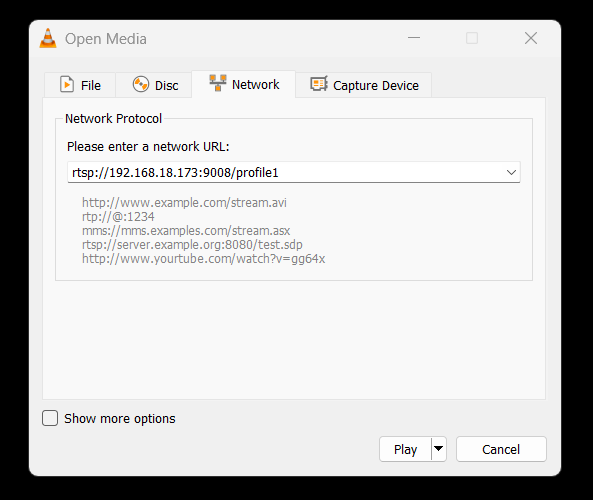
- Input the RTSP URL for your camera and select Play
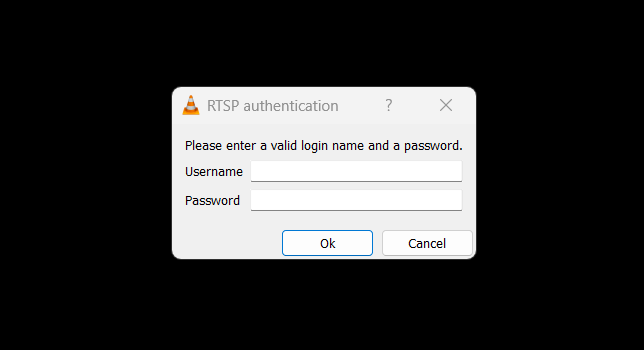
- If you did not check anonymous login, you will be prompted for the username and password of the camera
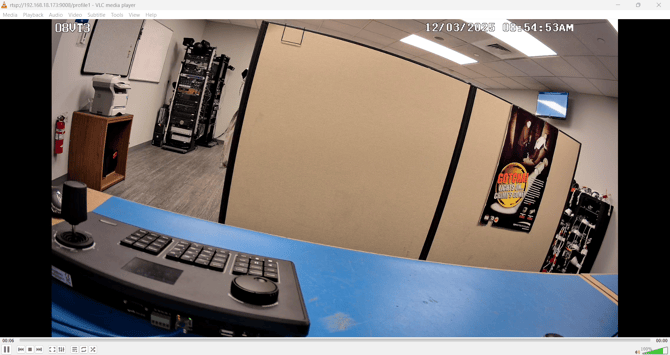
- You will then see the live view of your RTSP stream
Initial Publish Date: February 21st, 2024

Authored by: Justin Taylor, Product Manager

Revision Publish Date: January 13, 2026

Revised by: Kevin Holland, Technical Support Agent - Tier 1

- Revised screenshots and streamlined info
- Access the camera with its IP address and enter the username and password
- Select Config in the top left of the live view
- Select Network > Ports/Connections
- Select RTSP
- Ensure RTSP is enabled and take note of the Port (9008 by default)
- The addresses will be your template for your RTSP URLs
- You can check off Allow Anonymous Login to disable the username and password requirement when accessing this cameras RTSP stream
- The URL format will be - rtsp://IP or DomainName:port/profileX
- For the camera in this demonstration, the URL will be:
- Main Stream - rtsp://192.168.18.173:9008/profile1
- Sub Stream - rtsp://192.168.18.173:9008/profile2
- You can use this in software like VLC Media Player to test and view
- Select Media > Select Network Stream
- Input the RTSP URL for your camera and select Play
- If you did not check anonymous login, you will be prompted for the username and password of the camera
- You will then see the live view of your RTSP stream
Initial Publish Date: February 21st, 2024

Authored by: Justin Taylor, Product Manager

Revision Publish Date: January 13, 2026

Revised by: Kevin Holland, Technical Support Agent - Tier 1

- Revised screenshots and streamlined info
Was this article helpful?
Bu bilgiler sorununuzu çözmeye yardımcı oldu mu?
Thanks for your feedback!
Still need help?
Uzman ekibimiz size yardımcı olmak için burada.