MegaDome 2 | How to manually adjust lens
20 Aug 2026
314 views
Environment:
- Manual Lens
- AV1255DN
- AV2255DN
- AV2556DN
- AV3255DN
- AV3256DN
- AV5255DN
Procedure:
Adjusting the Remote Focus and Remote Zoom
- Using Security L-key, loosen the four (4) screws securing the dome cover. Remove the vandal-resistant dome cover.
NOTE: Do not remove the screws from the dome cover
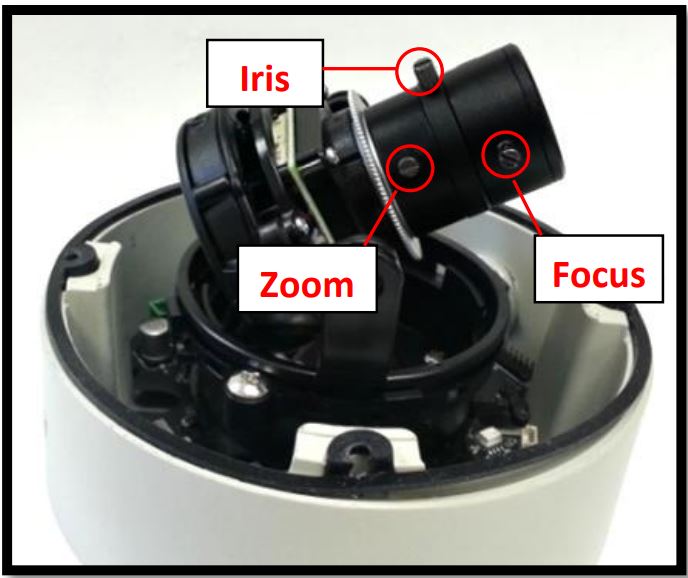
- If the camera is a manual lens model, loosen the three set screws as shown in the Image and adjust zoom, focus, and iris as needed.
Was this article helpful?
Bu bilgiler sorununuzu çözmeye yardımcı oldu mu?
Thanks for your feedback!
Still need help?
Uzman ekibimiz size yardımcı olmak için burada.