(Playback) - Playback Sapphire Video thru Chrome
20 Aug 2026
384 views
Playback separate to two versions, the Internet Explorer Version or the HTML5 browser version.
- Internet Explorer Version (Only for the Internet Explorer; support save and more functions)
- HTML5 Browser Version (for Chrome/Firefox/Safari Browser; mostly for view purpose only)
Playback - The HTML5 Browser version
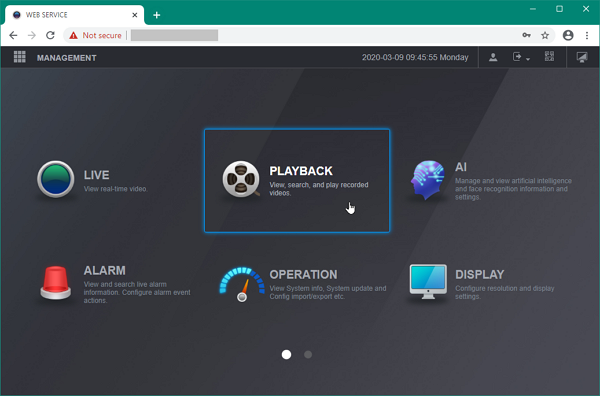
After successfully login, you should able to see the Main Menu, go to Playback.
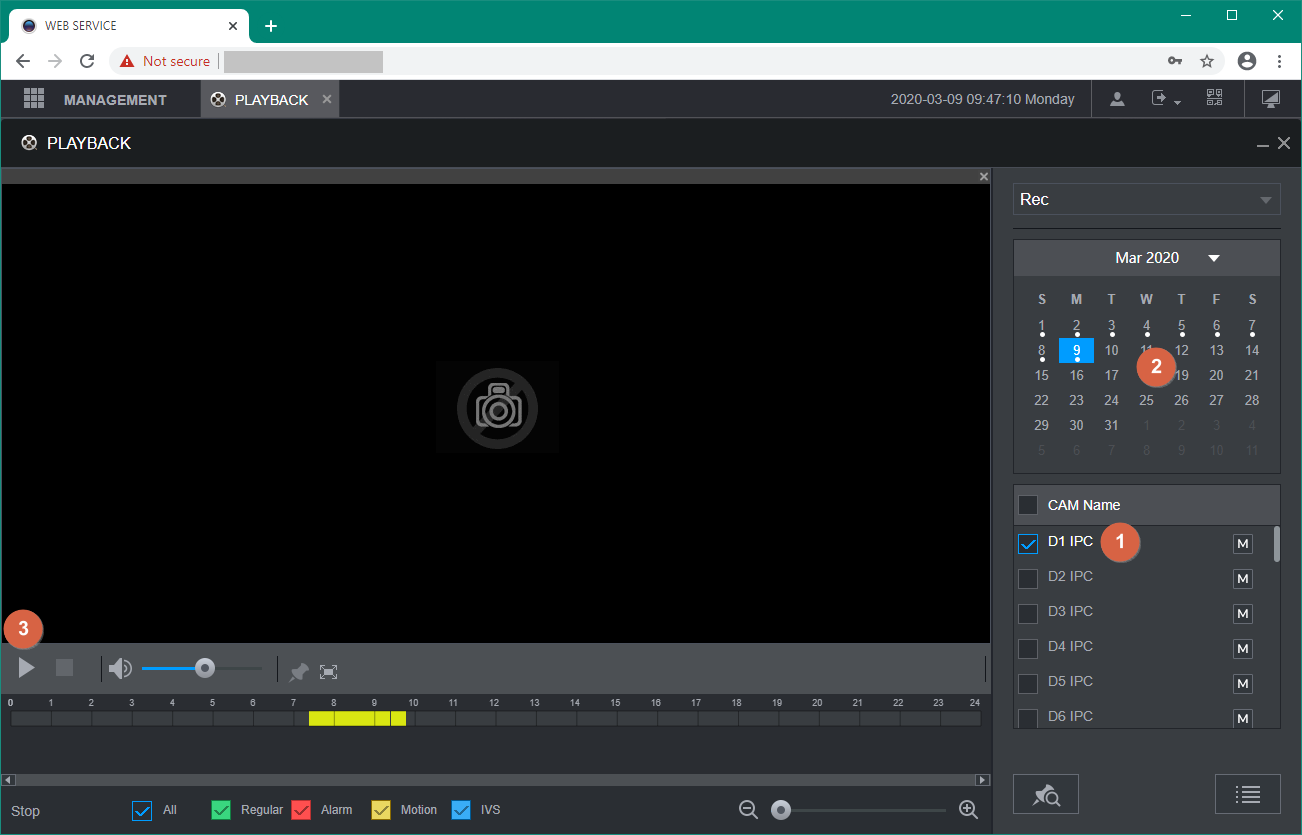
For the most button functions are pretty simple to understand.
Switch Playback Stream
Click M - Main Stream to switch in between S - Sub Stream

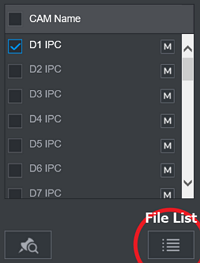
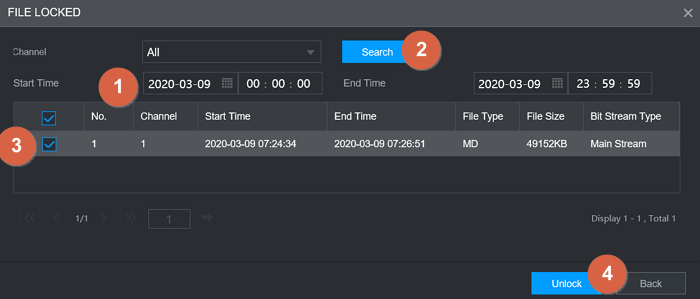
File List / Lock File
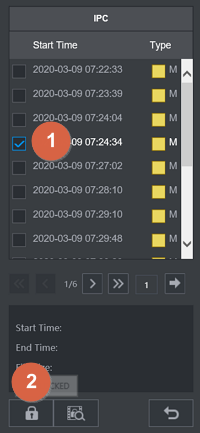

Unlock File Search / Unlock File

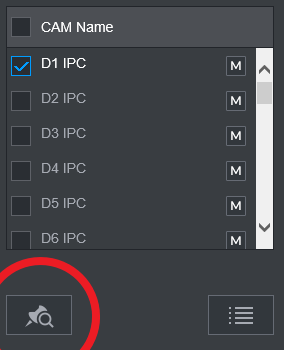
Search Bookmark
While the video is Stop playing, click the bookmark button to find the previous bookmark.
Was this article helpful?
Bu bilgiler sorununuzu çözmeye yardımcı oldu mu?
Thanks for your feedback!
Still need help?
Uzman ekibimiz size yardımcı olmak için burada.