Playing Multiple Videos Simultaneously
19 Aug 2026
400 views
What is the VSPlayer?
The VSPlayer allows for users to play up to 16 videos at once, simultaneously. The supported channel interfaces are 1,4,9, and 16 channel view. To learn more on how to set it up, continue reading.
Multi View Setup
Step 1. Run the VSPlayer application.
Step 2. Select the  grid icon on the bottom right corner of the application.
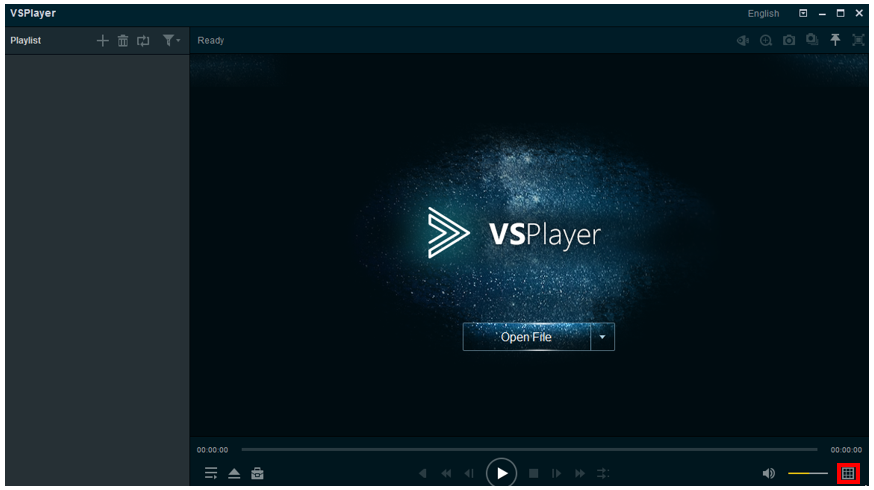
Step 3. Select the desired channel type. For this guide, we will select 4x4 for an example.
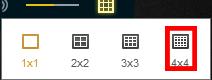
Step 4. The VSPlayer will now change it's layout into the 4x4 format. If you do not how to play videos, click here to learn more.

Was this article helpful?
Bu bilgiler sorununuzu çözmeye yardımcı oldu mu?
Thanks for your feedback!
Still need help?
Uzman ekibimiz size yardımcı olmak için burada.