Record and play your voice as a soothing tune for your baby while you are away.
Here are the steps on how to set up your "Record and Play" feature:
1. Launch the YI/Kami Home App.
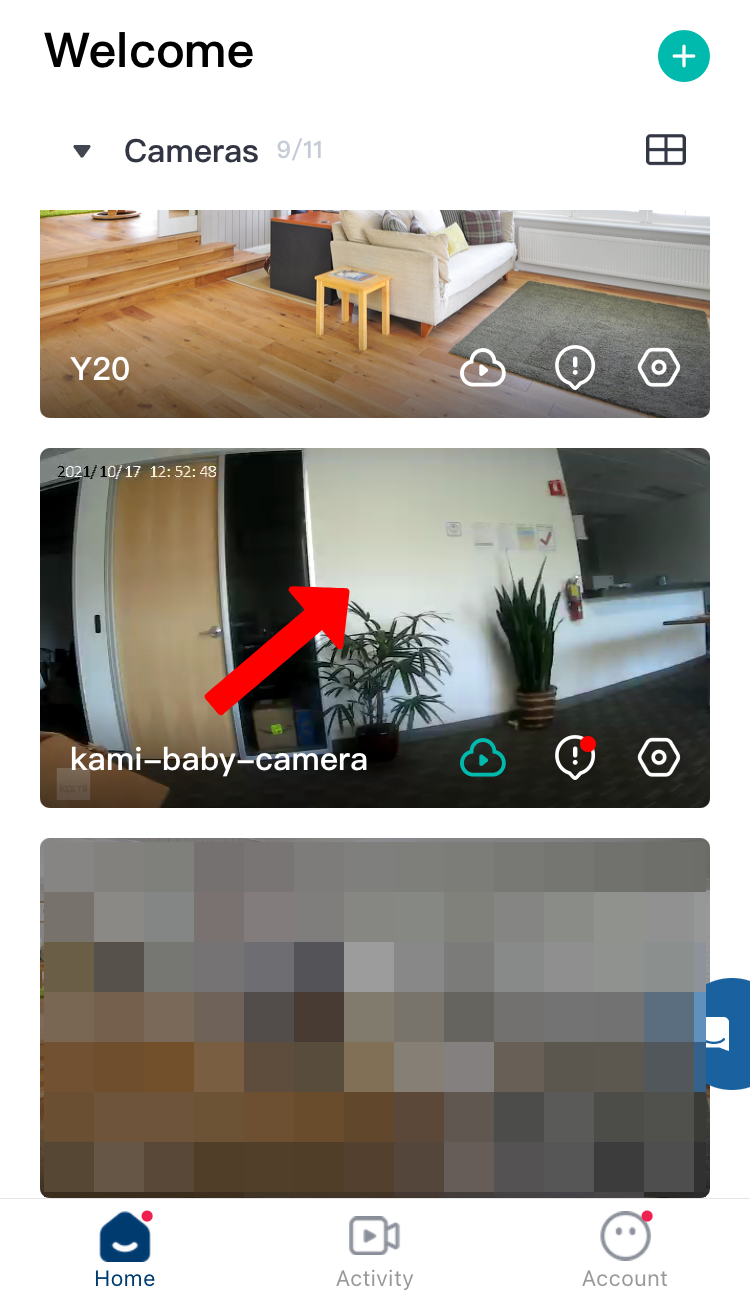
2. Tap on the camera thumbnail.
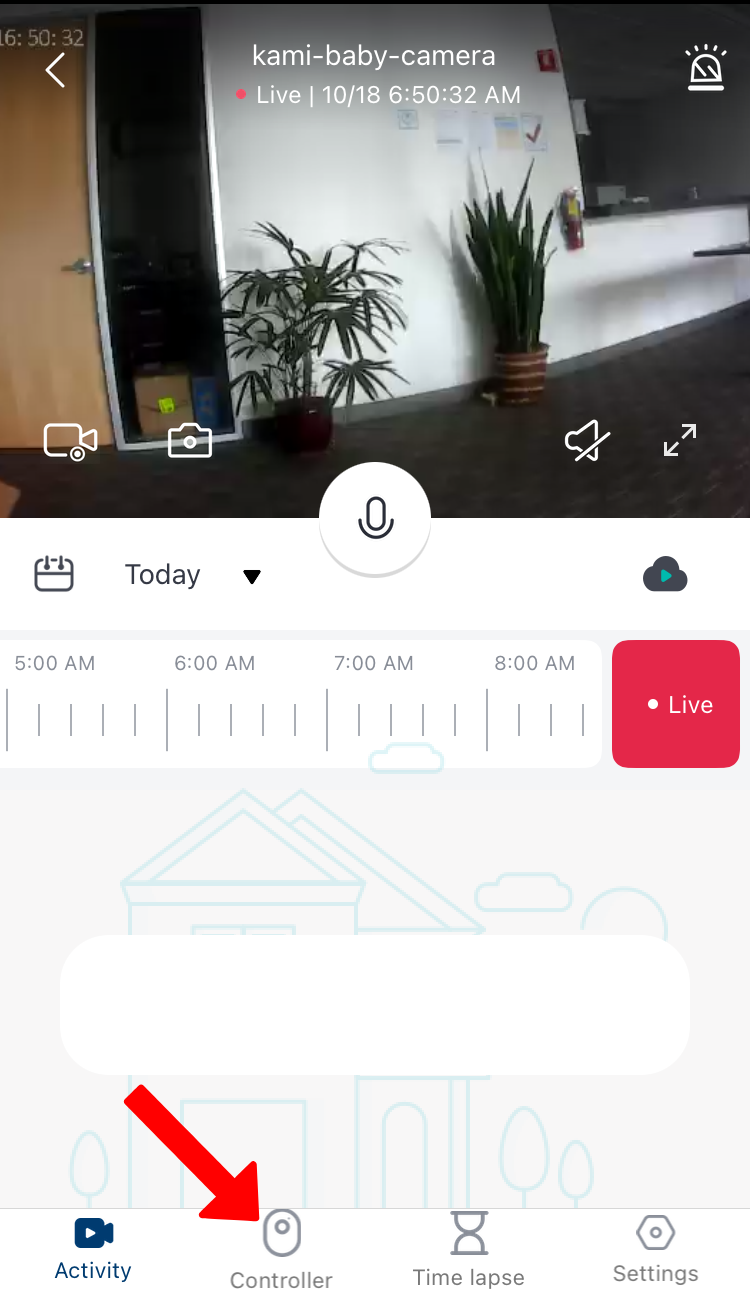
3. Tap on the Controller.
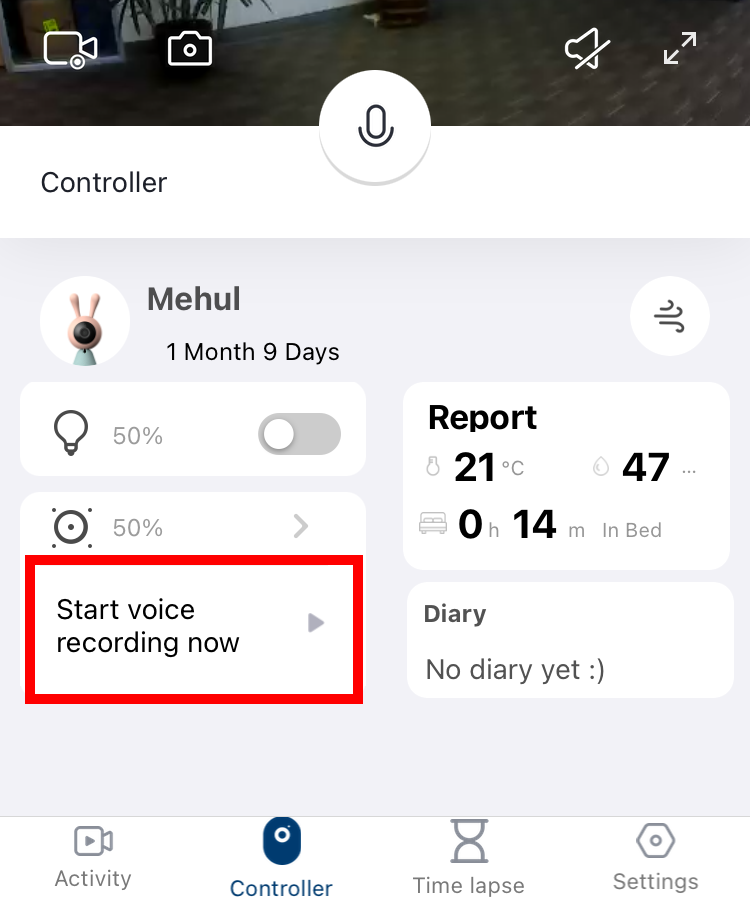
4. Tap on Start voice recording.
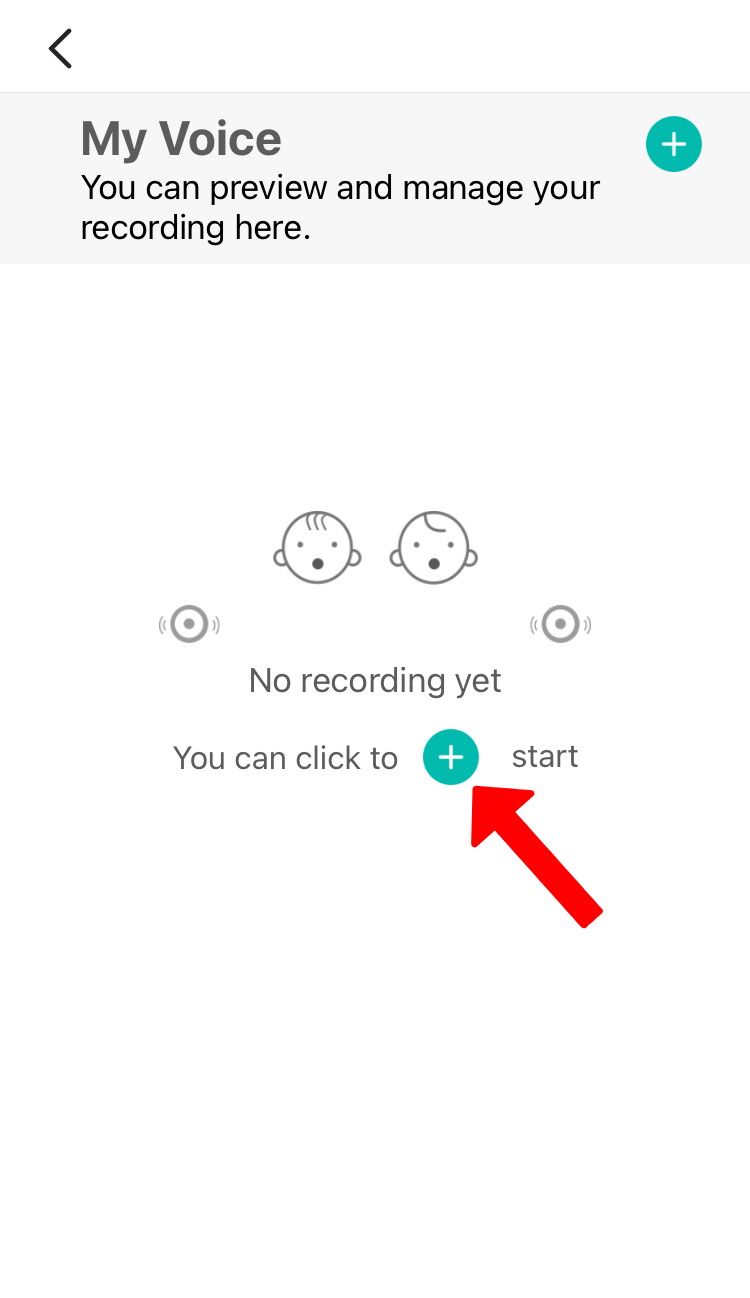
5. Tap the plus symbol to add.
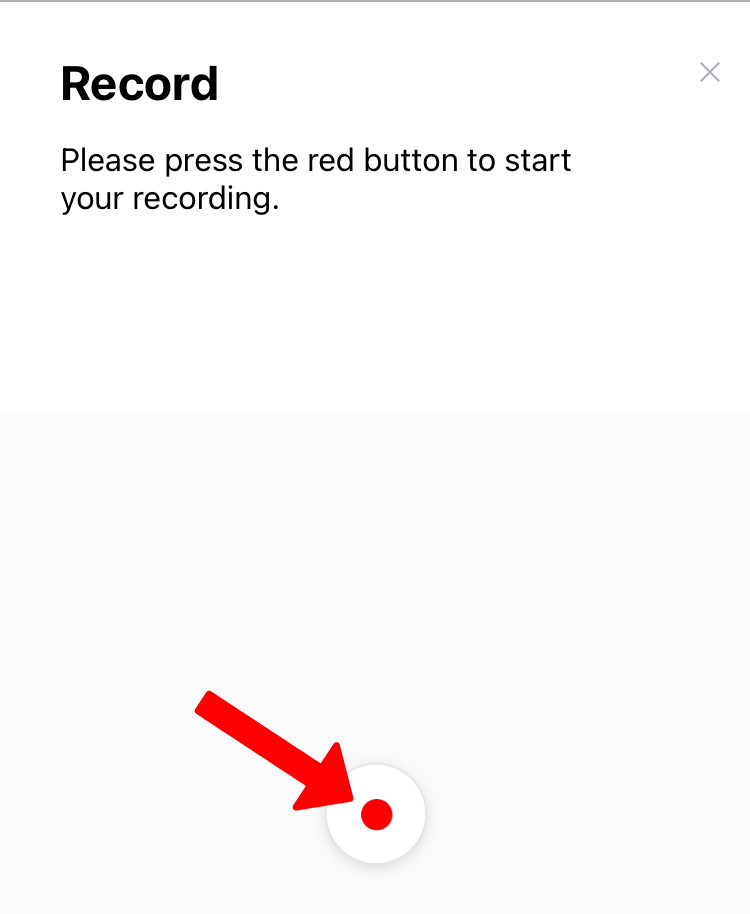
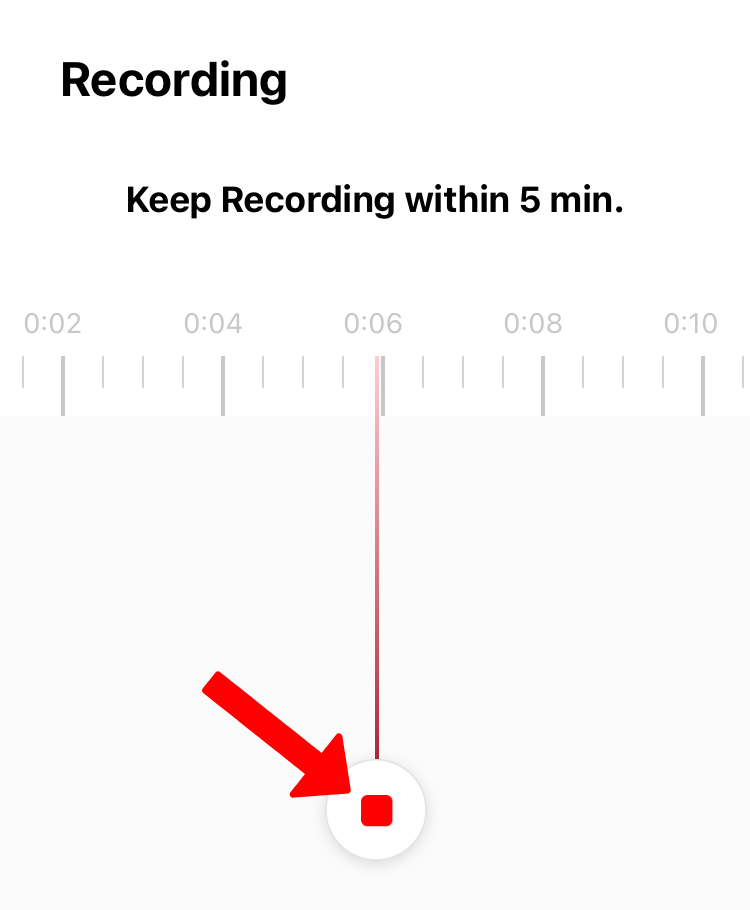
6. Press the red button to start recording. The maximum time of recording is 5mins. Press the red button to stop recording. rename the recording before tapping save.
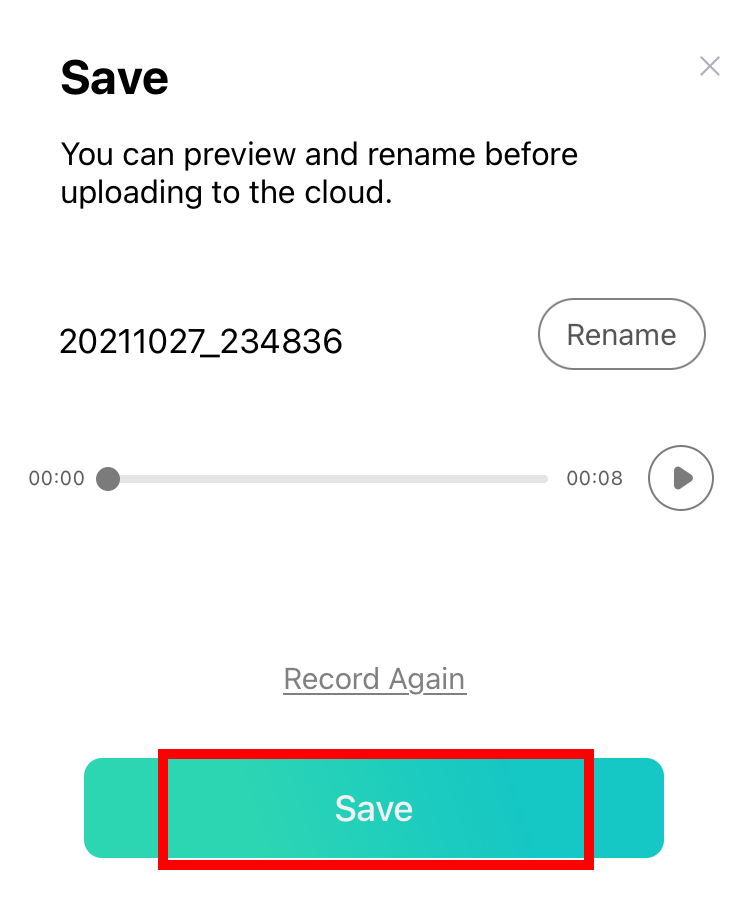
7. You can preview and rename the recorded audio before uploading. If you want to change the recorded audio, tap on Record Again . Tap on Save when everything is set up.
8. To play button to play your recording. You can also adjust the volume of your speaker by tapping the arrow facing the right symbol.
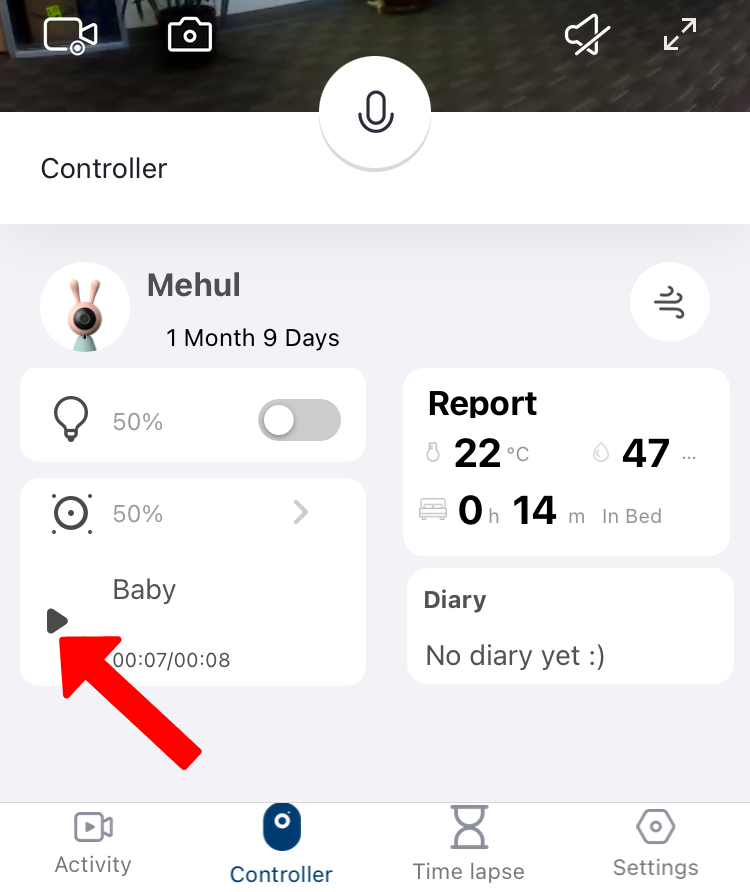
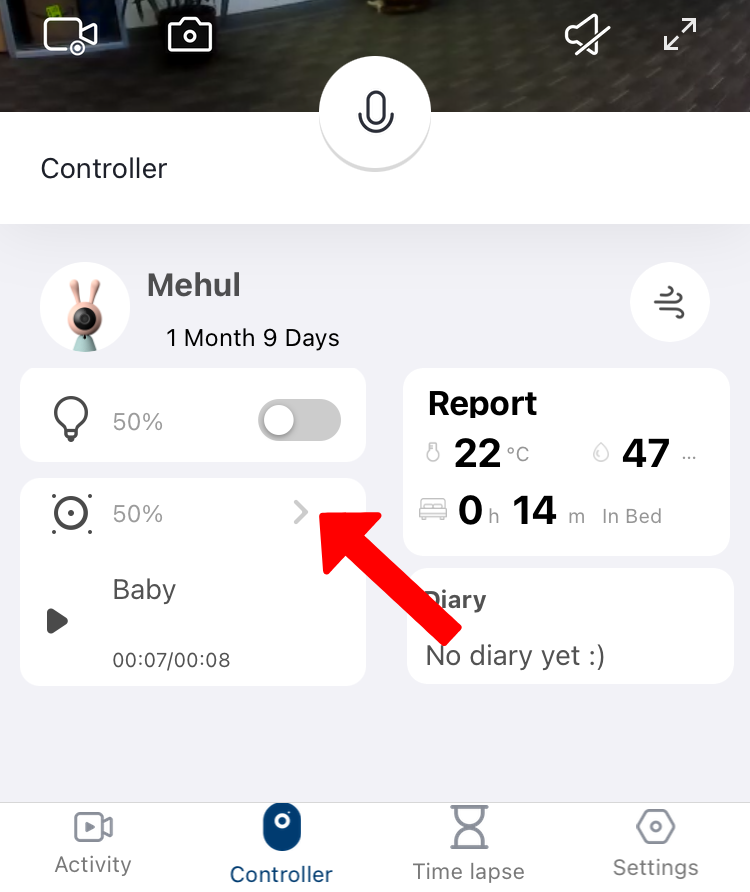
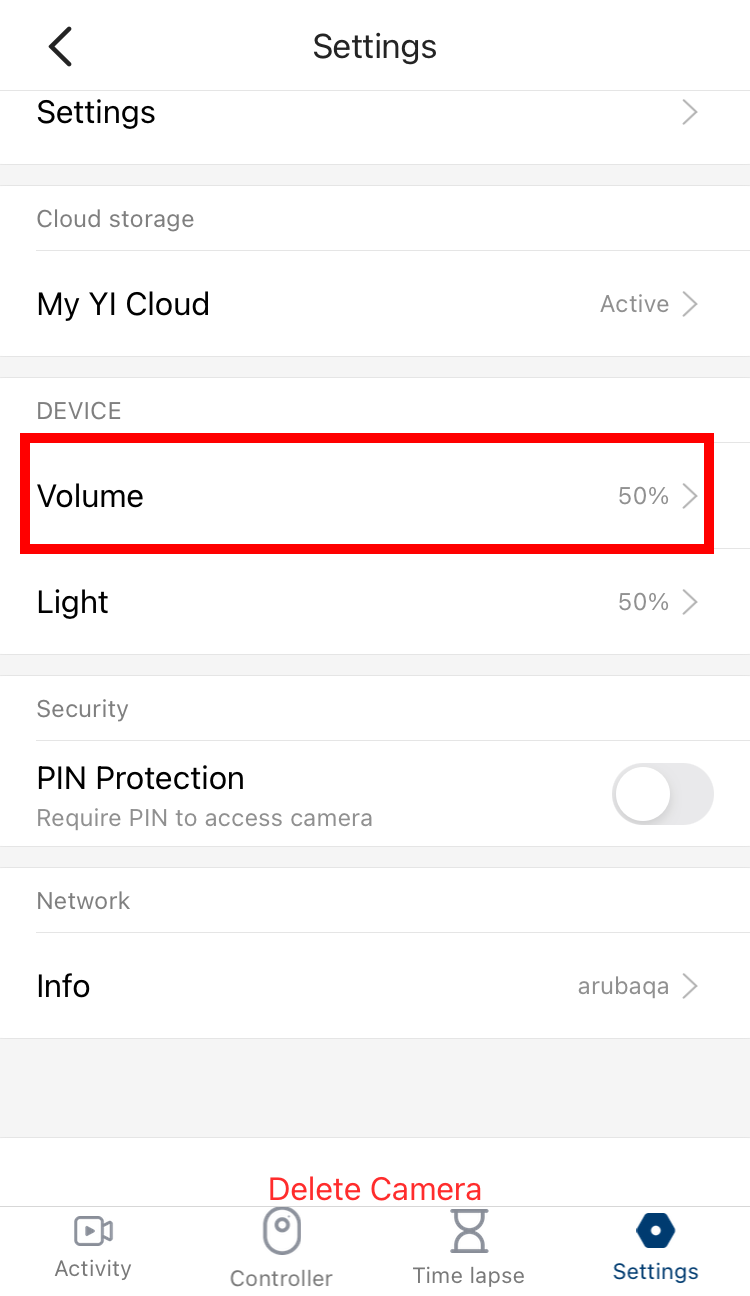
Tap volume percentage
Demo Video: