VSPlayer Merge Function Explained
What is "Merging" and How Can it help me?
Users may notice when downloading multiple files, some may be long and some may be incredibly short. This is due to a variety of factors such as the type of recording schedule you set for your recorder. Thankfully, these files can be combined into one single file, allowing you to view all of your recordings in one piece. Unfortunately, LTS recorders currently do not have the capacity to merge files built into them.
How to Merge Files
Step 1. Run the VSPlayer application
Step 2. Select the toolbox icon
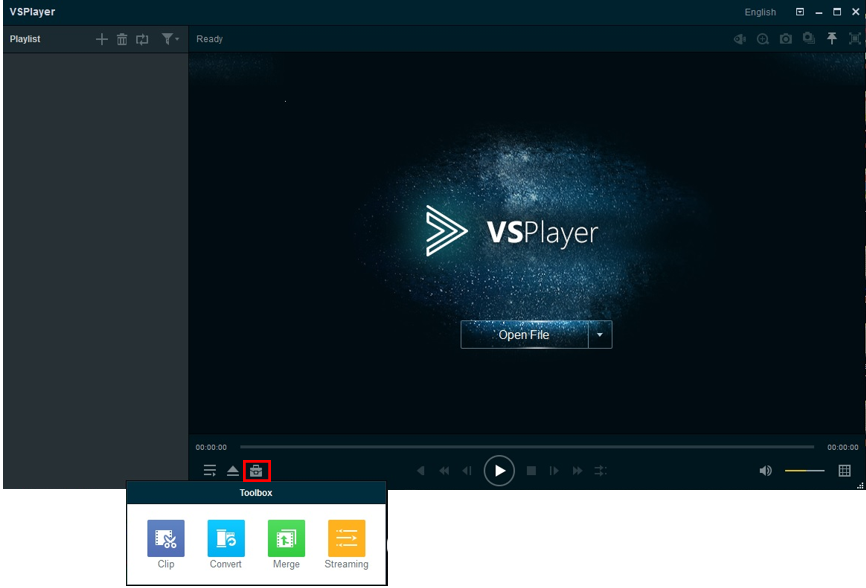
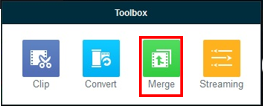
Step 3. Select "Merge"
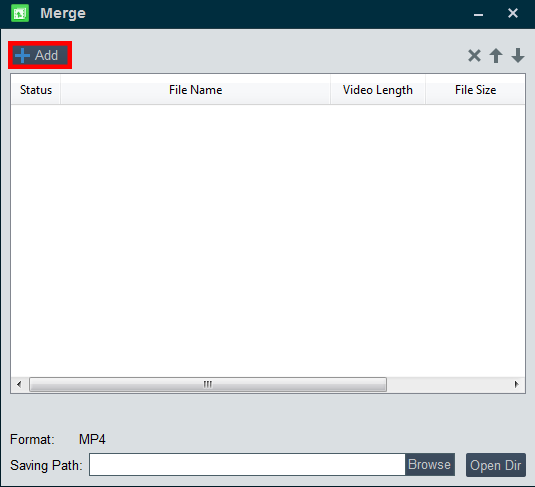
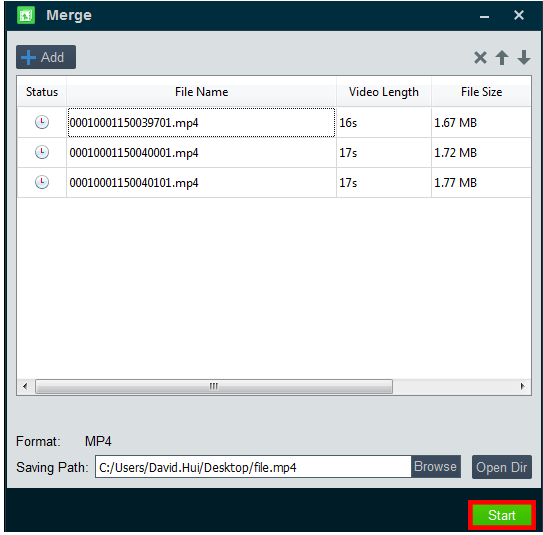
Step 4. The merge window should now appear. Select "Add" to open another window to proceed.
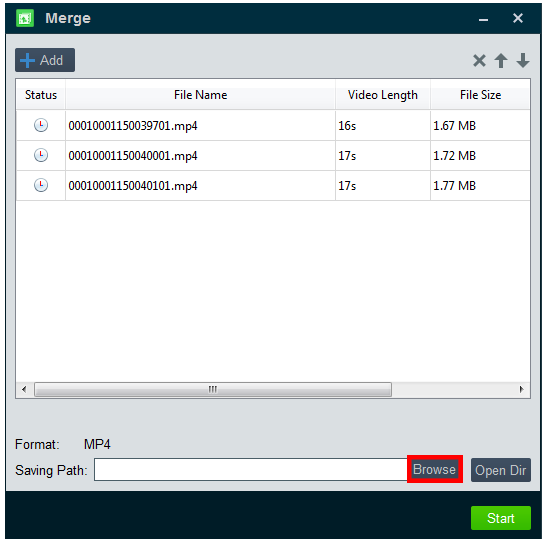
Step 5. Find your playback file and select "Open" to import it into Merge. Continue doing this per playback file until you have all files you need merged imported into Merge.

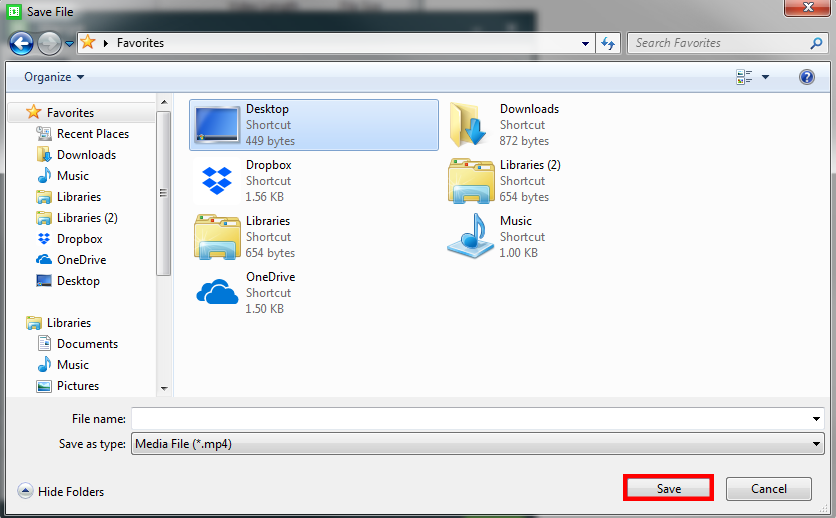
Step 6. Now you must select where the merged file will go to on your personal computer. Select "Browse" to begin.
Step 7. You must now choose a location for the file. For an example, if you select the Desktop, it will appear on the desktop. When you have finished your select, type in the name the file will have and select "Save" when done.
Step 8. You may now select "Start" to begin the process to merge your files. The file will appear dependent on your previous chosen location.
To learn more on how to play the file, click here
Was this article helpful?
Bu bilgiler sorununuzu çözmeye yardımcı oldu mu?
Still need help?
Uzman ekibimiz size yardımcı olmak için burada.