What do I do if I accidentally blocked Alfred from accessing my camera and microphone for WebCamera?
19 Aug 2026
402 views
When you first set up WebCamera, Alfred will ask you for permission to use your camera and microphone. If you denied Alfred access the first time, you will need to go to Chrome's settings to manually grant Alfred access in order for WebCamera to work.
In this article you'll learn how to grant Alfred access to your camera and microphone on Chrome.
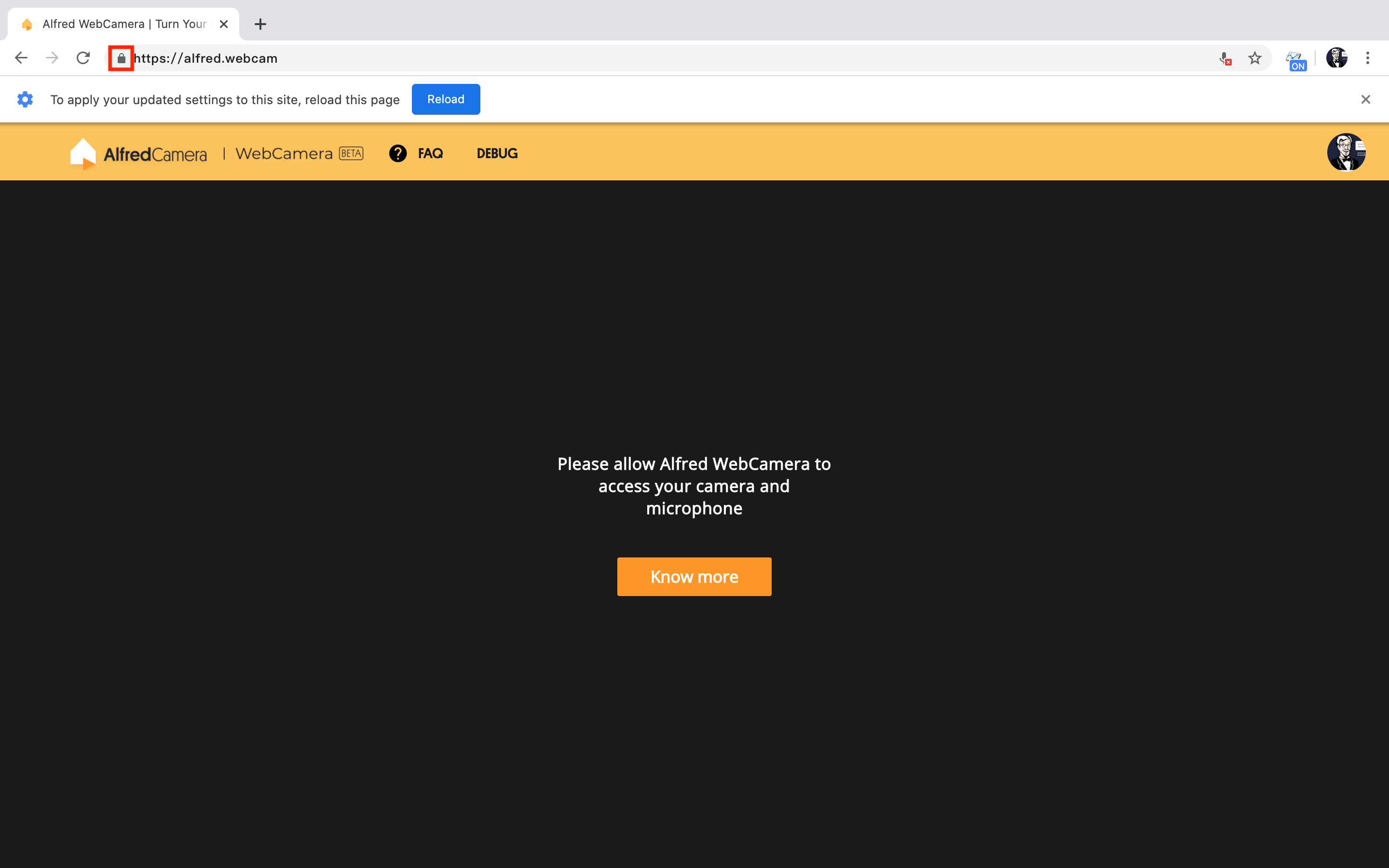
- Click on the "lock" icon in the top left corner of the browser
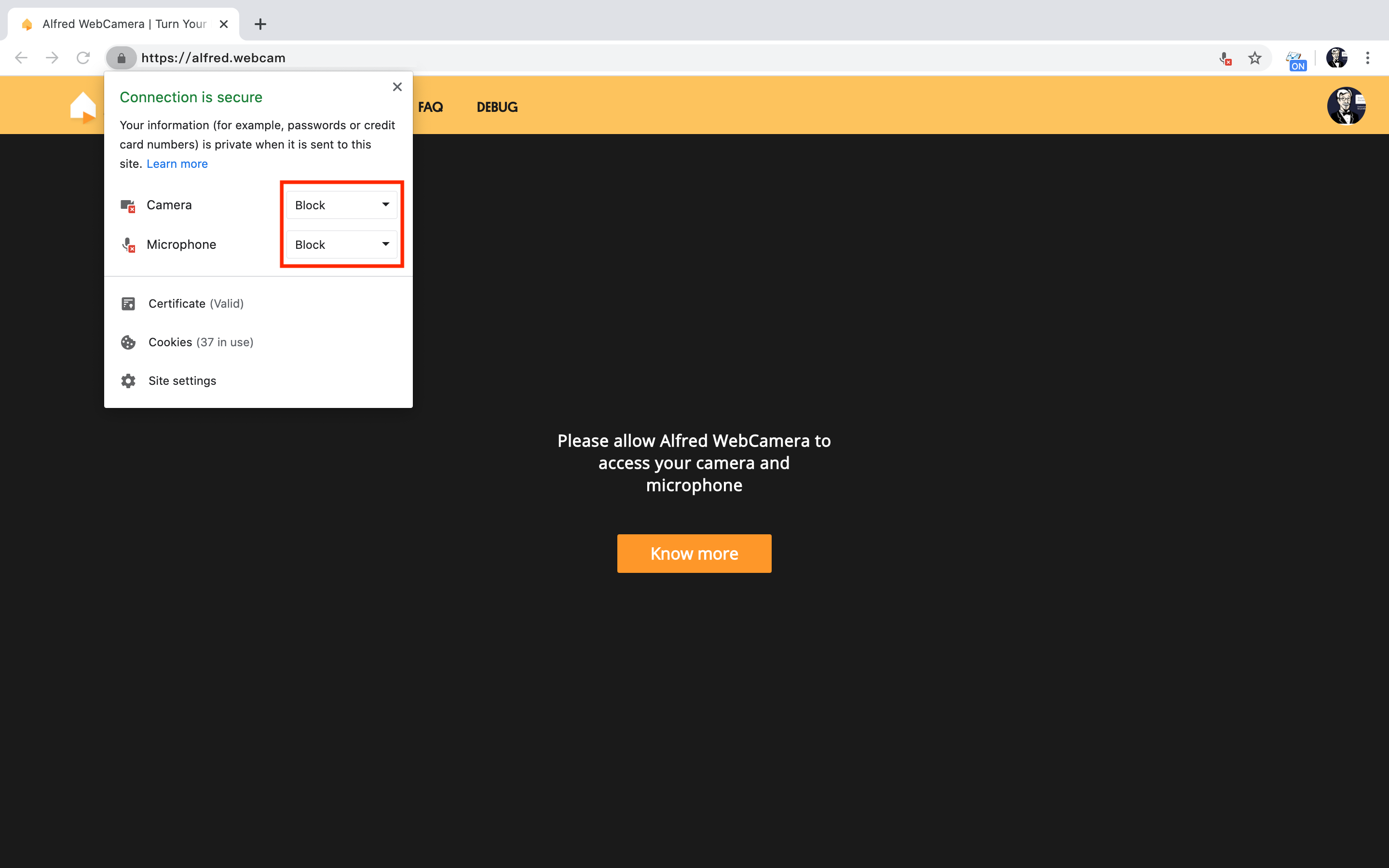
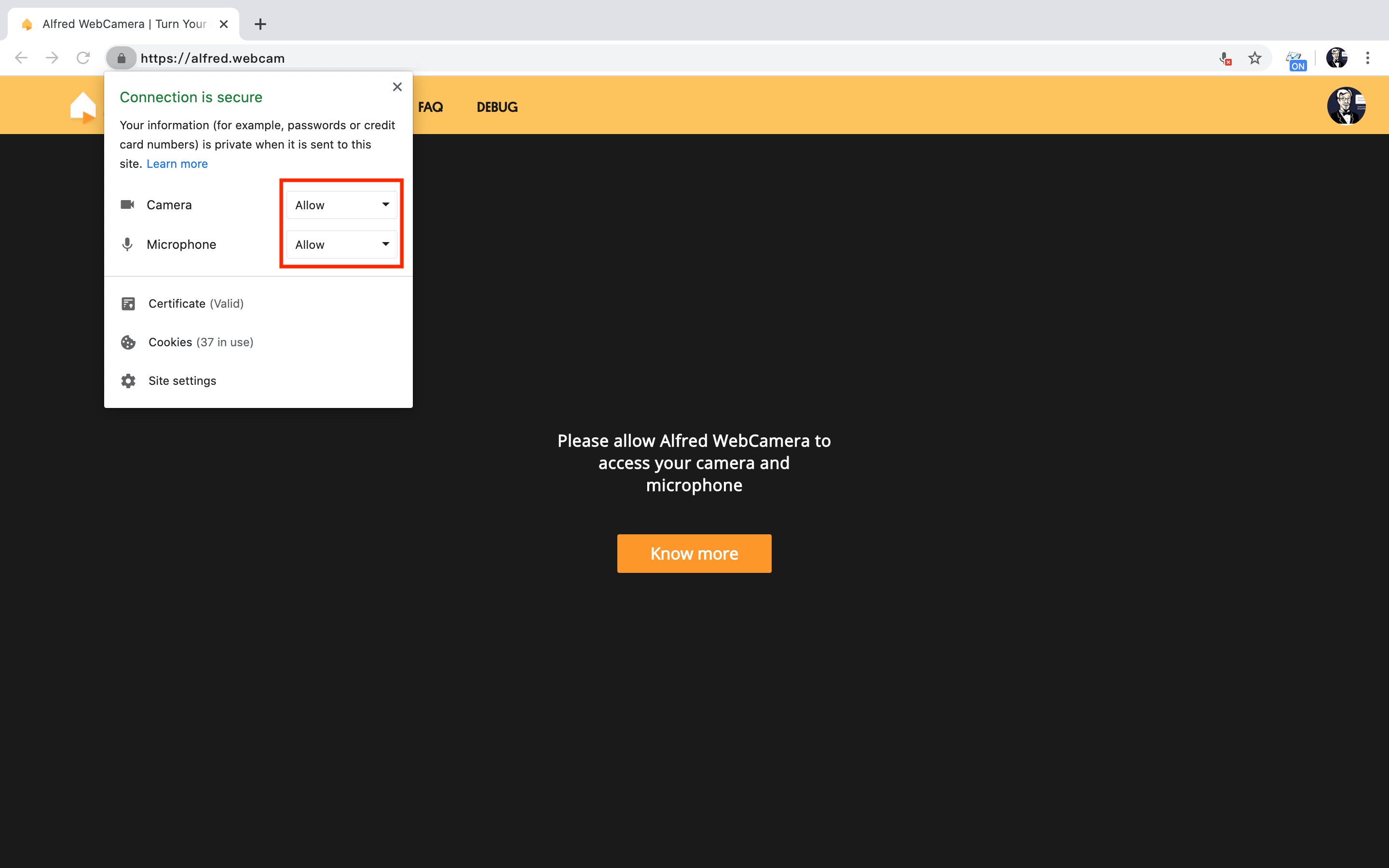
- Change "Block" to "Allow" for both Camera and Microphone
🙋 Still have questions? Please contact us from the More tab in the app.
Was this article helpful?
Bu bilgiler sorununuzu çözmeye yardımcı oldu mu?
Thanks for your feedback!
Still need help?
Uzman ekibimiz size yardımcı olmak için burada.