XMeye - How to Change the System's Password?
Applies to: DN81BJ/DH81NK/DH41NK/DM21O/DM31O/DL81A/DH81S/DH81NG/DN81NB/DM41G/DN41CJ/DN61EC/DG81W/DG61X/DG41T/DT81DQ/DT41DC/DT61ER/DG41BJ/DE41N/DE81N/DG41BE/DG81BE
The system's default password is blank(nothing). We suggest you change the system‘s default password when you hook up the system for the first time to protect your privacy. Below are instructions on how to change the password.
Here are the steps:
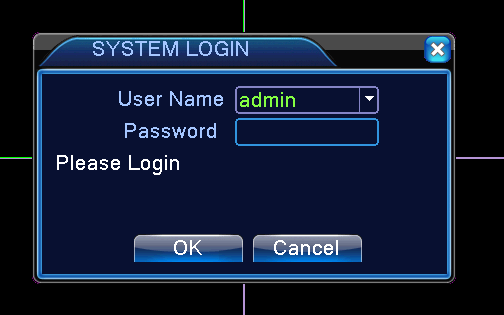
1. Use the system's user name admin and default password blank to log in system.
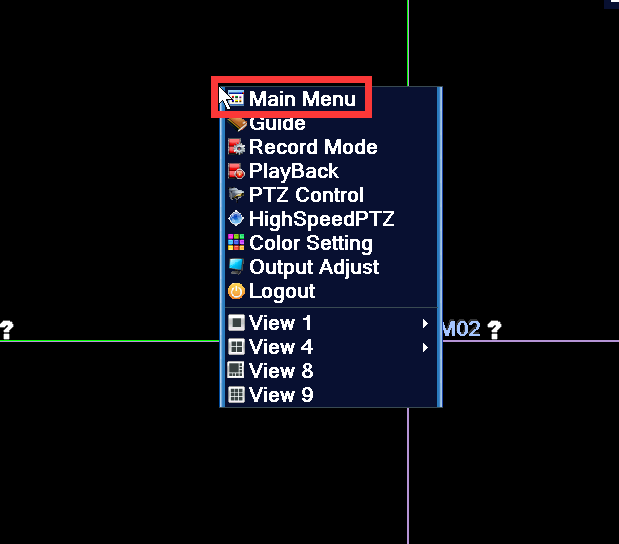
2. Right click mouse and select the Main Menu
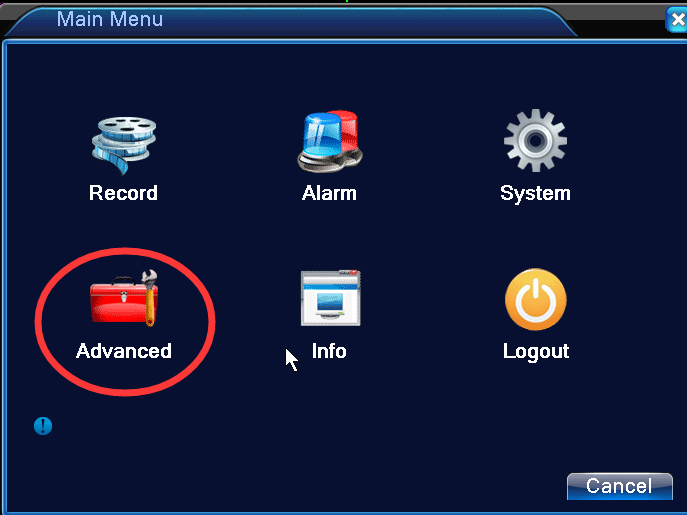
3. Go to advanced
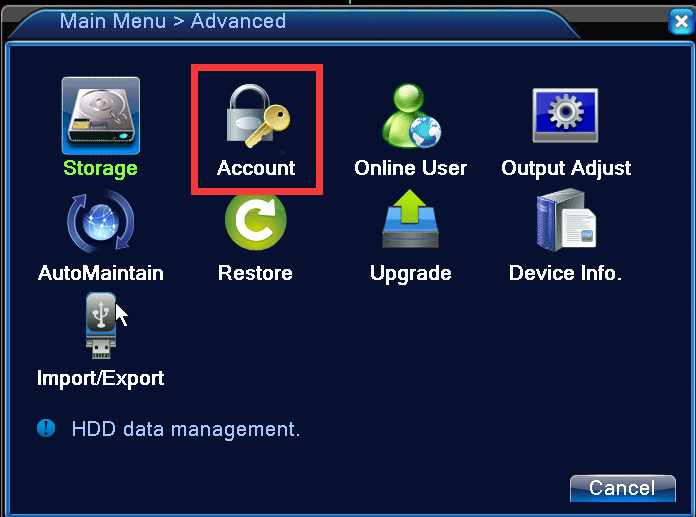
4. Go to Account
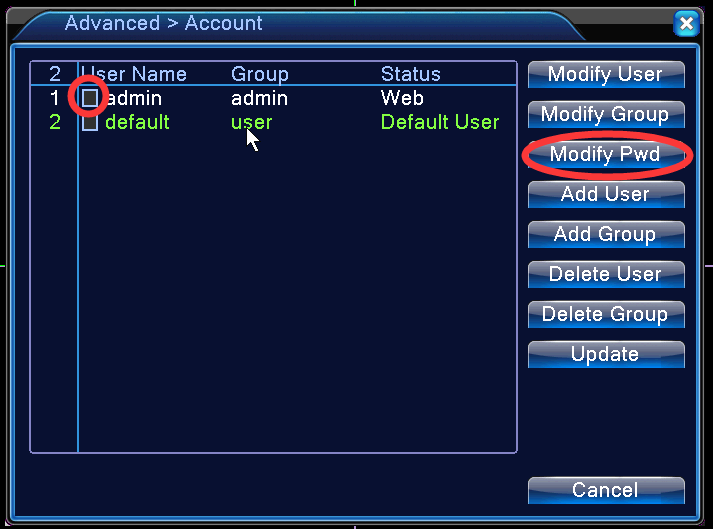
4. select admin and click Modify Pwd
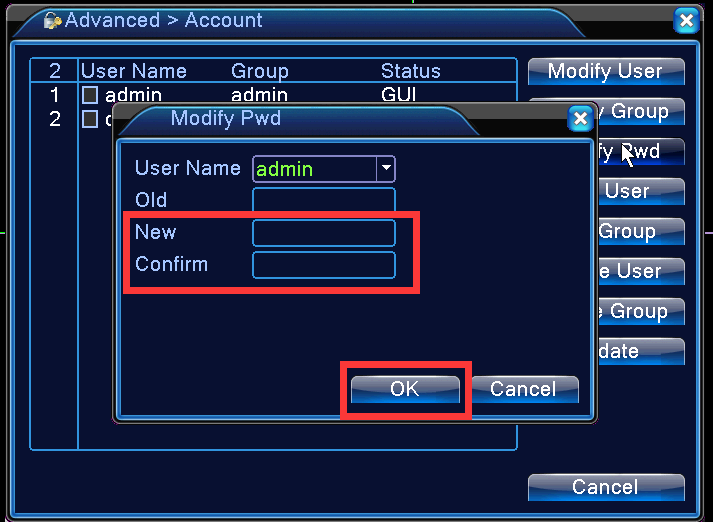
5. Input the new password and confirm it. Since the old password is the default password which is blank, leave the old password box blank.
Click OK to save.
Was this article helpful?
Bu bilgiler sorununuzu çözmeye yardımcı oldu mu?
Still need help?
Uzman ekibimiz size yardımcı olmak için burada.