XMEye- How to Set up DST for DVR and NVR?
20 Aug 2026
394 views
Applies to: DH81NK/DH41NK/DM21O/DM31O/DL81A/DH81S/DH81NG/DN81NB/DM41G/DN41CJ/DN81BJ/DN61EC/DG81W/DG61X/DG41T/DT81DQ/DT41DC/DT61ER
The DVR and NVR support Daylight Saving Time setting, so if you need to switch it to or from summertime, you can follow the instruction below.
- Go to Main Menu -> system-general, you should find the “Date Format”, and click to tick the “Enable DST”
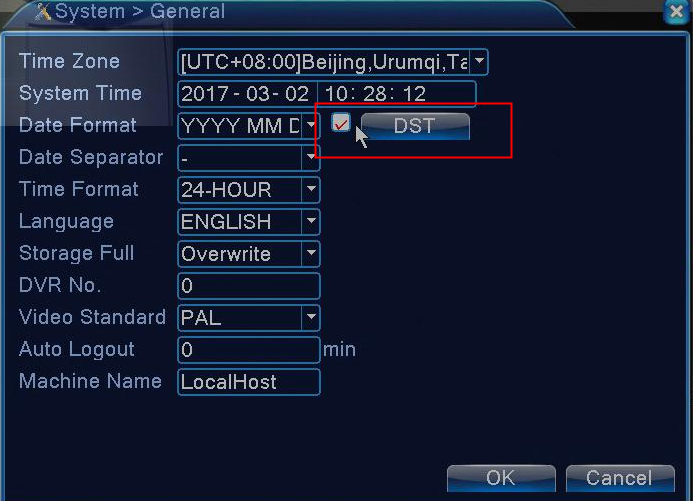
-
You can set up DST according to weeks or dates.
Choose the summer time option and pop the dialog box as followed.

DST (week)

DST (date)
Was this article helpful?
Bu bilgiler sorununuzu çözmeye yardımcı oldu mu?
Thanks for your feedback!
Still need help?
Uzman ekibimiz size yardımcı olmak için burada.