XMeye - How to Set up Email Alerts?
Applies to: DH81NK/DH41NK/DM21O/DM31O/DL81A/DH81S/DH81NG/DN81NB/DM41G/DN41CJ/DN81BJ/DN61EC/DG81W/DG61X/DG41T/DT81DQ/DT41DC/DT61ER/DG41BE/DG81BE/DG81CQ/DG81CP/DN81F
Here are the steps for you:
1. Please make sure DVR or NVR has connected to the router and Internet successfully. You can judge by the picture below. If it always keeps disconnected, please click here to get some help. You had better use Gmail, not Yahoo or Hotmail.
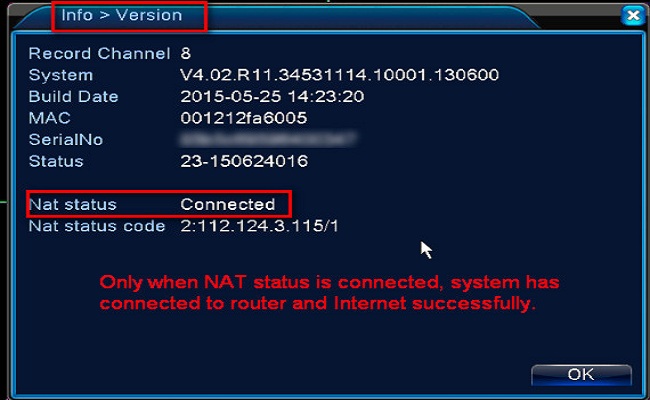
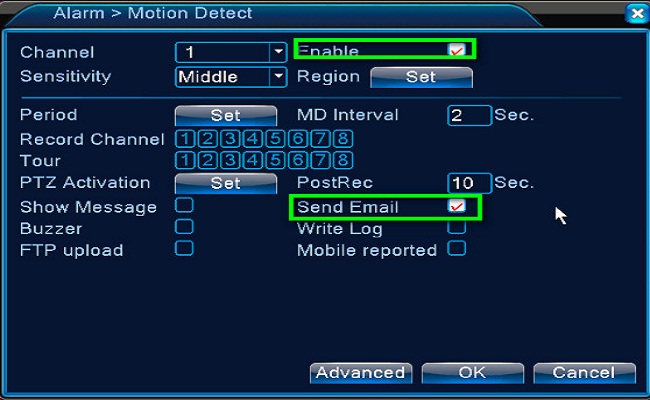
2. Please enable alarm and email alerts function.
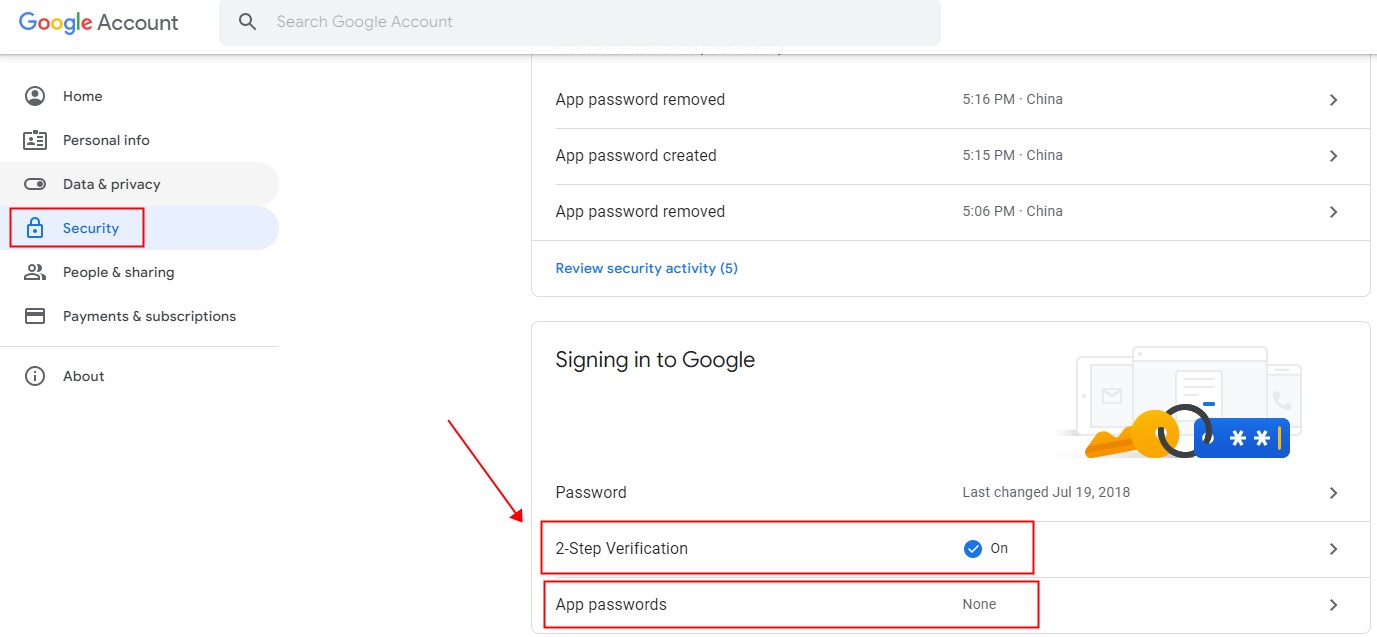
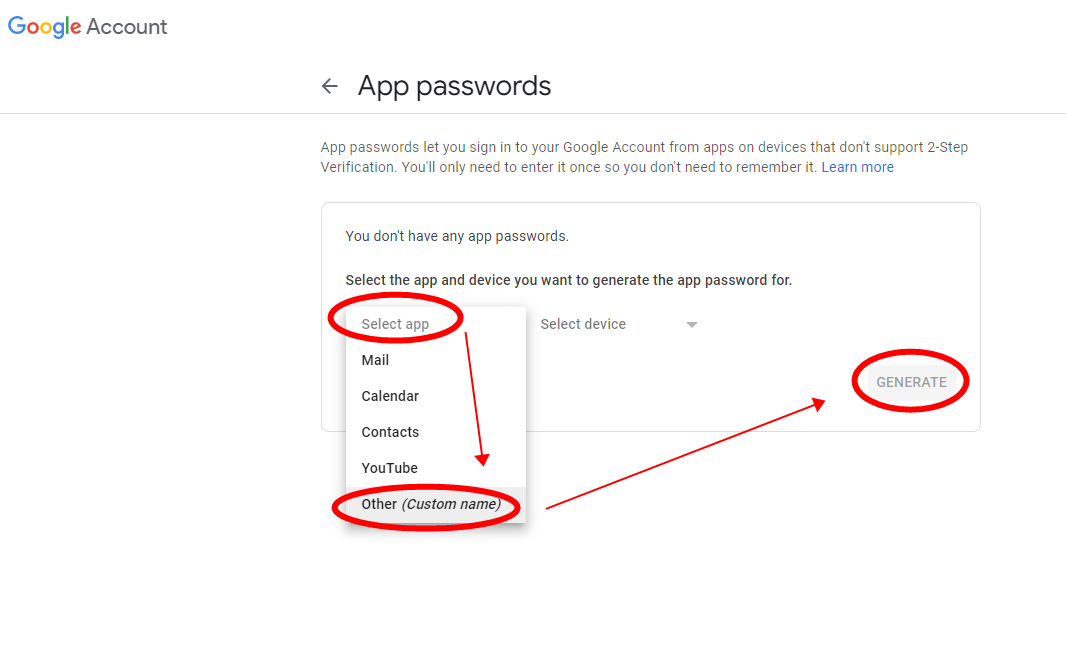
3. Log in Google account, go to 'Security', then turn on '2-Step Verification'. Click on 'App Password' to create your App Password (16 digits).
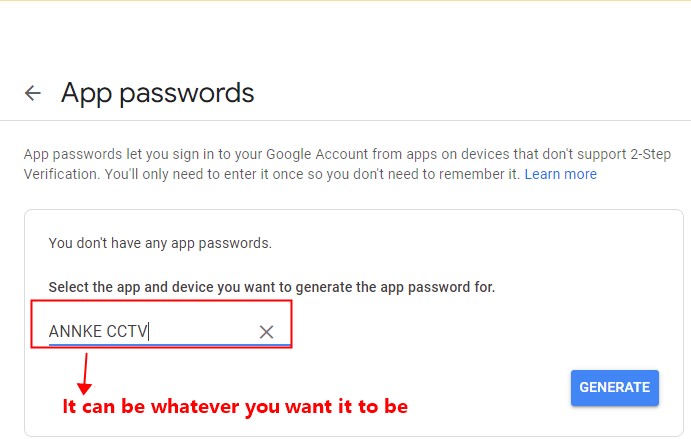
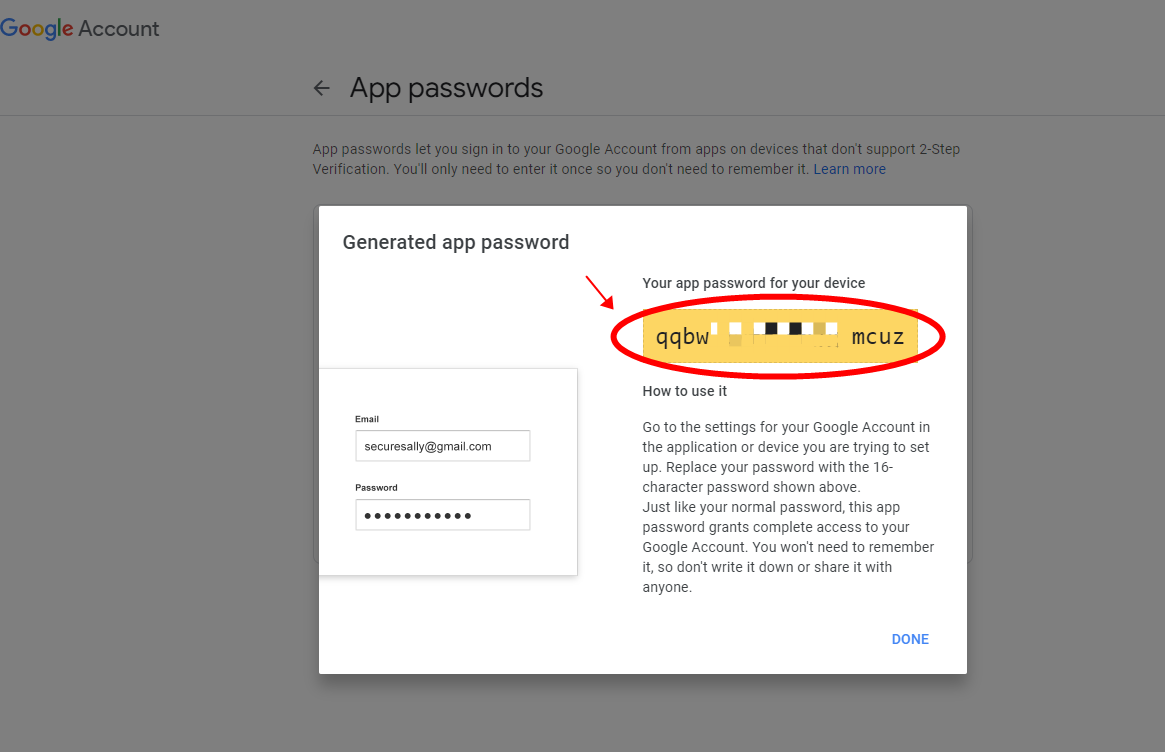
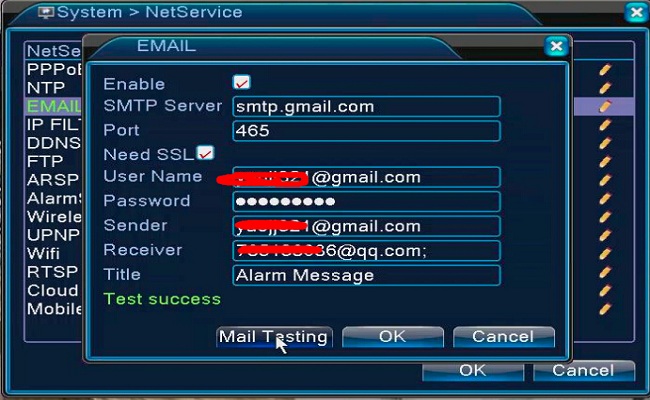
4. Please set up an email in the DVR setting like the picture below. If the mail test succeeds, it is working.
The SMTP server is smtp.gmail.com
The Port is 465 or 587
Tick the SSL
The user name is your Gmail account
The password is your App password (16 digits) from Google
The sender is your Gmail account
The receiver can be any email.
Was this article helpful?
Bu bilgiler sorununuzu çözmeye yardımcı oldu mu?
Still need help?
Uzman ekibimiz size yardımcı olmak için burada.