Analytical recording configuration in the Xtralis system
The first step should always be to format the HDD or the SD card in the case of the iFT Gateway:
- For iFTs and eFTs we have to follow the following steps to correctly format the HDD: https://athena-visiotech.s3-eu-west-1.amazonaws.com/L8E2-HQBowO54-JbSD-L/Visiotech%20-%20Adpro%20eFT%20-%20Instalacion%20HD.pdf
- In the case of the iFT Gateway, the card is formatted at startup of the computer.
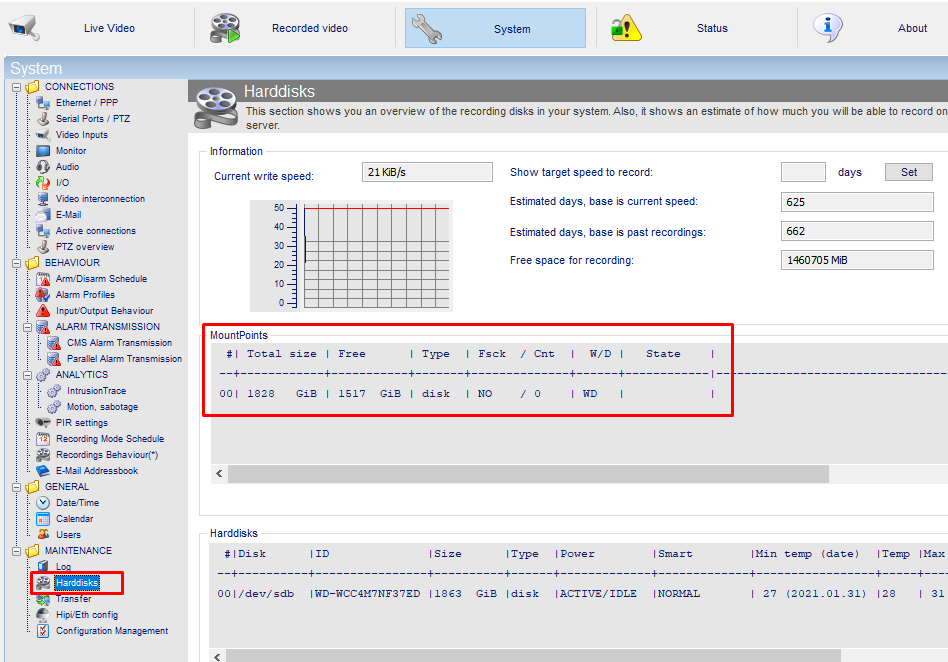
To check that it is well formatted we will go to the following option and we will check that the disk is mounted:
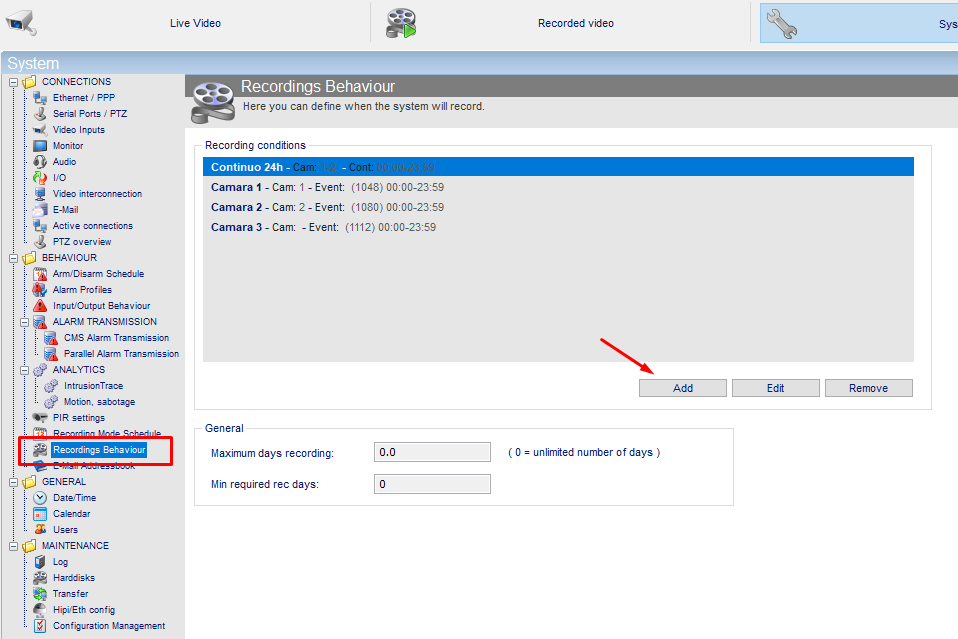
For the recording configuration by analytics in Xtralis we will go to the following section and add a new schedule:
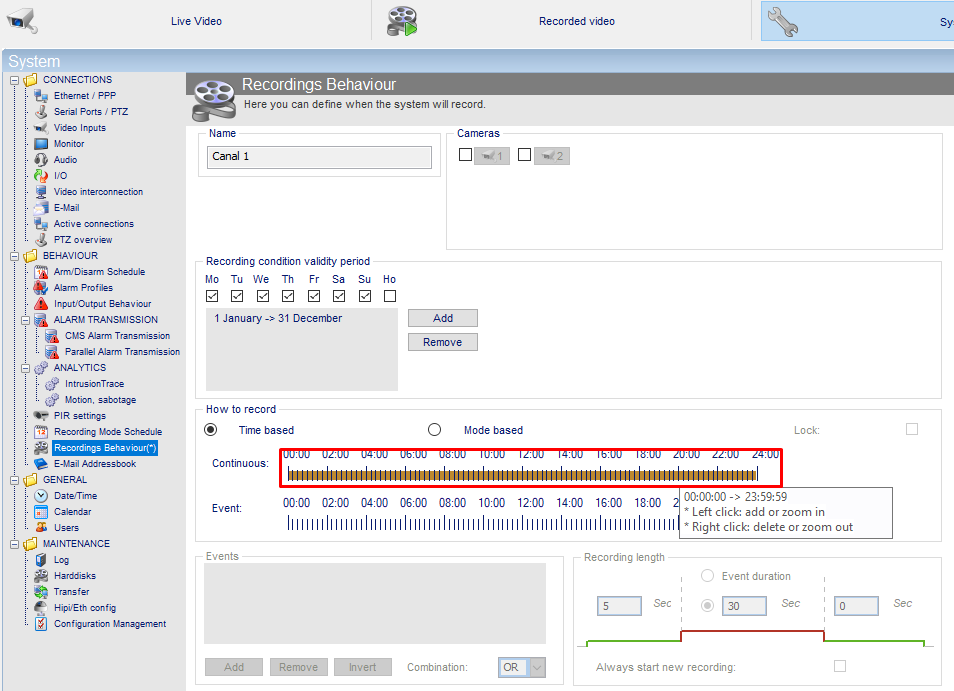
Then we will remove the continuous recording line by putting the mouse over the line and pressing the right button:
We add the line recording by event and indicate the events that will define the recording.
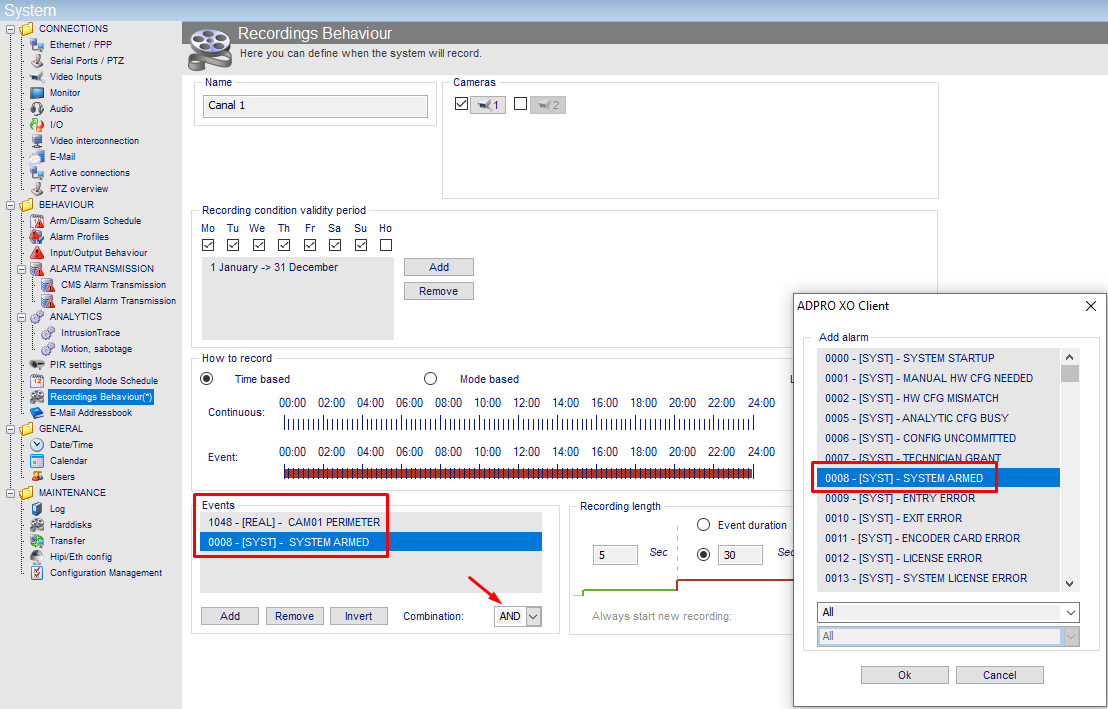
Recording by camera perimeter 1 - in this example we configure it to record whenever the event occurs, regardless of whether the system is armed or disarmed:
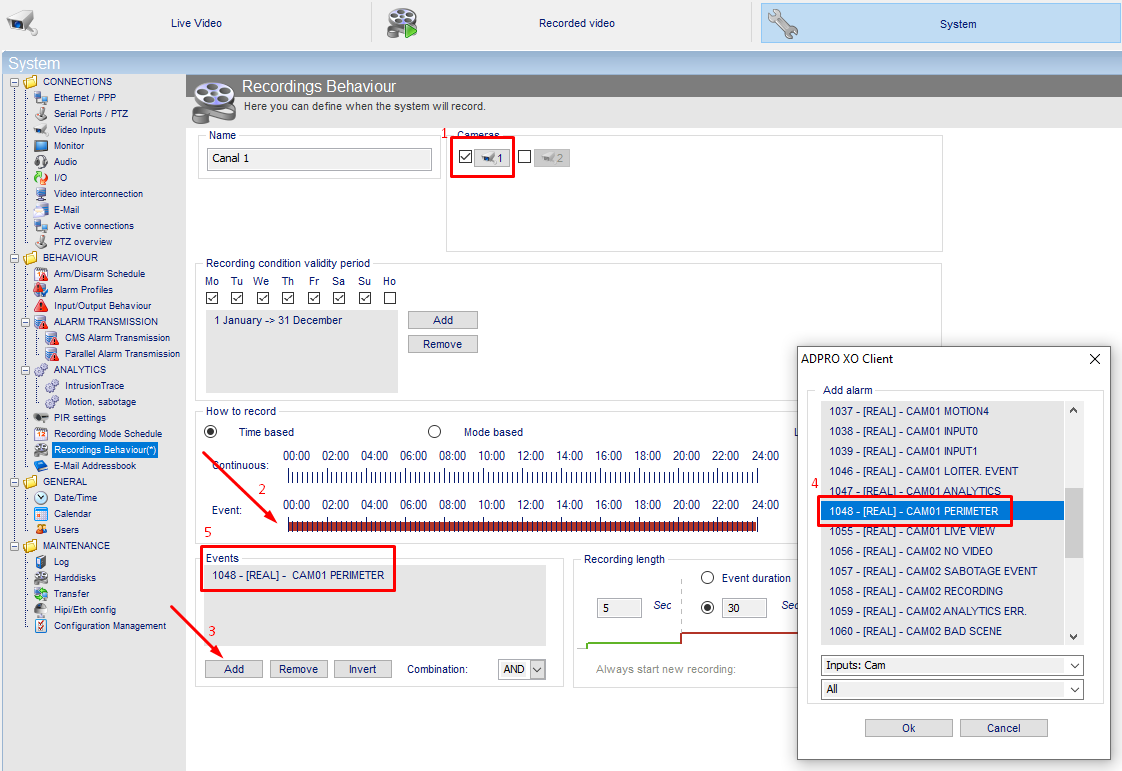
Recording by armed system and camera perimeter 1 - in this example we want to record when the event occurs but only when the system is armed. The armed system option must be set with the "AND" condition:
Continuous recording - if in addition to the recordings per intrusion event we want to have a continuous recording of the different channels, we add a new recording configuration by selecting all channels and leaving the continuous line checked:
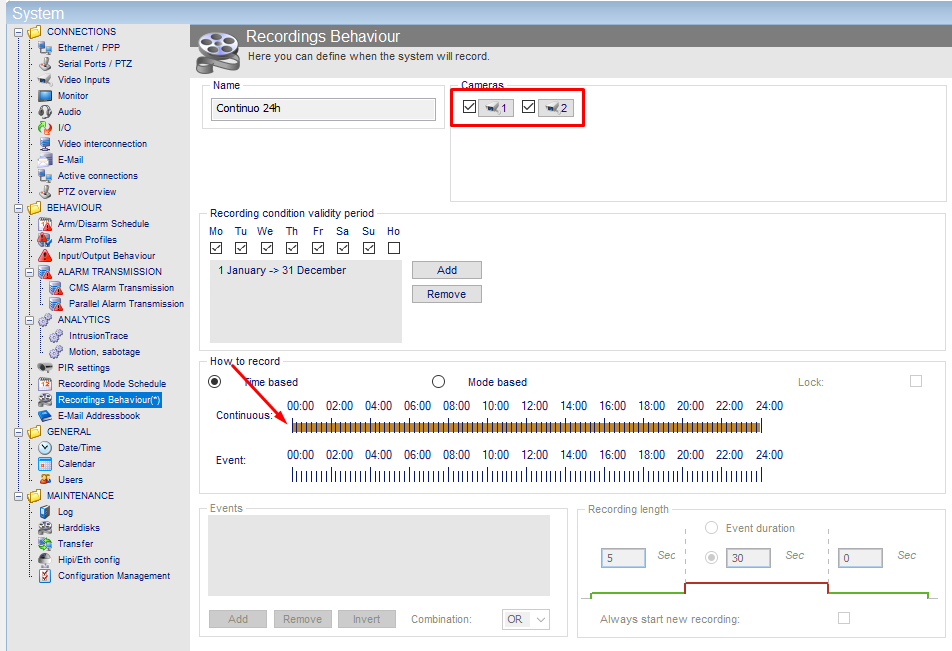
In the case of the iFT Gateway this type of recording is not possible because the maximum capacity of the SD card is quite small (32Gb), so this type of recording wouldn't be worthwhile.
Was this article helpful?
Bu bilgiler sorununuzu çözmeye yardımcı oldu mu?
Still need help?
Uzman ekibimiz size yardımcı olmak için burada.