Annke Nova - How to set up Blue Iris Setting Guide for Nova S?
Applies to: I41HG/I41CS
Nova S(I41HG) supports RTSP, you can play on the Blue Iris.
1. Make sure Nova S(I41HG) has connected to the same network of the computer;
2. Installing the IPC search tool “SADP” on your computer, install Blue Iris;
SADP Tool download link:
https://download.annke.com/CMS/SADP_v3.0.2.4.zip
3. Open SADP and search the IP address of the IPC.
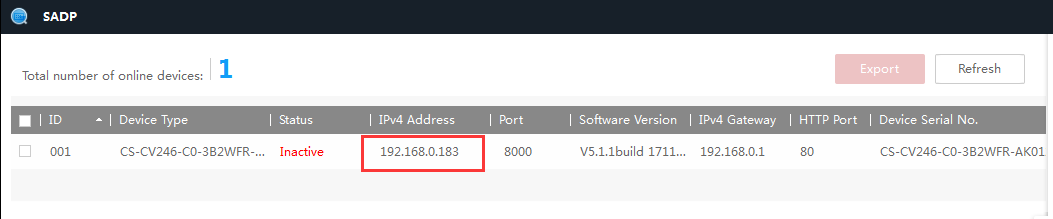
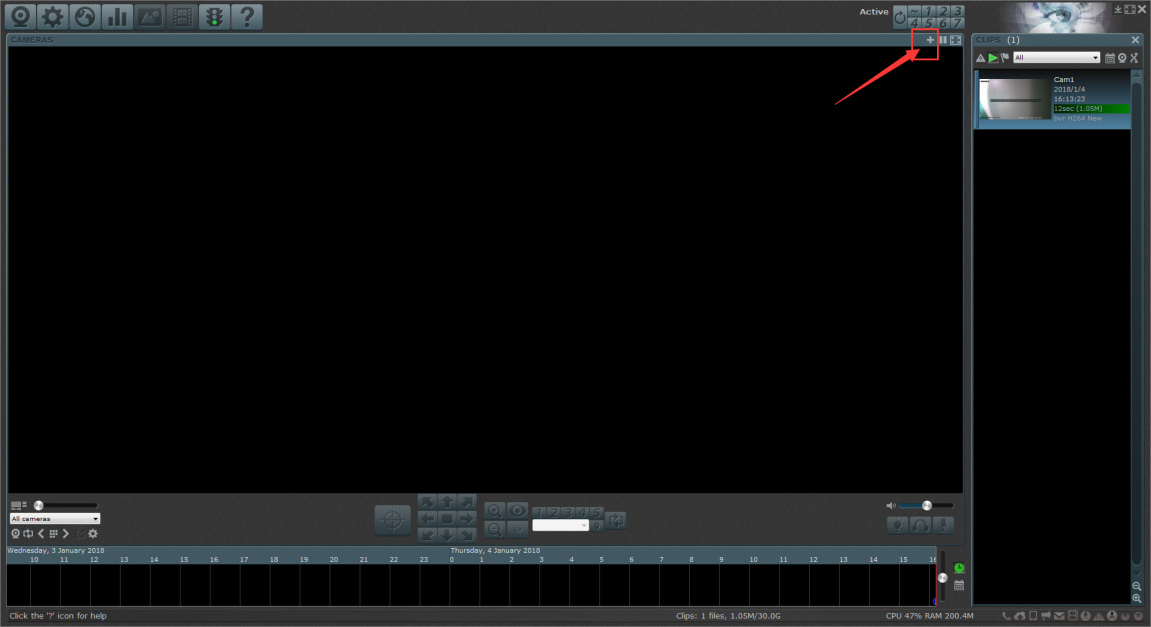
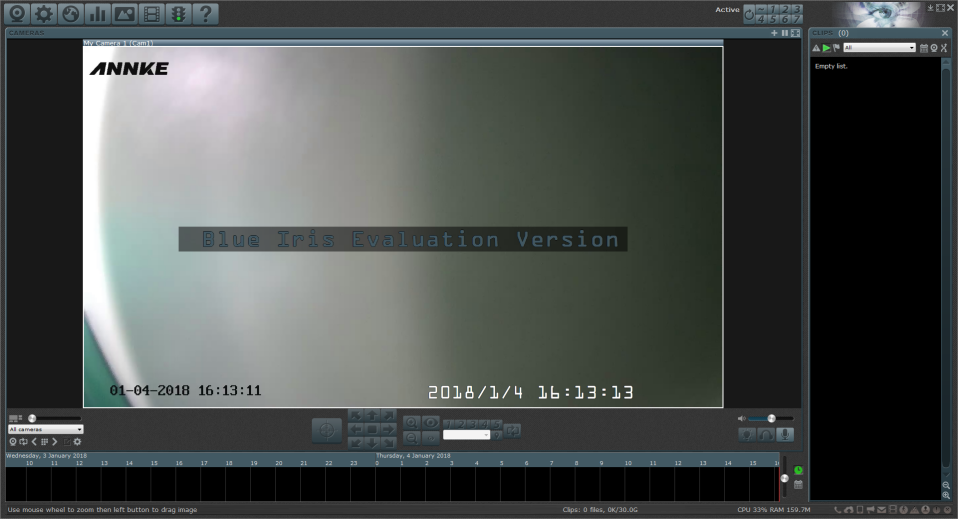
4.Click the icon “+” to add the device in the upper right corner when you opened the Blue Iris, as shown in the figure below.
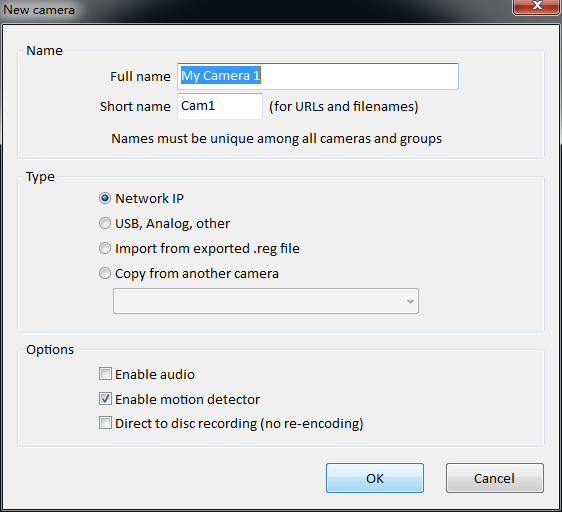
It will pop up a dialog box and prompts you to add a device. Full name can be anything to select “Network IP” by default and then click “OK” to save the settings, as shown in the figure below.
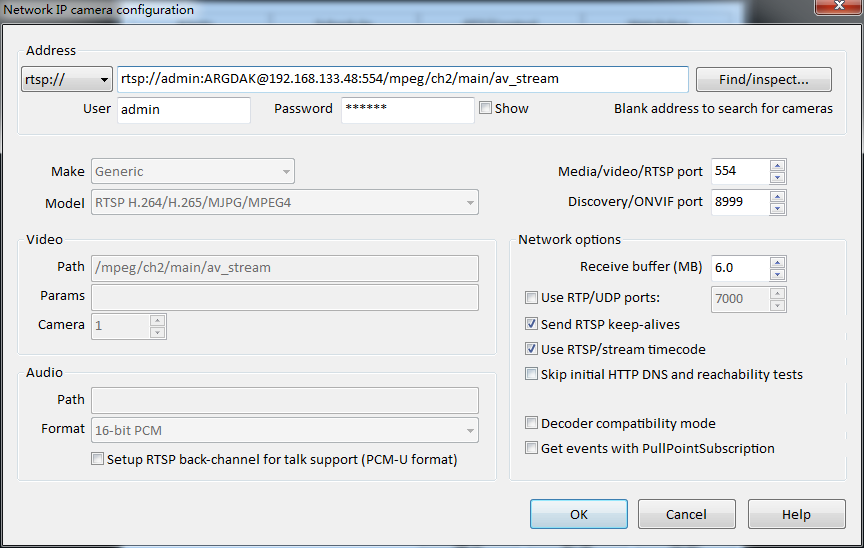
It will prompt you to input the IP address when you go to the next step, click “OK” after completing the input, then you can watch the live video, the format is:
RTSP://[username]:[password]@[ip]:[port]/[codec]/[channel]/[subtype]/av_stream
Username: admin (default)
Password: password is the verification code which you can find it on the label at the bottom of this camera, such as “ARGDAK”.
IP: The IP address of the camera that you can find it on SADP, such as “192.168.133.48”.
Port: 554 (default)
Codec: H264 (MPEG-4、mpeg4)
Channel: CH1 (or the channel which you want to add it to, such as CH2)
Subtype: main (sub)
For example: rtsp://admin:ARGDAK@192.168.133.48:554/H264/ch1/main/av_stream
Was this article helpful?
Bu bilgiler sorununuzu çözmeye yardımcı oldu mu?
Still need help?
Uzman ekibimiz size yardımcı olmak için burada.