Annke Sight - How to Auto Add Camera to NVR if You Delete it from the Channel (No Need Ethernet Cable)?
Applies to: NW41V/N441H/N441K/N28WEB/N441B/N441D/N441L/N44PAN/N44PAJ/N34WDB/N34WDD/N44WEB/N44WED/N44WEC/NW41V/N44WBD/N48WHP/N48WHE
If you delete the paired camera from the channel, you can add it automatically by the following steps.
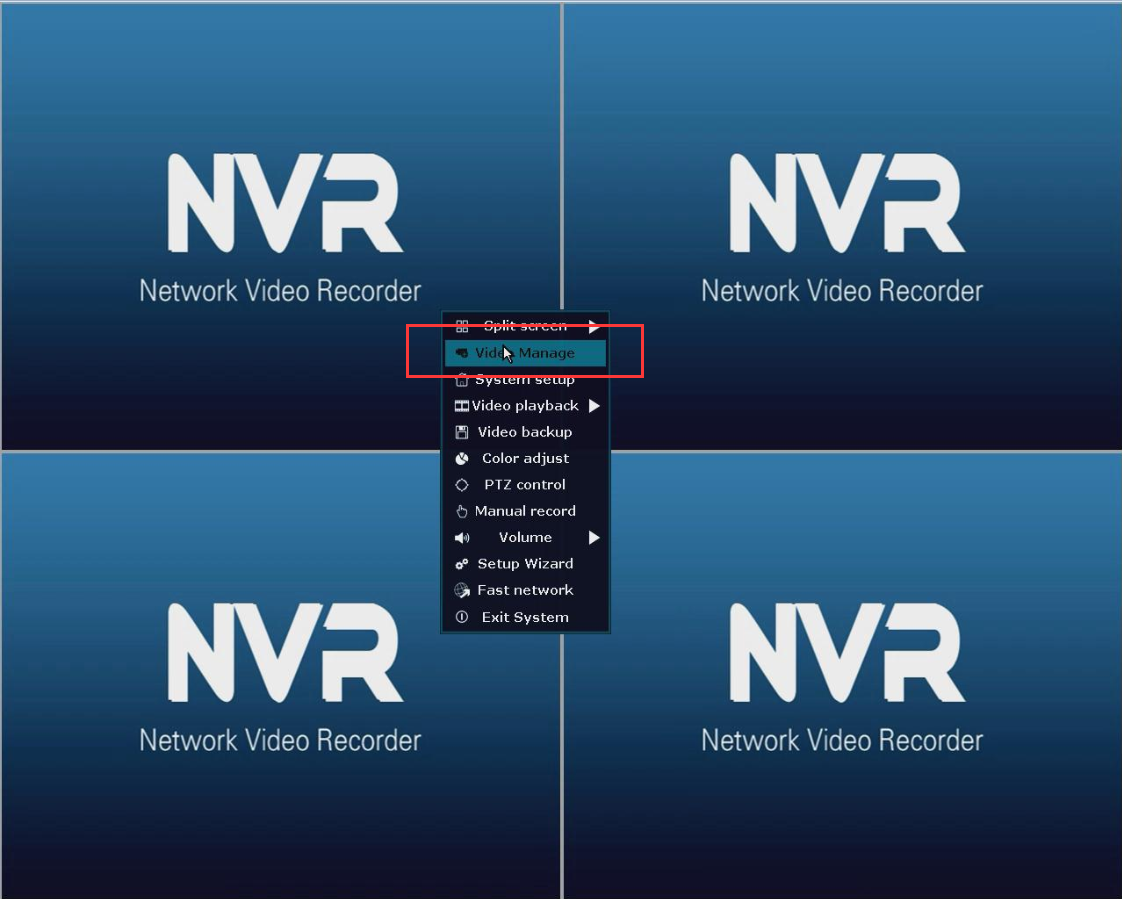
1. Please right-click the mouse and go to Video Manage, then tick Refresh. You can search for the camera's IP address. The IP address should be "172.20.14.X".

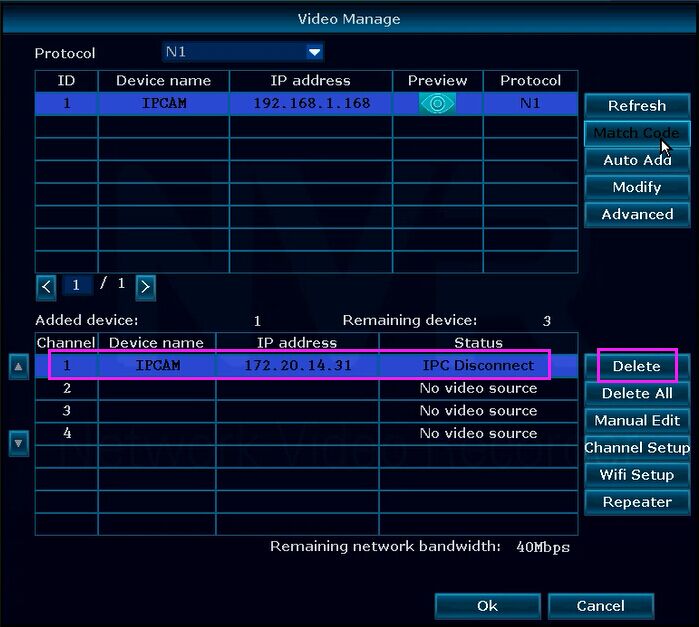
2. Then please go to the lower part, the Adding device part, choose the channel which you want to add the camera to, please be sure the channel you choose status is “No video source". If the status isn't "No video source", but such as "IPC disconnect", please choose this channel, and click the "delete" button at the right side. The channel should be "No video source".
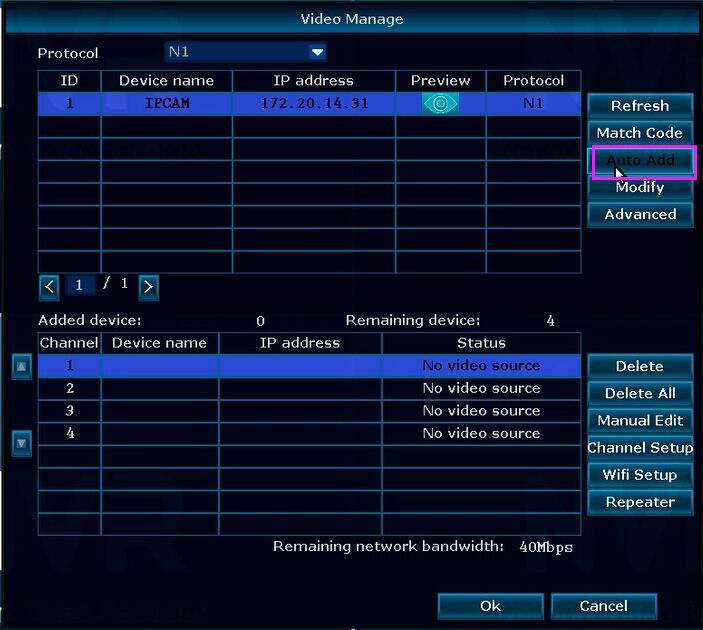
3. Then please back to the upper part. Choose the Channel, double-click the IP address like "172.20.14.32", click Auto Add. Then you can see the camera's status shows "Connect success".

5. Now, you can see the camera's image on the TV or monitor.

Was this article helpful?
Bu bilgiler sorununuzu çözmeye yardımcı oldu mu?
Still need help?
Uzman ekibimiz size yardımcı olmak için burada.