Annke Sight - How to Do If The Network Is Offline?
1. Please make sure the DVR/NVR is connected to the router by the cable.
2. Please make sure the network cable is working.
3. Please try to connect the system to another LAN port of the router.
4. Here is the manual to check the NVR's net status:
If you want to use a phone or computer to connect the system, the P2P status must be online like the picture below.
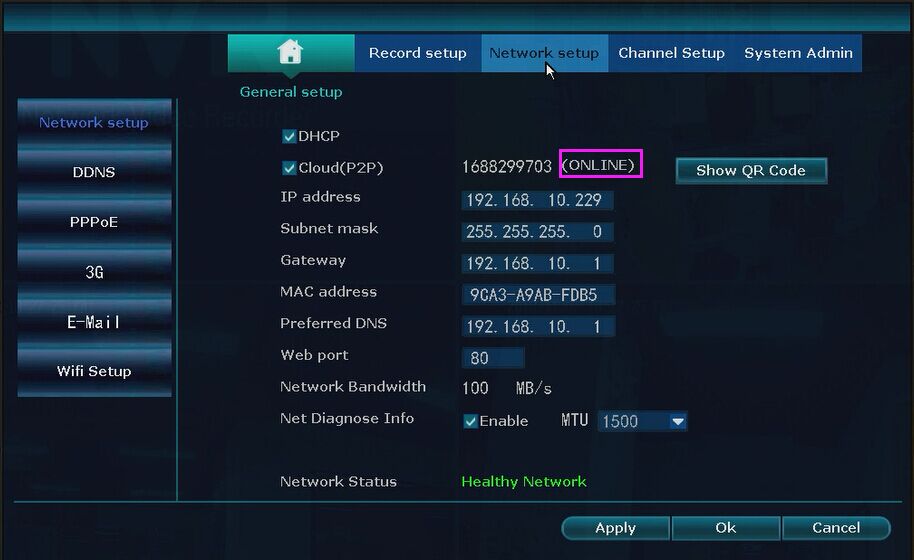
If it is offline, please check the setting and connection:
1) Please make sure NVR is connected to the router by network cable. And the ethernet cable is working, you can try to change another ethernet cable to have a try if it is still offline.
2) Please make sure you are using a WAN port instead of a LAN port on NVR to connect the router.
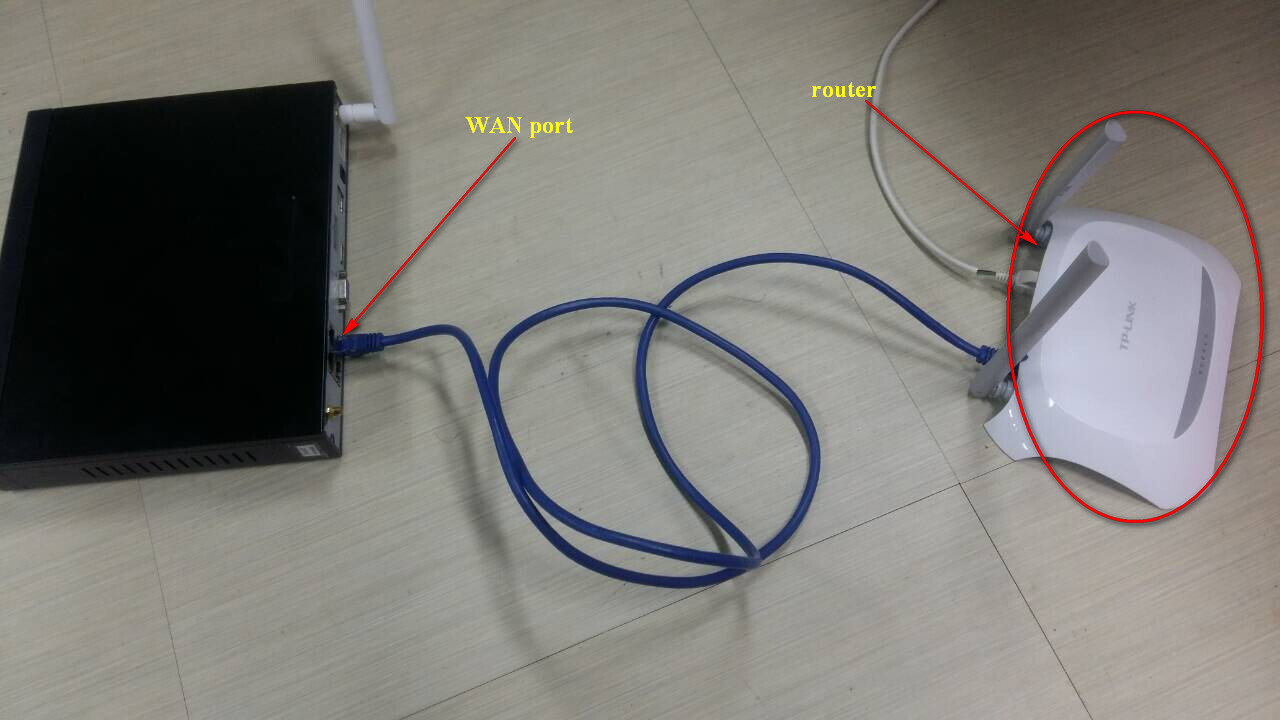
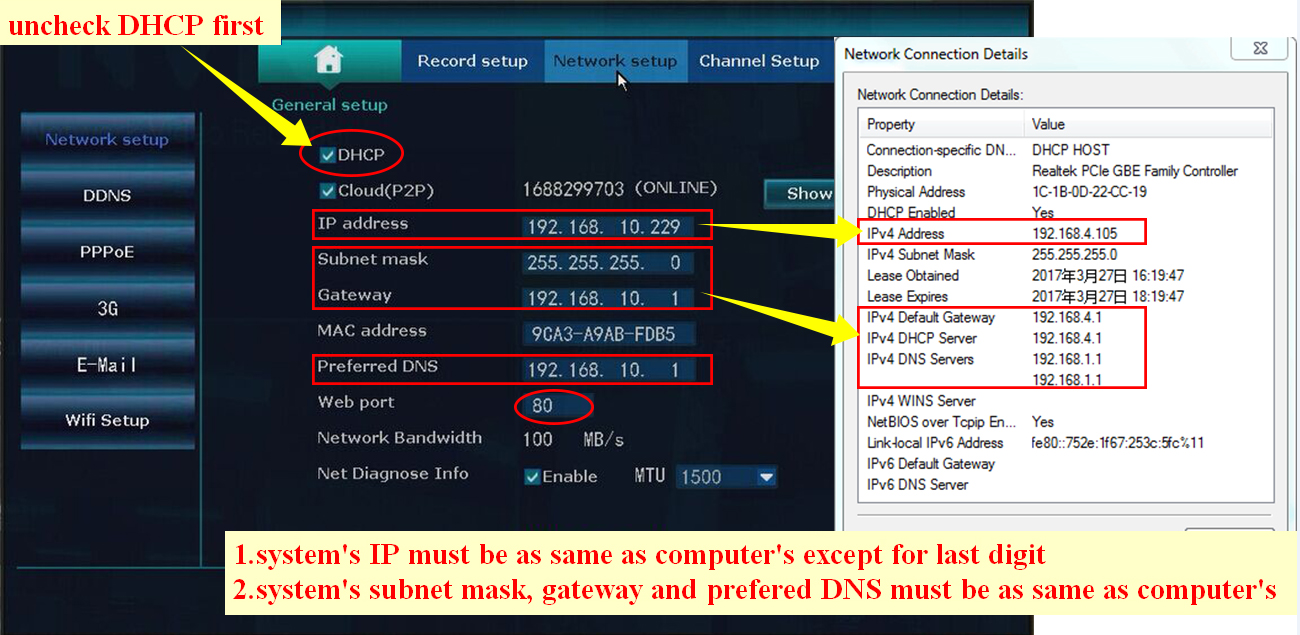
 3) If it shows offline, please follow the below picture to fix it:
Was this article helpful?
Bu bilgiler sorununuzu çözmeye yardımcı oldu mu?
Still need help?
Uzman ekibimiz size yardımcı olmak için burada.