Annke Sight - How to Rename the Cameras on Annke System?
20 Aug 2026
364 views
Applies to: NW41V/N441H/N441K/N28WEB/N441B/N441D/N441L/N44PAN/N44PAJ/N34WDB/N34WDD/N44WEB/N44WED/N44WEC/NW41V/N44WBD/N48WHP/N48WHE
Purpose:
Below are the procedures to rename the cameras via different accesses:
A. Via TV/Monitor:
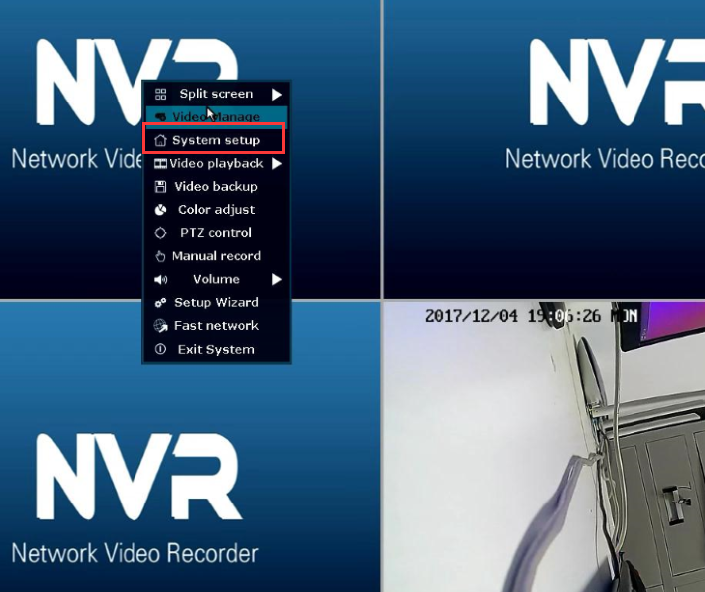
1. Please right-click the mouse and then go to "system setup".
2. Go to Channel setup--Channel OSD--Camera Title to rename the camera.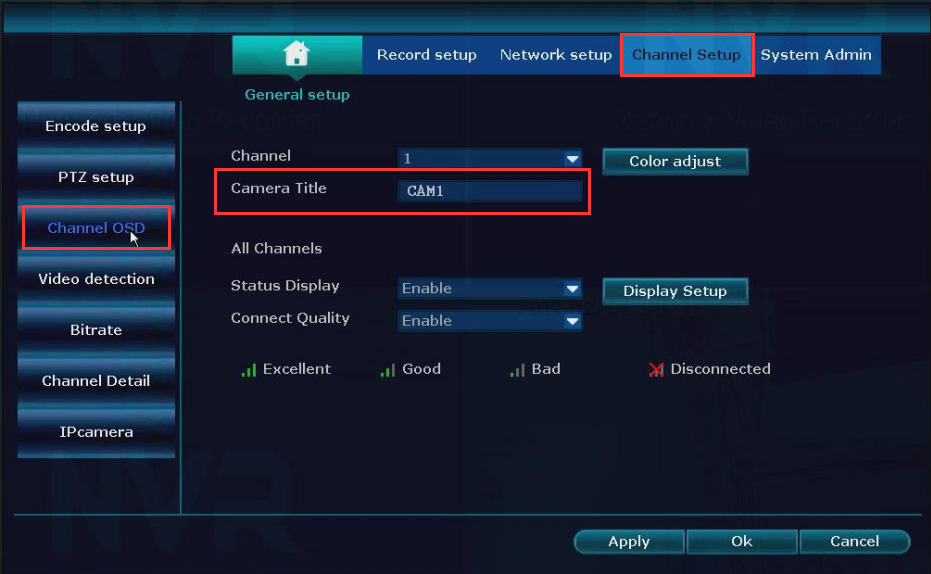
B.Via computer software (Annke Sight):
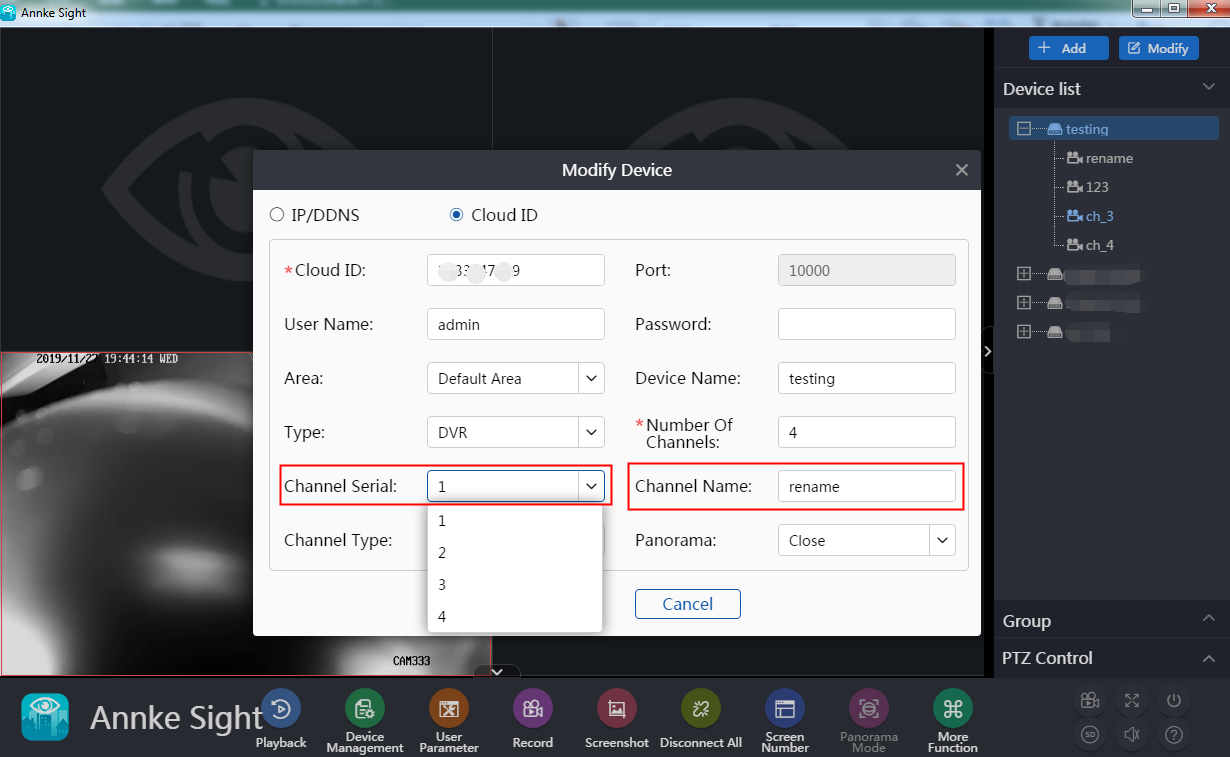
1. Log in to the Annke Sight software, go to Device List, right-click the channel which you want to rename, then click "change parameters".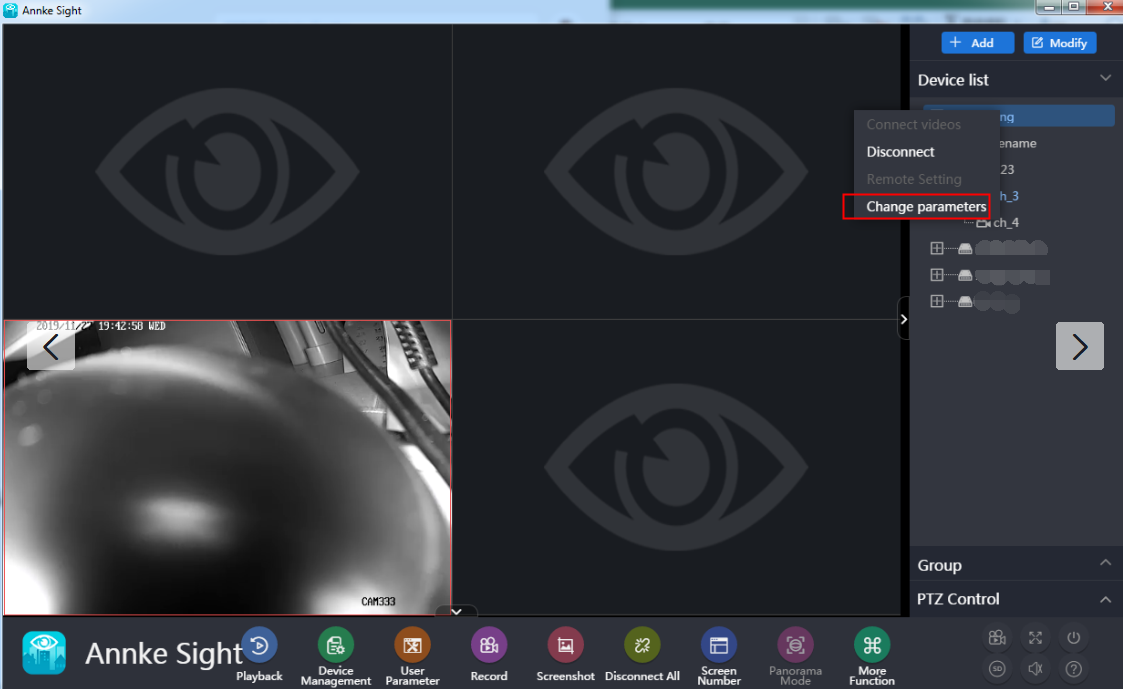
Was this article helpful?
Bu bilgiler sorununuzu çözmeye yardımcı oldu mu?
Thanks for your feedback!
Still need help?
Uzman ekibimiz size yardımcı olmak için burada.