Annke Sight - How to Reset Your System Password and How to Pair The Cameras to The Host?
Applies to: N44WBF
A. Please ensure that your app is properly logged in and connected to the device
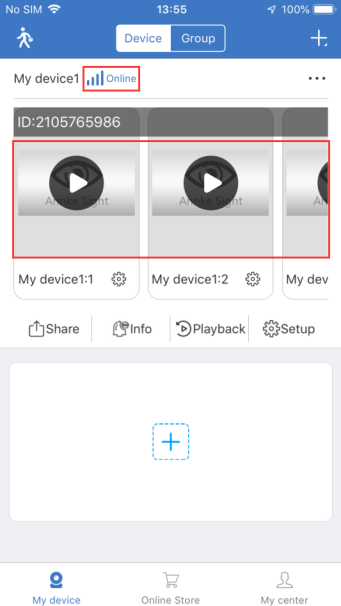
Note: After the device is successfully added for the first time, the status is displayed as online, and the display screen has not yet been drawn. At this time, you need to click the "play" button to view the cameras.
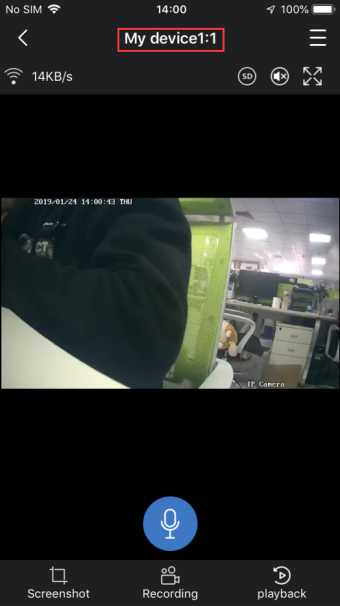
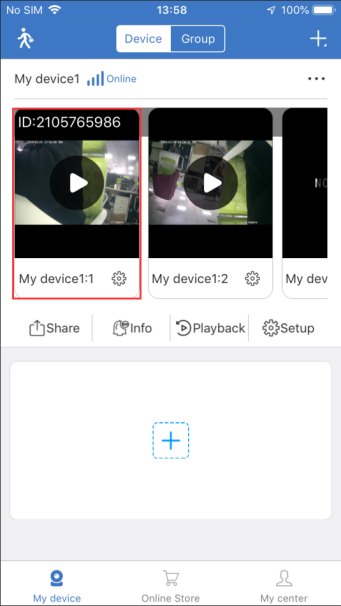
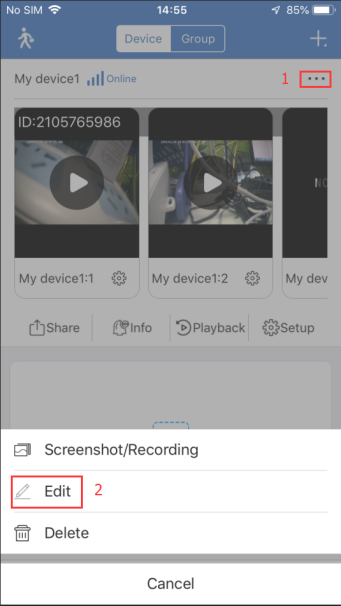
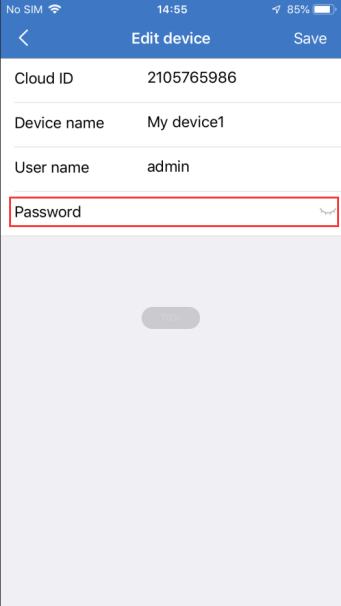
B. Device password (default is empty), you can click "..." - "Edit" to edit and view.
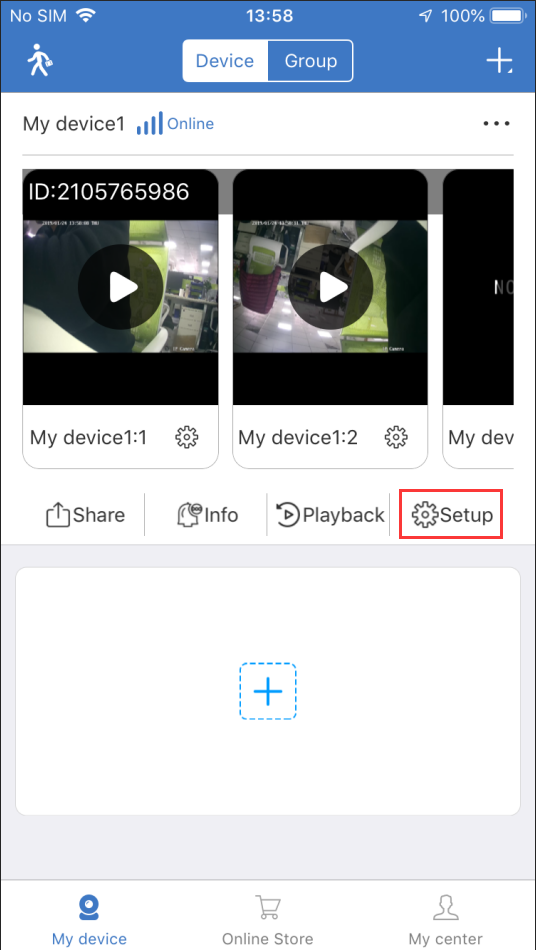
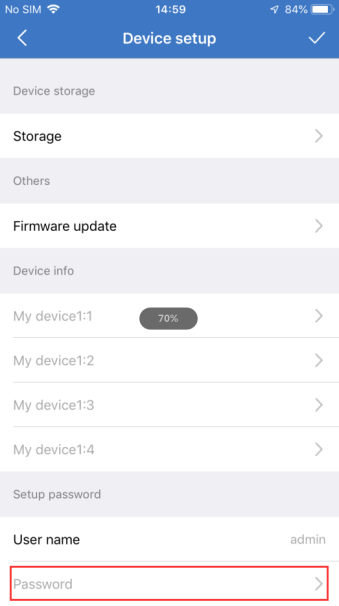
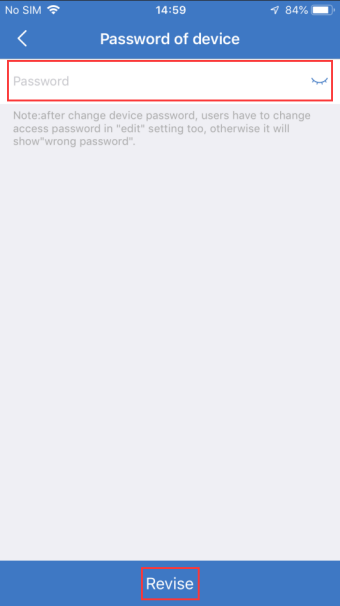
C. Click "Setup" - "Password" to modify the password of the device;
Note: For your privacy, please change your password in time. After modifying the device password, you need to modify the access password in the edit; otherwise, the password will be invalid when viewing the image. Modify the edit password please refer to the step B.
D. If you forget your device password or input the wrong password, it will display "Wrong password".
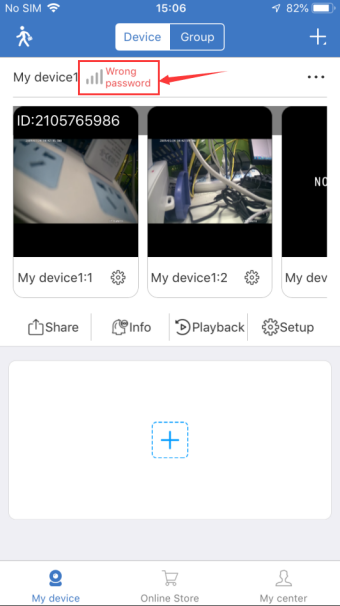
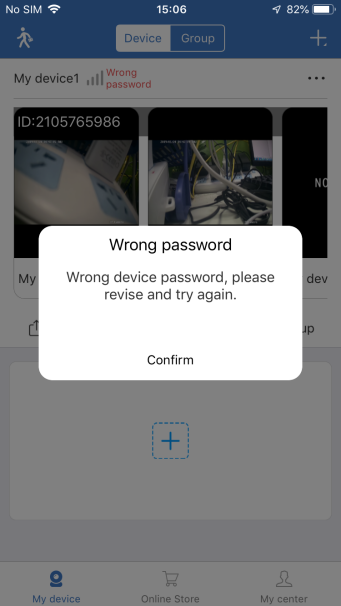
E. Solution:
1. Input the correct device password if you can remember it.
2. Reset the host (Note: after the host is reset, you need to repair the camera)


1)As shown in the figure, press and hold the RESET button of the host to reset. After the reset is successful, the channel 1-4 indicator does not light, and the camera needs to be paired again.
2)Please power on the camera first and press "RESET" to reset, then press and hold the host "SYNC" for 5 seconds to enter the pairing mode. The host will automatically search for and add the camera. After the pairing is completed, there will be a language prompt.


3)After the pairing is successful, the indicator light on the channel on the host will be solid lit up. Open the mobile app to view the picture.

Note: If the camera does not match the host, please check the following steps:
1. Please check that the indicator light on the main unit is flashing or solid. If it is flashing, it means that the camera has been added before the channel. (You can find the channel of the corresponding device through "Setup" -- "Device info" to delete the channel. The light will go if you delete it)
2. Please ensure your camera is powered normally. After pressing the RESET button to reset, you will hear a beep sound, then press and hold the host "SYNC" for 5 seconds to enter the pairing mode. If the addition is unsuccessful, please try it multiple times and the surrounding network environment is relatively simple.


Was this article helpful?
Bu bilgiler sorununuzu çözmeye yardımcı oldu mu?
Still need help?
Uzman ekibimiz size yardımcı olmak için burada.