Annke Sight - How to Set Up Push Notification on The Phone?
Applies to: NW41V/N441H/N441K/N28WEB/N441B/N441D/N441L/N44PAN/N44PAJ/N34WDB/N34WDD/N44WEB/N44WED/N44WEC/NW41V/N44WBD/N48WHP/N48WHE/N44WEE
Here are the steps:
1. Connect NVR to the router by ethernet cable.
2. Check the P2P status and make sure it is online. If it offline, please refer to the below link to make it online:
https://help.annke.com/hc/en-us/articles/360000253982-What-to-do-if-P2P-shows-offline-JA
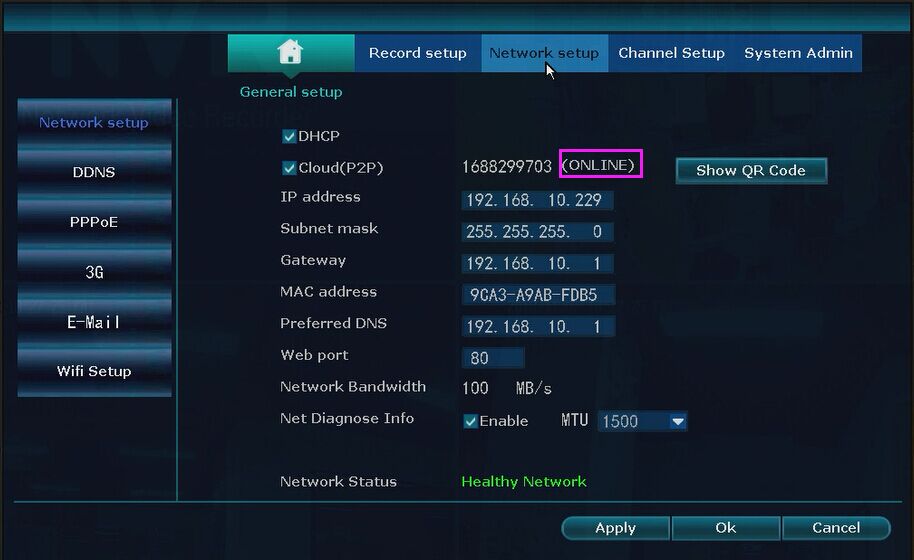
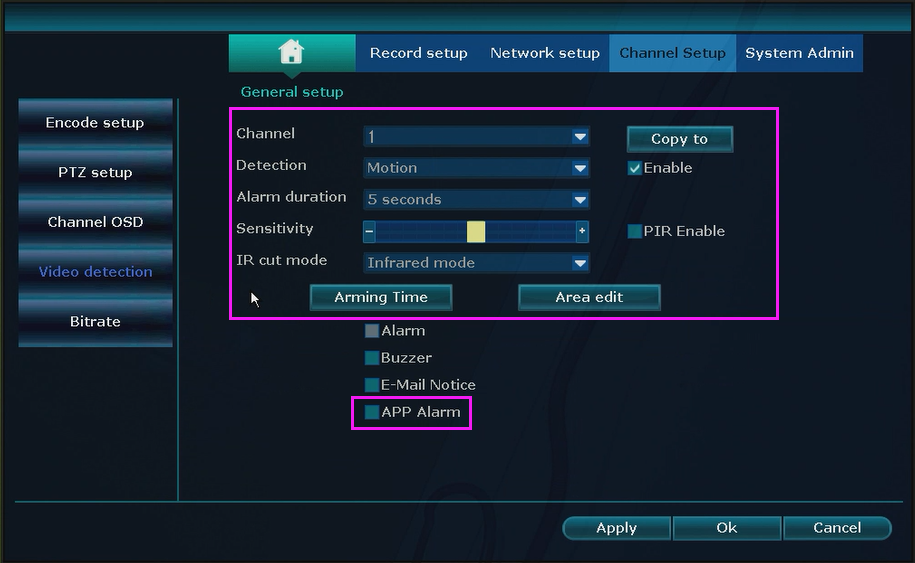
3. Go to System setup-->Channel setup-->Video detection. Enable it and tick the APP Alarm option.
4. Please log in to your phone cloud app Annke sight. You can refer to this link to add your device to your account at first.
https://help.annke.com/hc/en-us/articles/360000254222
Please note: You must register an account to log in to the app if you want to set the push function.
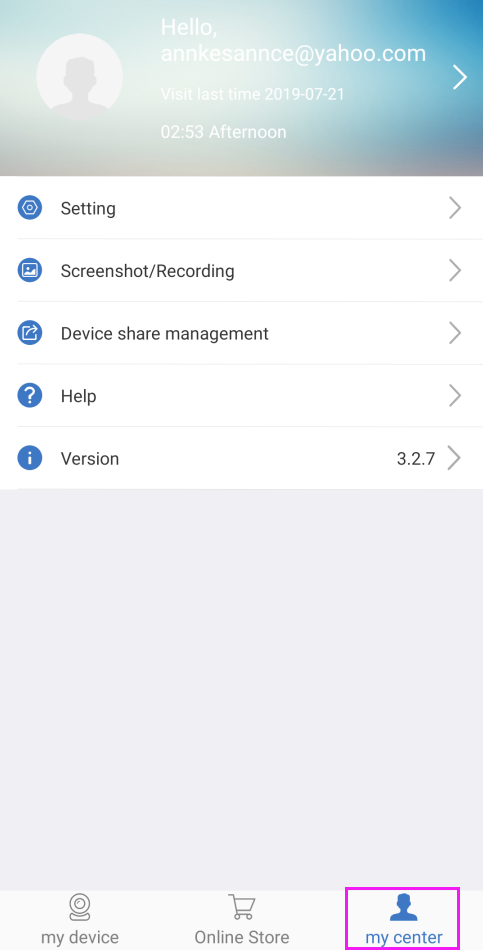
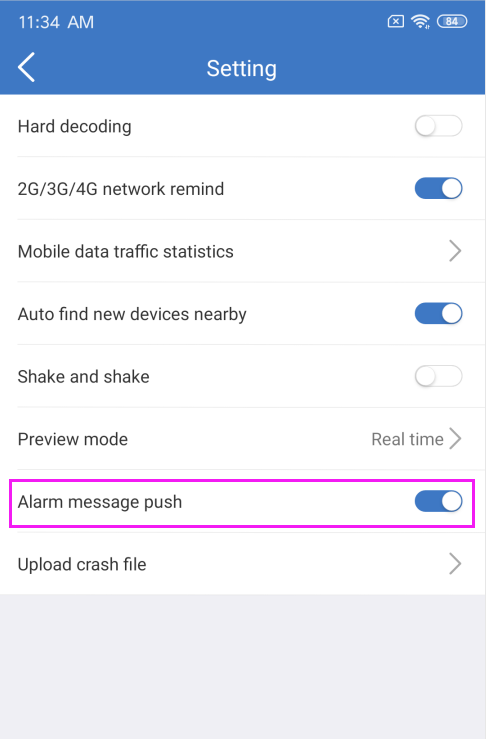
5. Please go to "my center-->Setting-->alarm message" to enable the "Alarm message push".
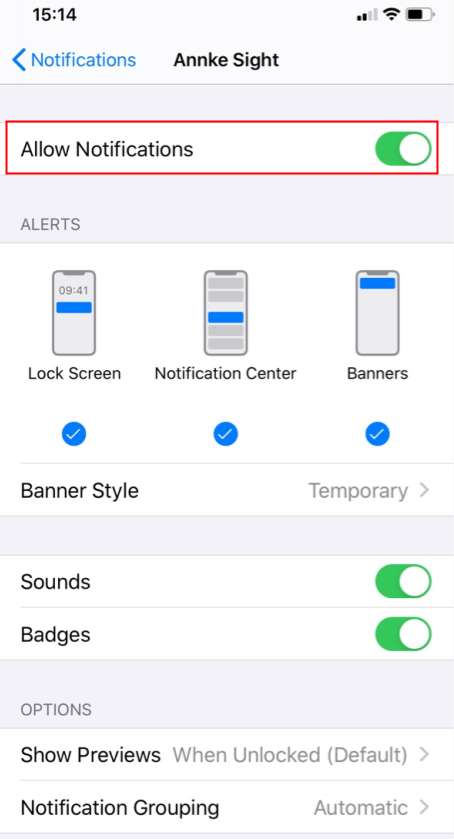
6. Then, please go to the Settings-->Notifictions-->Annke Sight and enable Allow Notifications for the app on the mobile phone.
Was this article helpful?
Bu bilgiler sorununuzu çözmeye yardımcı oldu mu?
Still need help?
Uzman ekibimiz size yardımcı olmak için burada.