Annke Vision - Activation on Annke DVR/NVR
18 Aug 2026
358 views
Applies to: DT41Y/DT61Y/DT81Y/DN41R/DN61R/DN81R/DT41GB/DT81GB/DT61GB/DT41DB/DT81DB/DT61EQ/DW41JD/DW81KD/DW61LD/DT81DP/N48PI/N44PI/N46PI/N44PAM/N48PAW/N46PCK/N88PCH/N441Y/N481Y/NCK800/H500/H800
Purpose: For first-time access, you need to activate the device by setting an admin password.
- No operation is allowed before activation.
- Activate the device via Client Software, Web Browser or SADP.
Steps:
-
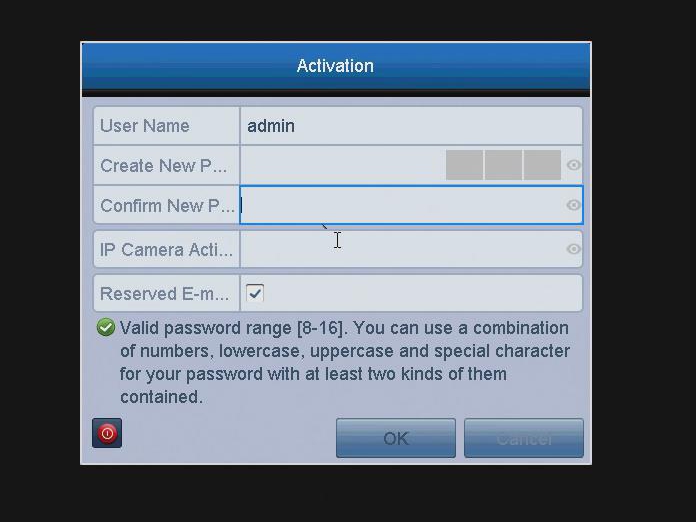
Input the same password in the text field of Create New Password and Confirm New Password and IP Camera Activation.
-
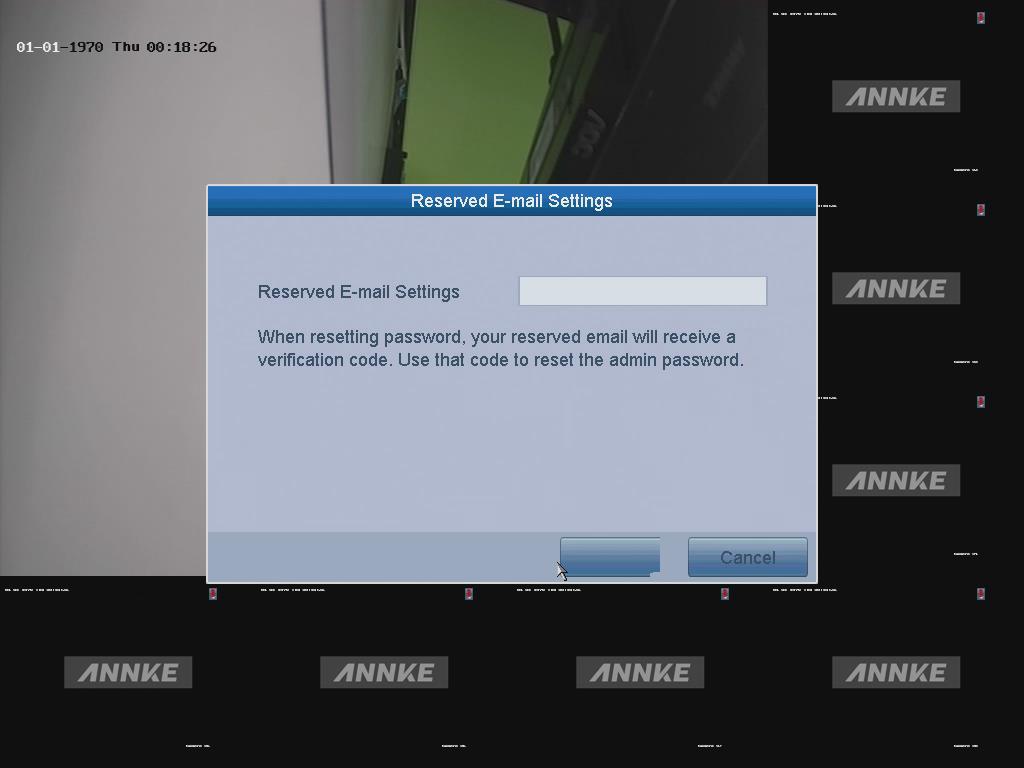
Input a reserved E-mail for password resetting in case you forget password in the future.
-
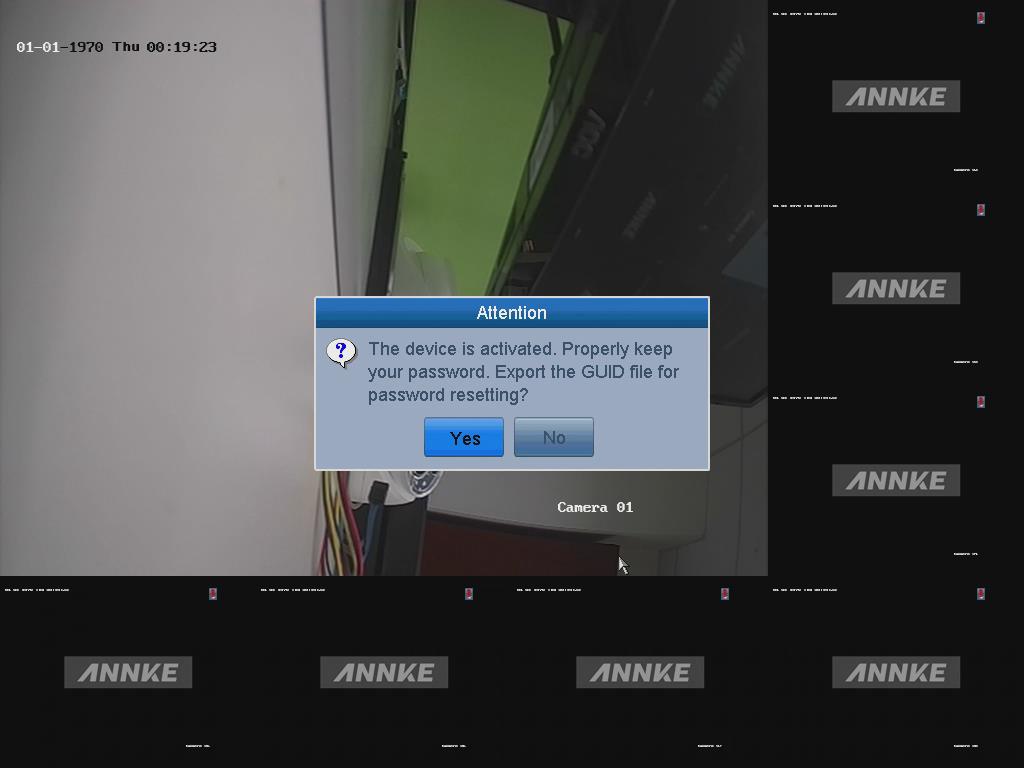
Now the device is activated.
 Note:
Note:
After the activation, here are some settings about password reset.
You can click Yes here to export the GUID file for password resetting in the future. To proceed, please insert a USB flash drive to export the GUID file. -
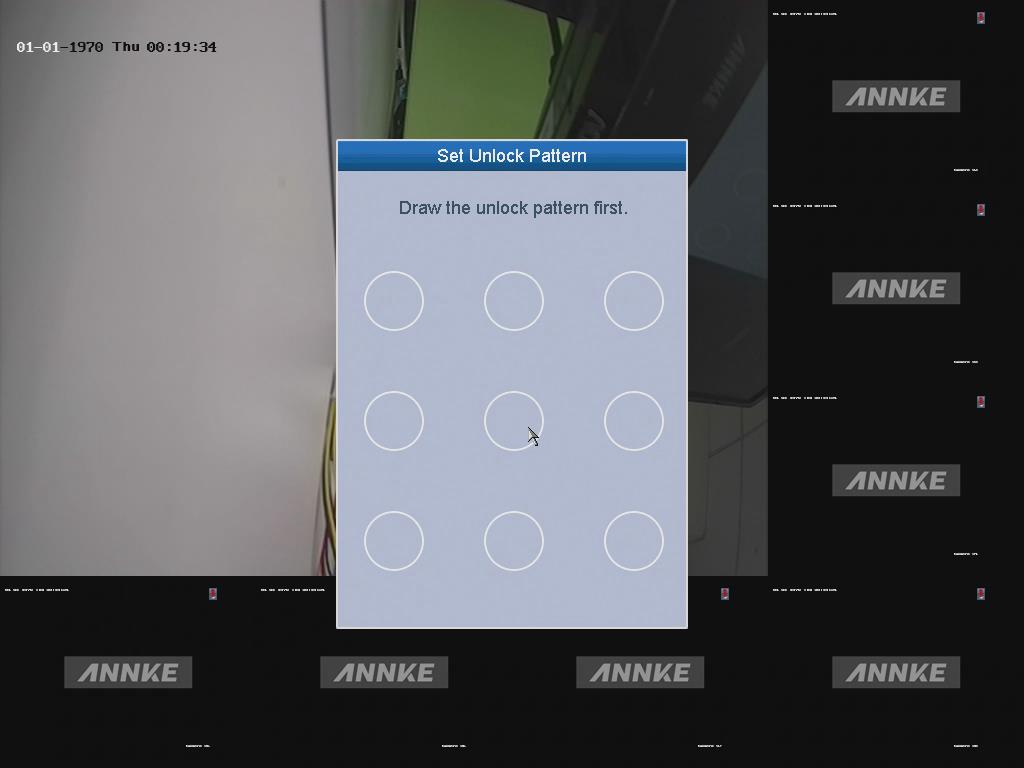
You can also set an unlock pattern for easier login.
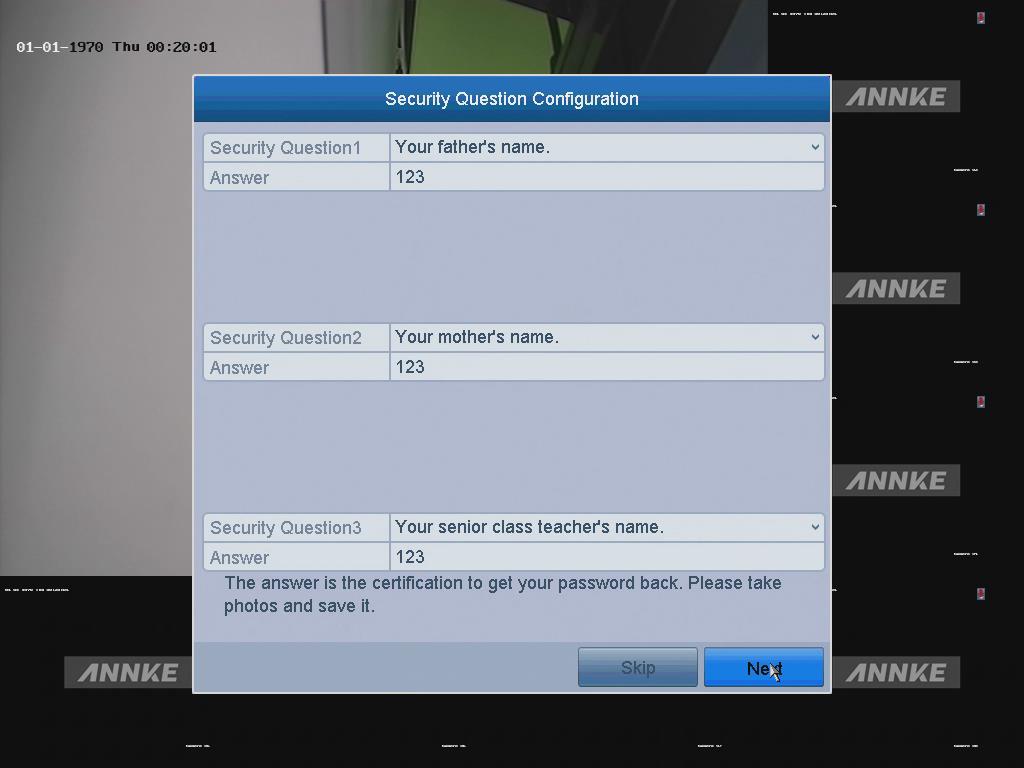
- You can also set the security questions for password resetting.
Notes :
1) We highly recommend you to create a strong password.
2) Please keep the password well and don not forget it.
3) Recommend you to reset password weekly or monthly regularly.
Was this article helpful?
Bu bilgiler sorununuzu çözmeye yardımcı oldu mu?
Thanks for your feedback!
Still need help?
Uzman ekibimiz size yardımcı olmak için burada.