Annke Vision - How to Adjust the Camera IR sensor (Night vision) in NVR?
Applies to: N48PI/N44PI/N46PI/N44PAM/N48PAW/N46PCK/N88PCH/NCK800/H800
Purpose: Sometimes you though the environment is not too dark the system already switches to the IR model, It is not delighted with the B&W image, so you can follow the guide to do some setting.
Note: The IR is used for night vision. The system will auto switch the IR on/ off basic the environment. If the environment is too dark to get a clear image by the sensor, and the system will auto switch it to the night version(B&W image). If the light is enough for the sensor, It will auto switch back to the color model.
Here are the steps for you:
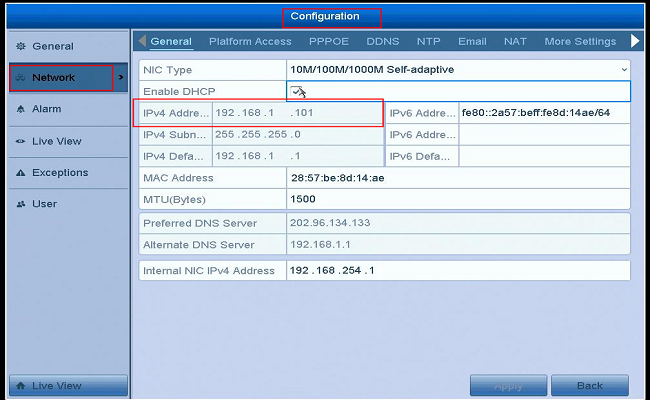
- Take a computer in the same network with the NVR. Then go to the NVR Menu--Configuration--Network--General to check the NVR IP address.
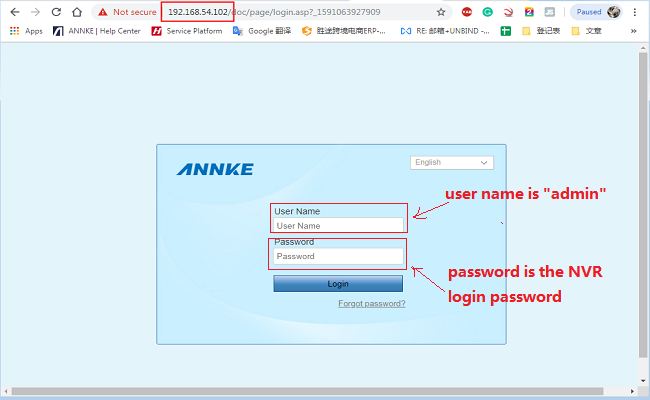
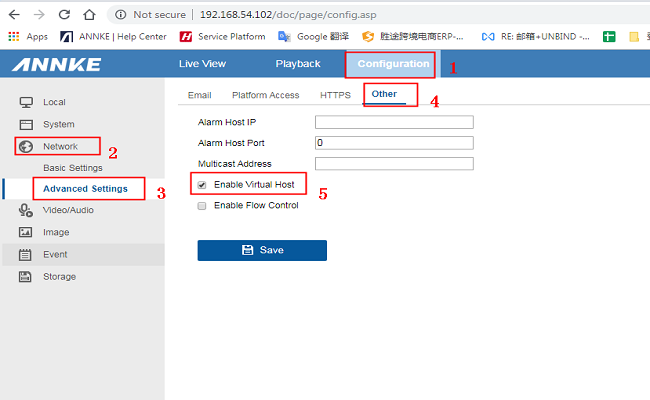
- Load the IP address in your computer IE browser, then go to the Configuration--Network--Advance settings--Others, then tick on the "Enable Virtual Host".
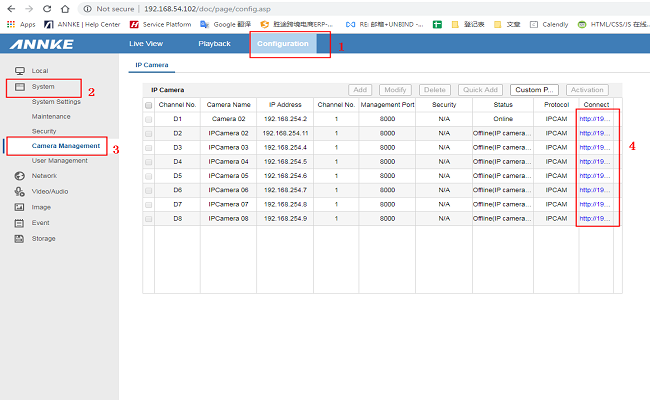
- Go to Configuration--System--Camera Management, you can find there is a URL for the cameras. Click it you can directly go the camera setting page.
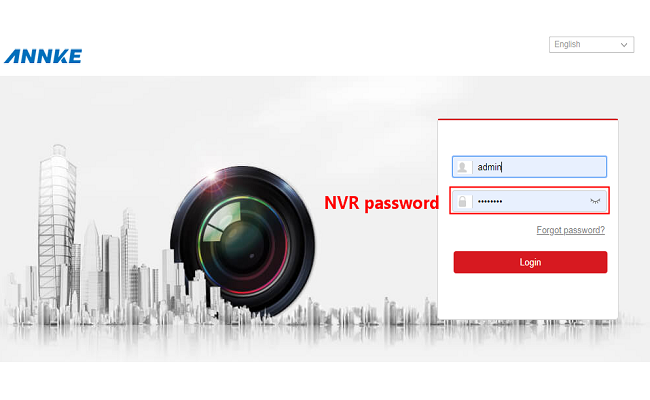
- Go to the camera's settings page, and then go to the Configuration--Image--Day/Night Switch.
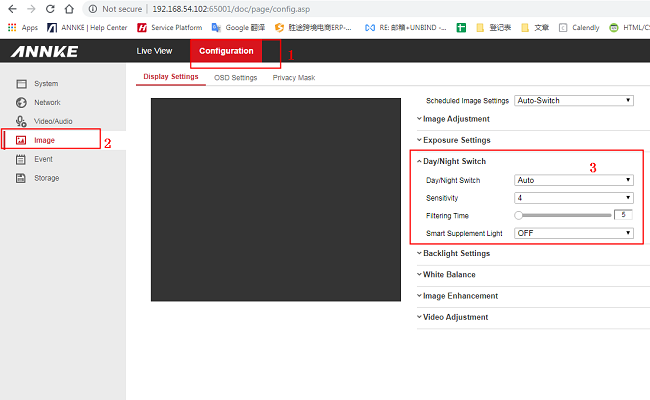
Please notice the Day/Night Switch model, you can select with the different models.
Auto: Auto-switch the model base on the environment light
Day: Keep in the color model
Night: Keep in B&W image
Scheduled-switch: You can set up the time for the model switch
Was this article helpful?
Bu bilgiler sorununuzu çözmeye yardımcı oldu mu?
Still need help?
Uzman ekibimiz size yardımcı olmak için burada.