Annke Vision - How to Delete The Device on Annke Vision?
20 Aug 2026
375 views
Applies to:
DT41Y/DT61Y/DT81Y/DN41R/DN61R/DN81R/DT41GB/DT81GB/DT61GB/DW41JD/DW81KD/DW61LD/DT81DP/N48PI/N44PI/N46PI/N44PAM/N48PAW/N46PCK/N88PCH/NCK800/H800/H500/FC800
Purpose:
If you want to delete the device from your old account and add it to another app, you need to delete it from the old account, as the device can be only added to one account.
Steps:
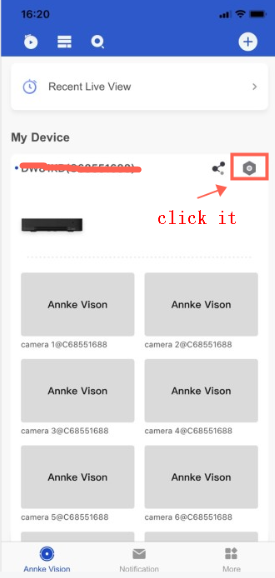
1. Enter the setting page of the app
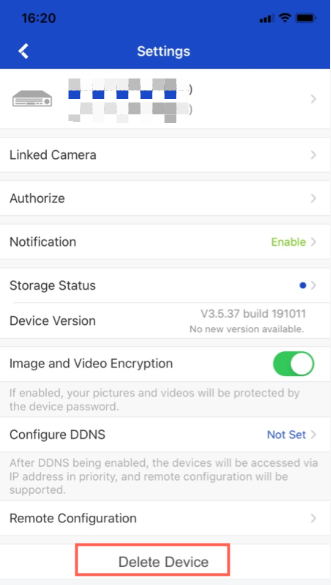
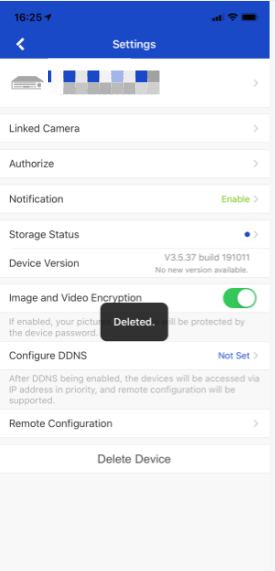
2. Delete the device
Was this article helpful?
Bu bilgiler sorununuzu çözmeye yardımcı oldu mu?
Thanks for your feedback!
Still need help?
Uzman ekibimiz size yardımcı olmak için burada.