Annke Vision - How to Enable the Human & Vehicle Detection? (C800 cameras)
Applies to: I91BM/I91BN/I91BL
Note:
This article is supposed to guide you to update and enable the Human & Vehicle Detection for camera models (of C800) mentioned above. The camera models I91BF/I91BG/I91BD are not included for this function. For a firmware update on other camera models, please contact ANNKE support here.
Step 1
Download the firmware file from the below link. Unzip it to get the file 'digicap.dav' on your computer when you upload it for the camera.
https://download.annke.com/firmware/4K_IPC/C800_5.7.1_211130.zip
Note:
Please unzip this '.zip' file to get the '.dav' file, which is the actual file used for firmware update.
Step 2
Access the camera's web interface on a computer browser.
- If the camera is working separately (without an ANNKE NVR), please refer to this link:
Annke Vision -- How to Access the Web interface of ANNKE PoE Cameras via Browser? (Without NVR) - If the camera is working with an ANNKE NVR, please refer to this link:
Annke Vision - How to Access the IP camera's configuration page on the NVR?
Step 3
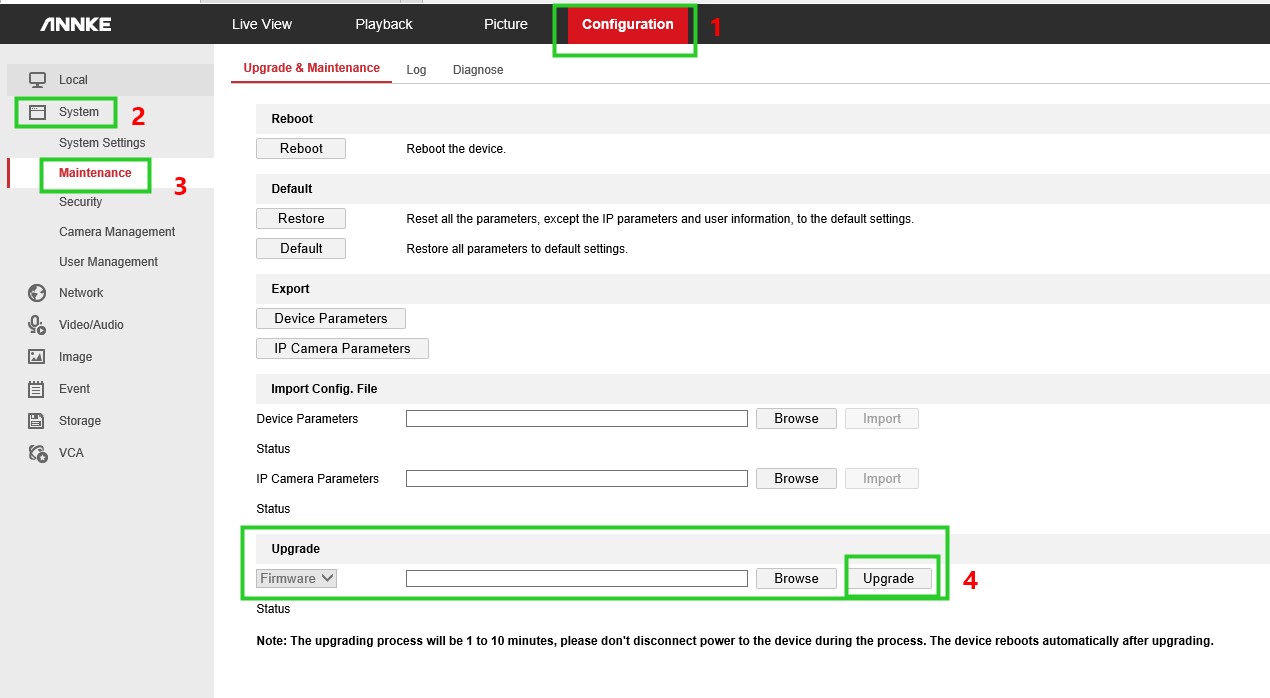
Access the camera's setup interface via browser, then navigate to Configuration -> System -> Maintenance -> Upgrade and Maintenance. Click [Browse] to choose the firmware file 'digicap.dav', then click [Upgrade] to begin the firmware upgrade. When the upgrade is finished, the camera will be rebooted automatically.
Note: Please do NOT close the page or move the camera during the upgrading
After you upgrade the camera successfully, please refer to these methods below to enable Human & Vehicle Detection.
Situation #1 If the camera is working separately (without an ANNKE NVR)
Note: Please refer to this instruction below to set the motion detection at the same time.
Annke Vision - How to Enable the Push Notification Function for the Camera?
1) Please get into the camera's setup page.
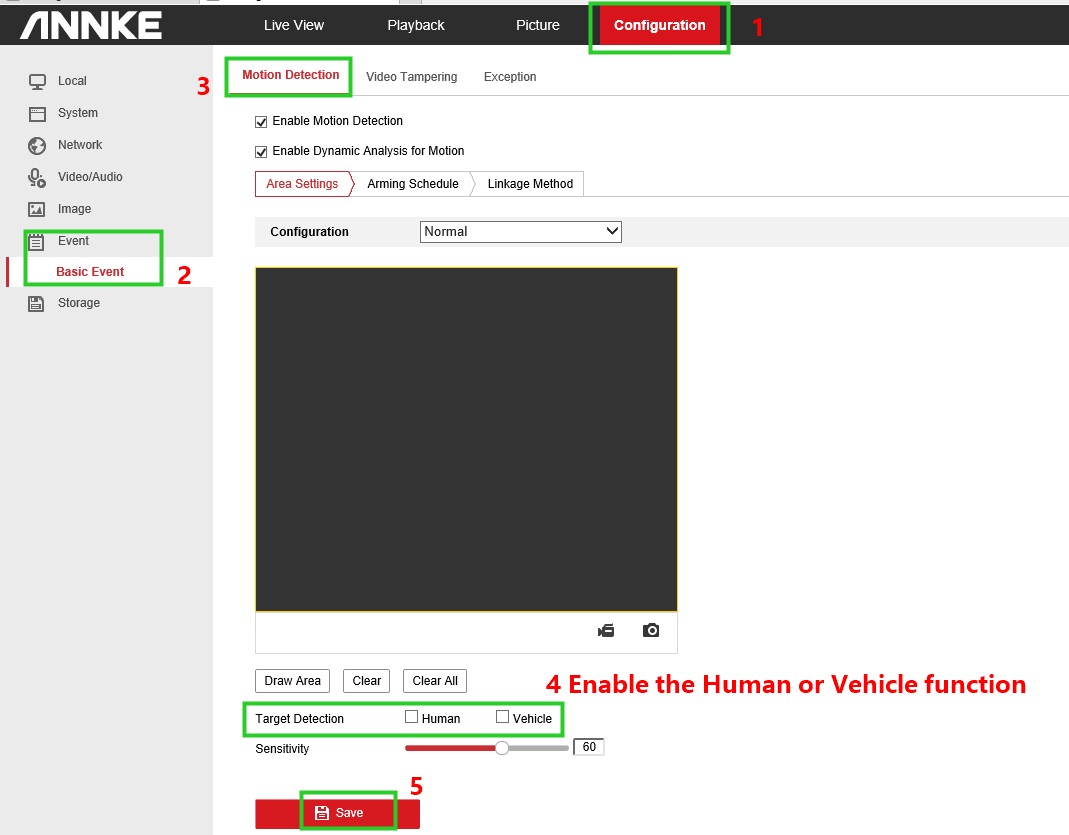
2) Then go to the Configuration -> Event -> Basic Event -> Motion Detection to enable the Human or Vehicle function and finally save it.
Situation #2 If the camera is working with an ANNKE NVR
Note: Please refer to this instruction below to set the motion detection at the same time. Just follow until step 2.
Annke Vision - How to Set Up APP Push Notification for Motion Detection?(H800 series)
1) Please access the NVR system on a computer browser with its IP locally.
Annke Vision - How to Access DVR/NVR System on Computer Browser with Its IP Locally?
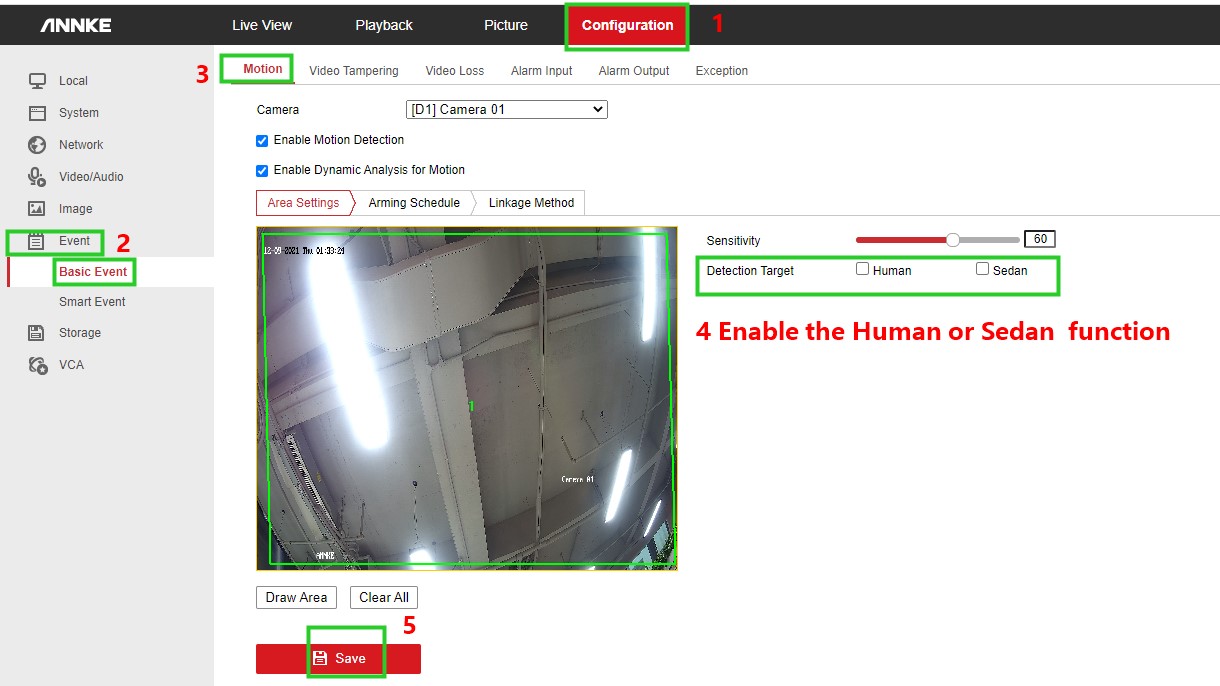
2) Then please go to the Configuration -> Event -> Basic Event -> Motion to enable the Human or Sedan and save your option.
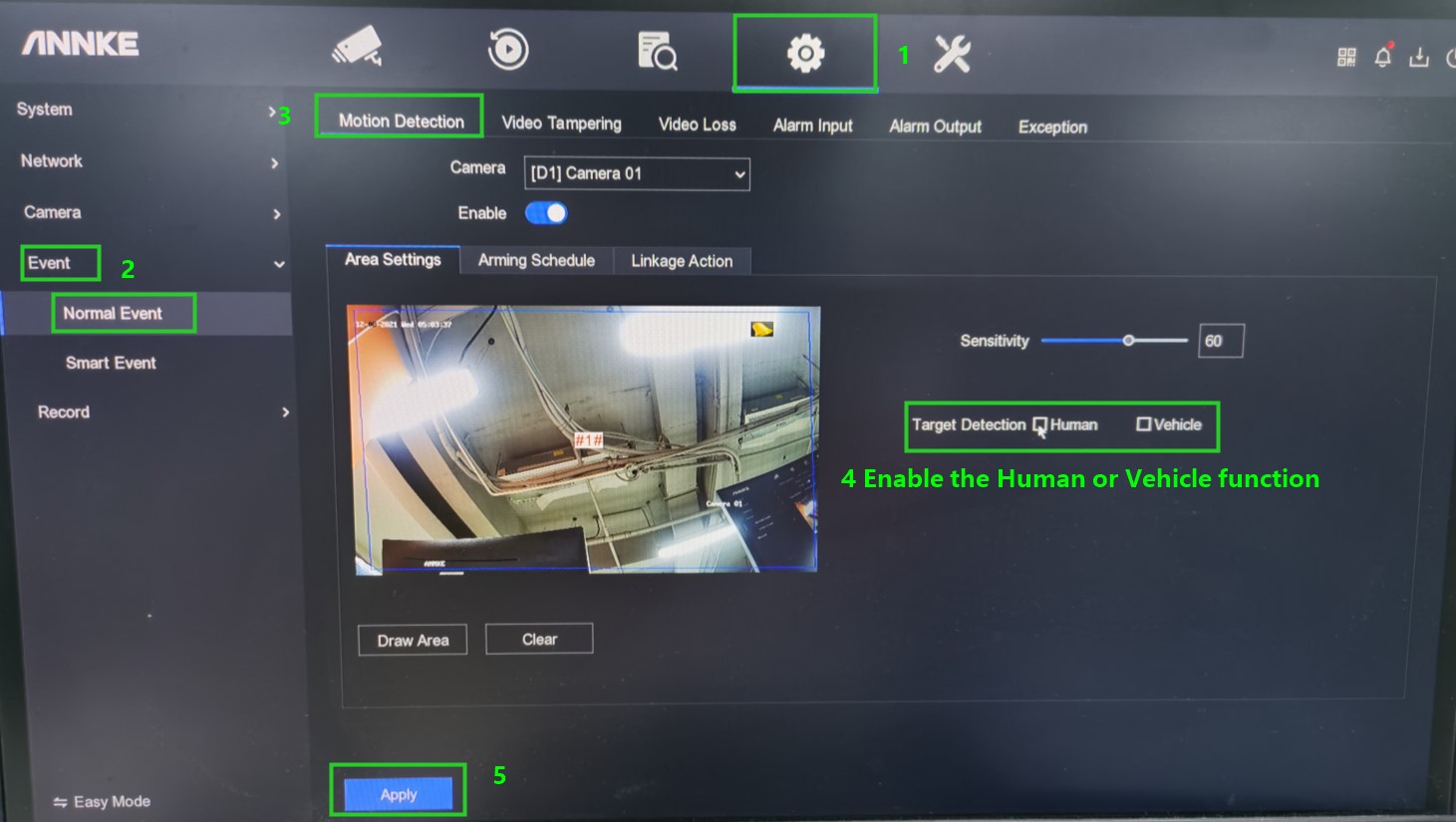
Or enable the Human & Vehicle Detection on the monitor. Please go to the NVR menu Configuration -> Event -> Normal Event -> Motion Detection to enable the Human or Vehicle and apply your setup.
For any other questions, please feel free to contact ANNKE technical support.
- Contact us via email support@annke.com
- Contact us via live chat
Was this article helpful?
Bu bilgiler sorununuzu çözmeye yardımcı oldu mu?
Still need help?
Uzman ekibimiz size yardımcı olmak için burada.