Annke Vision - How to Make The DVR Record Audio?
Applies to:
DT41Y/DT61Y/DT81Y/DN41R/DN61R/DN81R/DT41GB/DT81GB/DT61GB/DT41DB/DT81DB/DT61EQ/DW41JD/DW81KD/DW61LD/DT81DP
Purpose: There is no speaker nor a microphone in the DVR/NVR recorder. In order to record the sound of the system, please knows that you need to buy a microphone and a speaker to install the DVR/NVR audio in and out.
Note: Each camera needs an individual audio-in port. (If the DVR/NVR has only one audio-in port, then only one camera can record with sound)
Here are the steps for you:
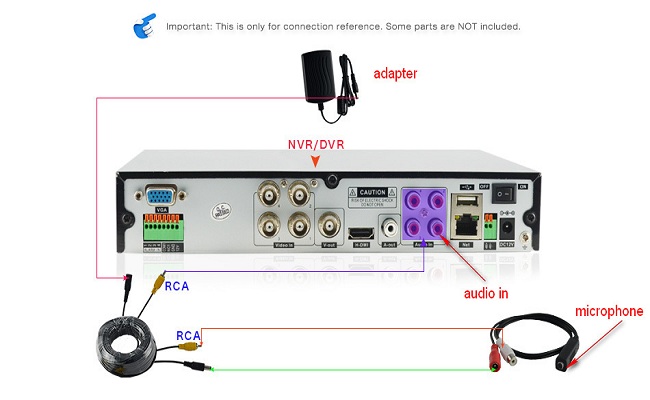
- Make sure your DVR has RCA red audio cord at the back of the DVR.
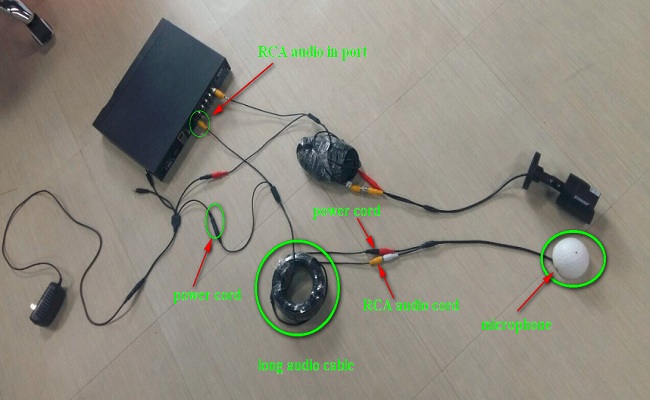
- Hook up an external microphone to DVR by audio cable.
- The microphone should be put next to one camera so that that camera‘s image and sound are synchronized.
- Connect a long audio cable to the microphone and DVR‘s audio-in port. Also, you can also connect a speaker to the audio-out port of the DVR.
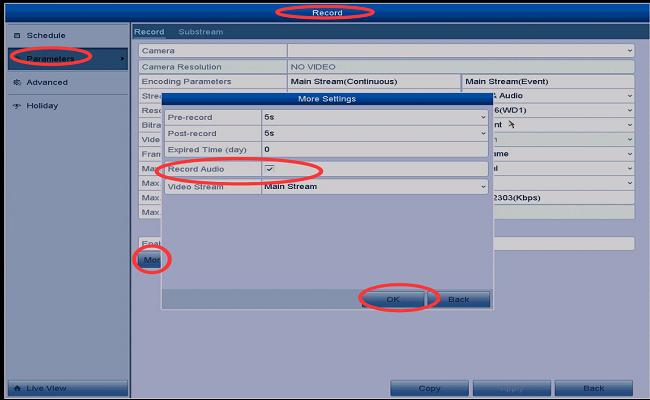
- Finally, you could go to the DVR Menu--Record--Parameters --More setting to enable the Record Audio.
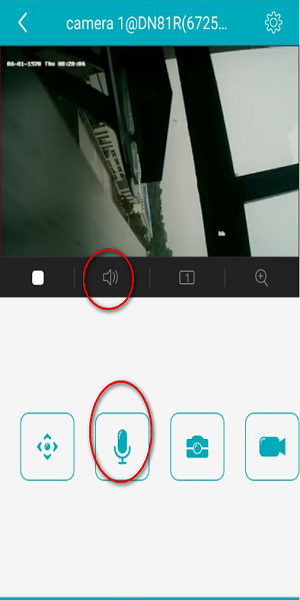
To get sound on the TV, computer, and the APP, you need to enable the speaker and microphone.
a). On the DVR/NVR from TV/monitor access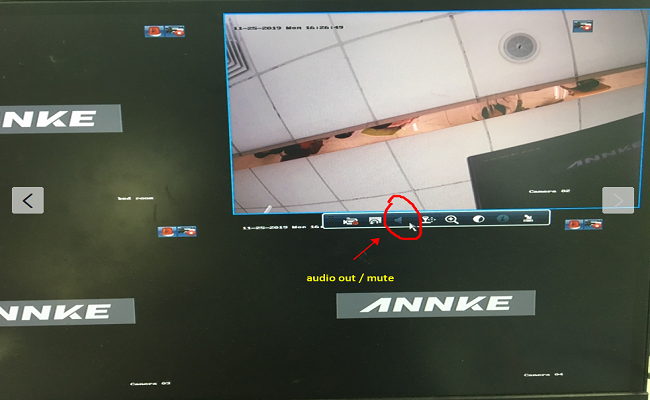
b). On the Annke Vision APP
c). On the IE browser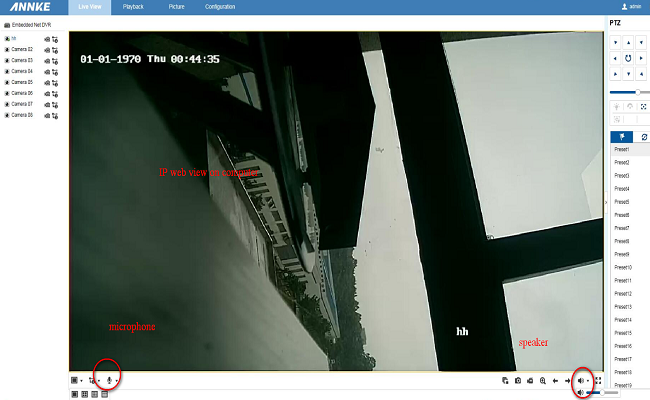
d). On the computer software Guarding vision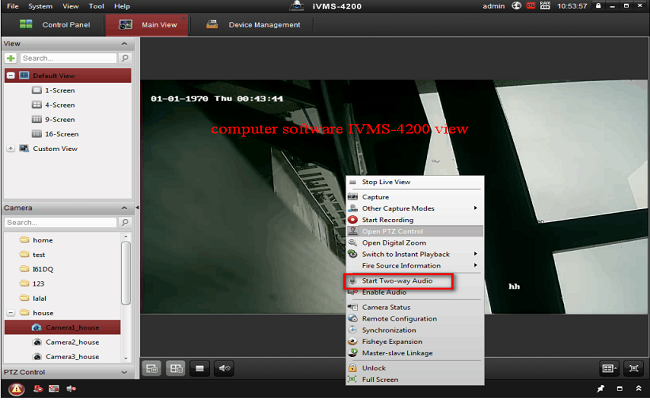
Notice:
If you have any other questions, please feel free to contact ANNKE technical support at support@annke.com by email for further help.
If this article is helpful to you, please click the "helpful" button after you review it. Any comments would be appreciated.
Was this article helpful?
Bu bilgiler sorununuzu çözmeye yardımcı oldu mu?
Still need help?
Uzman ekibimiz size yardımcı olmak için burada.