Annke Vision - How to Playing Back by Tag on Annke NVR/DVR
20 Aug 2026
394 views
Applies to: N48PI/N44PI/N46PI/N44PAM/N48PAW/N46PCK/N88PCH/DT41Y/DT61Y/DT81Y/DN41R/DN61R/DN81R/DT41GB/DT81GB/DT61GB/DW41JD/DW81KD/DW61LD/DT81DP/NCK800/H800/H500
Purpose: Video tag allows you to record related information like people and location of a certain time point during playback, and also allowed to use video tag(s) to search for record files and position-time point.
Before you start:
- You should log in to your device.
- Click Menu > Playback > Normal, enter Normal Playback interface.
Steps:
- Select the Tag from the drop-down list in the Playback interface.
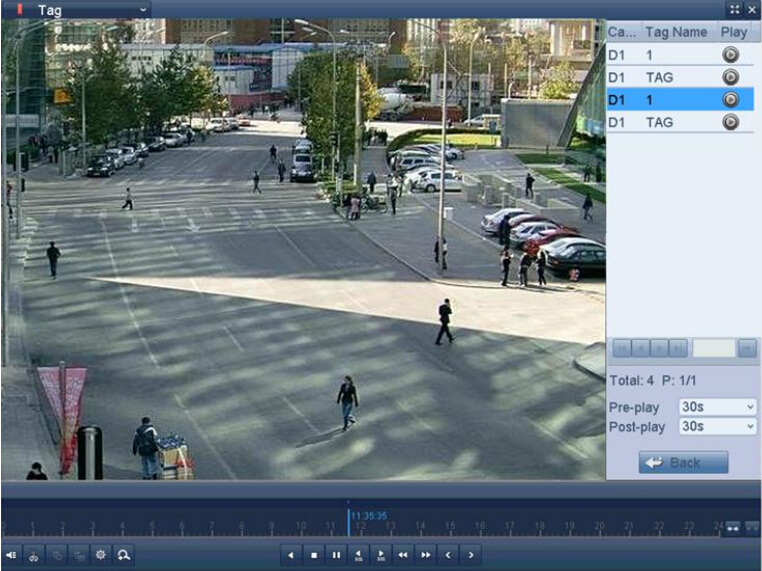
- Choose channels, edit start time and end time, and then click Search to enter Search Result interface.
Note: You can enter a keyword in the textbox to search the tag on your command.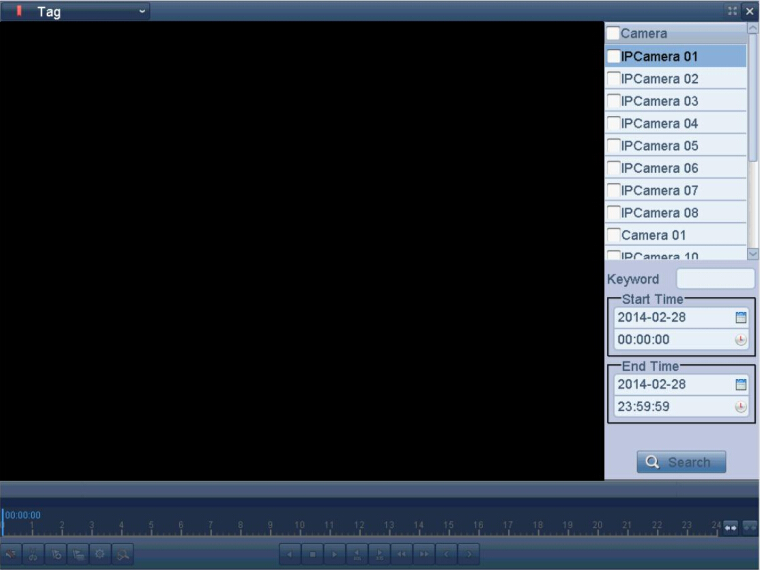
- Click
 button to playback the file. You can click the Back button to back to the search interface.
Note: For more details about adding and editing tags, please go to this link: Adding and Editing Tag on Annke DVR/NVR.
Was this article helpful?
Bu bilgiler sorununuzu çözmeye yardımcı oldu mu?
Thanks for your feedback!
Still need help?
Uzman ekibimiz size yardımcı olmak için burada.