Annke Vision - Initializing HDDs on Annke DVR/NVR
20 Aug 2026
401 views
Apply to: DT41Y/DT61Y/DT81Y/DN41R/DN61R/DN81R/DT41GB/DT81GB/DT61GB/DT41DB/DT81DB/DT61EQ/DW41JD/DW81KD/DW61LD/DT81DP/N48PI/N44PI/N46PI/N44PAM/N48PAW/N46PCK/N88PCH/N441Y/N481Y/S500/S300/FC200NCK800/H800/H500
Purpose: A newly installed hard disk drive (HDD) must be initialized before it can be used with your DVR.
Before you start:
- You should log in to your DVR/NVR.
- You have installed a hard disk drive (HDD) into your DVR/NVR.
Steps:
- Click Menu > HDD > General, and enter the HDD Information interface.
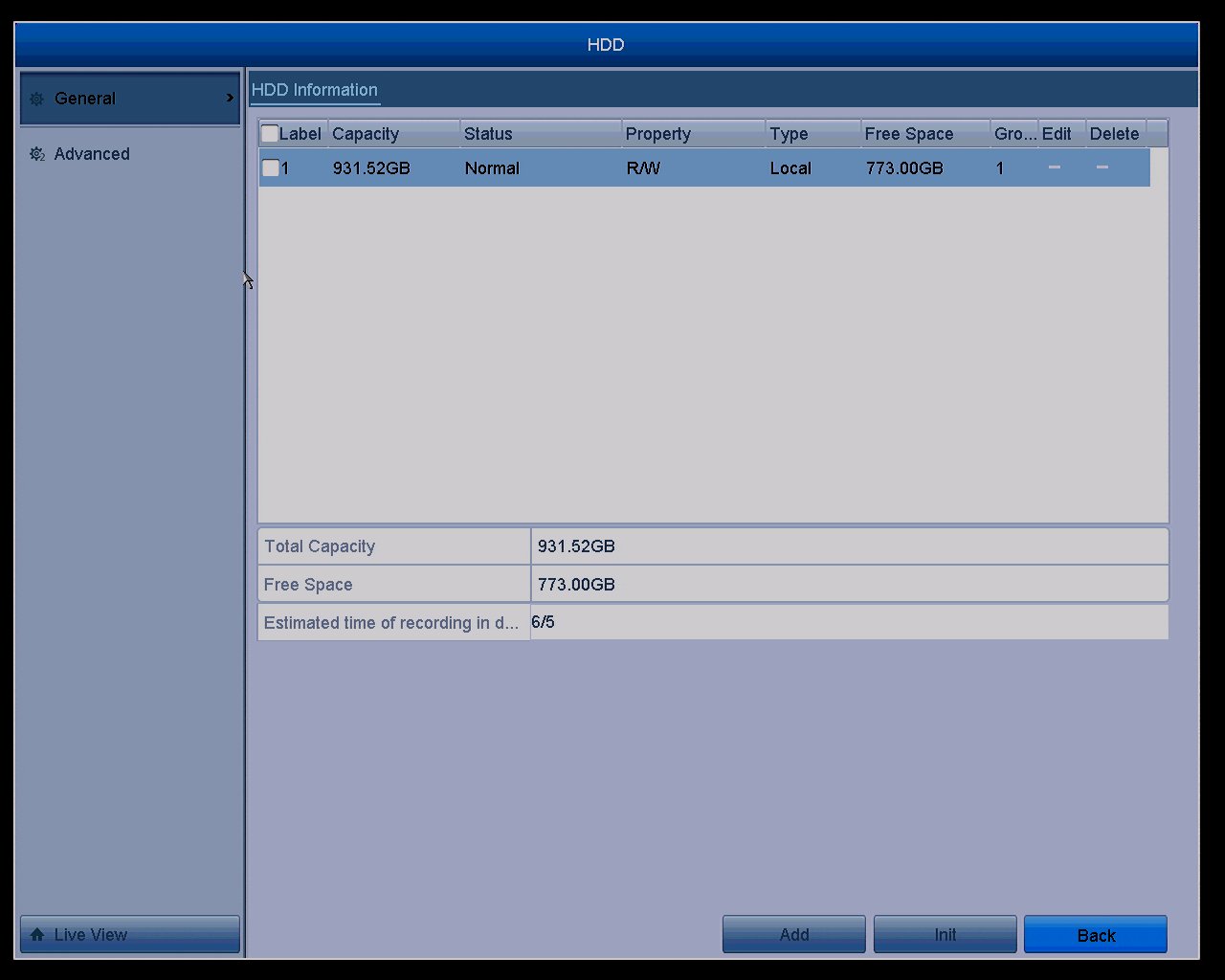
- Select HDD to be initialized.
- Click the Init button.
- Select the OK button to start initialization in the pop-out window.
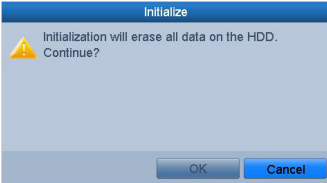
- After the HDD has been initialized, the status of the HDD will change from Uninitialized to Normal.
Note: Initializing the HDD will erase all data on it.
Was this article helpful?
Bu bilgiler sorununuzu çözmeye yardımcı oldu mu?
Thanks for your feedback!
Still need help?
Uzman ekibimiz size yardımcı olmak için burada.