Annke Vision - Playing Back by Time on Annke NVR/DVR
20 Aug 2026
426 views
Applies to: N48PI/N44PI/N46PI/N44PAM/N48PAW/N46PCK/N88PCH/DT41Y/DT61Y/DT81Y/DN41R/DN61R/DN81R/DT41GB/DT81GB/DT61GB/DW41JD/DW81KD/DW61LD/DT81DP/S500/S300/FC200/NCK800/H800/H500/E500/E800
Purpose: Playback video files recorded in a specified time duration. Multi-channel simultaneous playback and channel switch are supported.
Before you start:
- You should log in to DVR.
- Click Menu>Playback>Normal.
Steps:
- Go to the Normal Playback interface.
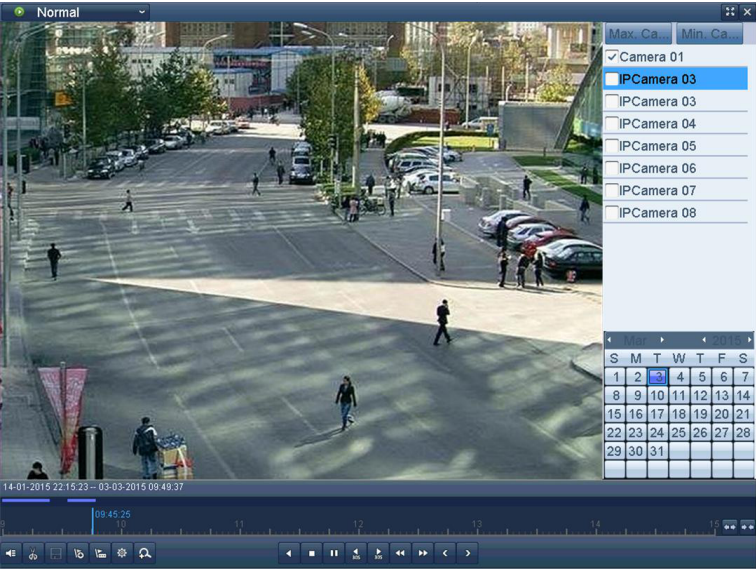
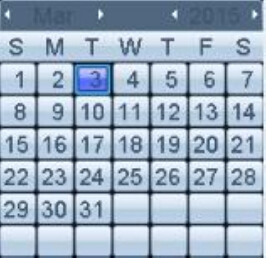
- Check the checkbox of channel(s) in the channel list and then double-click to select a date on the calendar.
Note:
- If there are record files for that camera on that day, in the calendar, the icon for that day is displayed as
 . Otherwise, it is displayed as
  .
.
3. Then the corresponding videos you have selected by time will playback.
Was this article helpful?
Bu bilgiler sorununuzu çözmeye yardımcı oldu mu?
Thanks for your feedback!
Still need help?
Uzman ekibimiz size yardımcı olmak için burada.