Annke Vision - Set up HDD Property on Annke DVR/NVR
Applies to: DT41Y/DT61Y/DT81Y/DN41R/DN61R/DN81R/DT41GB/DT81GB/DT61GB/DT41DB/DT81DB/DT61EQ/DW41JD/DW81KD/DW61LD/DT81DP/N48PI/N44PI/N46PI/N44PAM/N48PAW/N46PCK/N88PCH/N441Y/N481Y/
S500/S300/FC200/NCK800/H800/H500
Purpose: The HDD property can be set to redundancy, read-only or read/write (R/W).
Before you start:
- You have logged in to your DVR/NVR.
- Before setting the HDD property, please set the storage mode to Group.
- Click Menu > HDD > General, and enter the HDD Information interface.
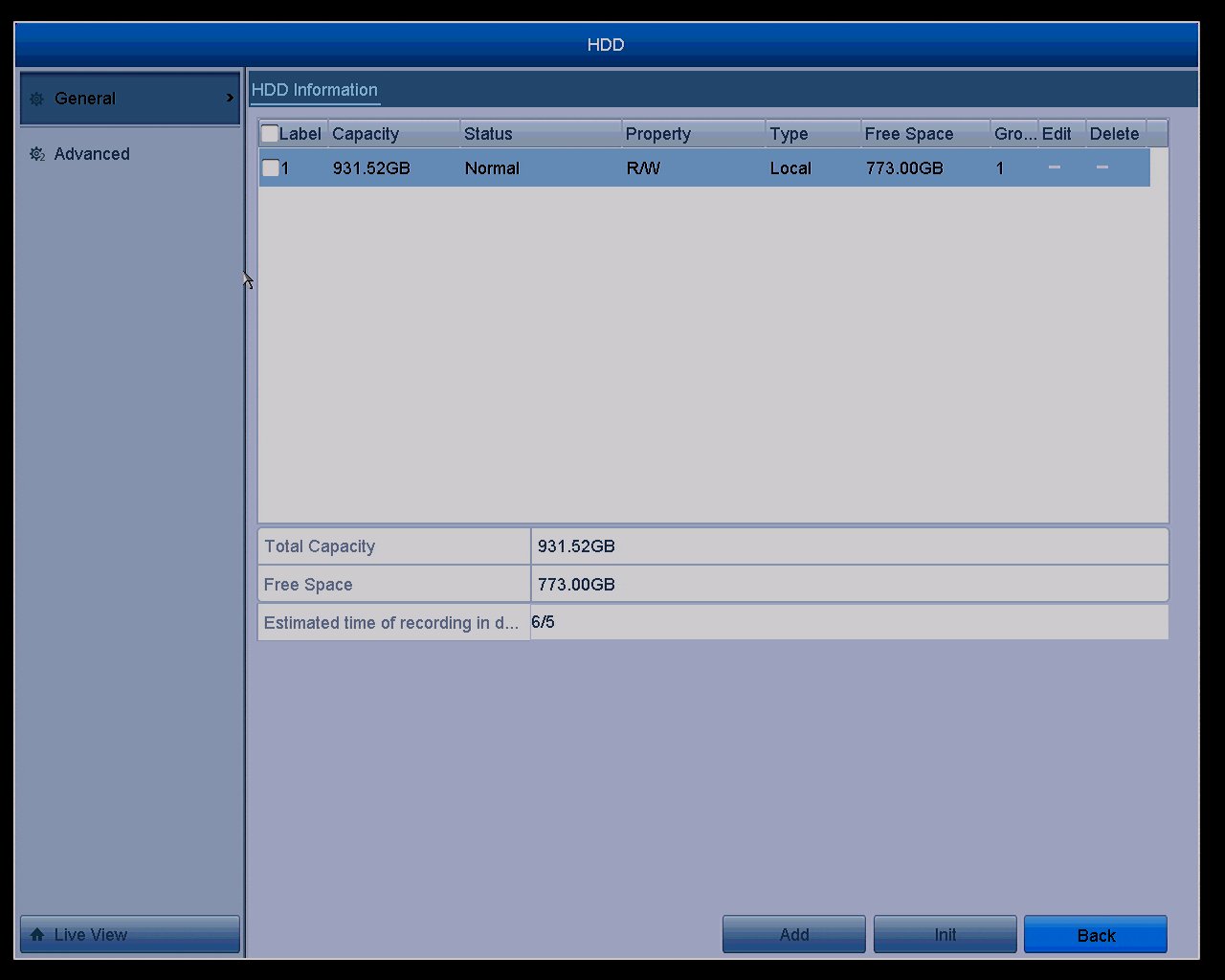 Select HDD from the list and click the
  Edit icon to enter the Local HDD Settings interface.
The Local HDD Settings Interface: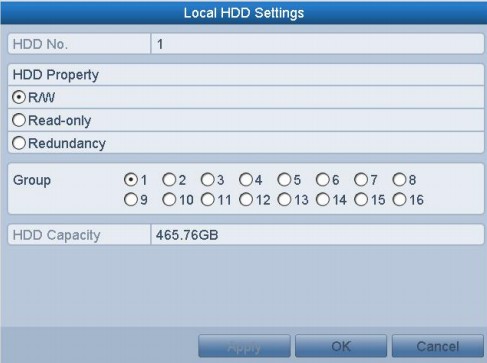
HDD No.: The No. of HDD you currently used.
HDD Property: Including three types.
- R/W: The HDD can read and write the files.
- Read-only: Prevent important recorded files from being overwritten when the HDD becomes full in overwrite recording mode.
- Redundancy: Recorded both onto the redundancy HDD and the R/W HDD simultaneously so as to ensure high security and reliability of video data.
Group: Select the Group number for the current HDD. The default group No. for each HDD is 1.
HDD Capacity: View the current capacity of HDD.
Apply: Click the button to save the settings.
OK: Click the button to exit the current page.
Was this article helpful?
Bu bilgiler sorununuzu çözmeye yardımcı oldu mu?
Still need help?
Uzman ekibimiz size yardımcı olmak için burada.