Annke Vision -- What to Do If it Prompts The Device Has Been Added by Another Account?
Applies to: DW41JD/DW81KD/DW61LD/DT81DP/N48PAW/N46PCK/N88PCH/NCK800/H800/H500
For security reasons, a device can only be added by one account. If it prompts that the device has already been added at your first adding, or if you forget the app’s ID and password.
1. Only when the system's P2P status is online, the system can be unbound from the old account.
Here is a way to check the system's P2P status.
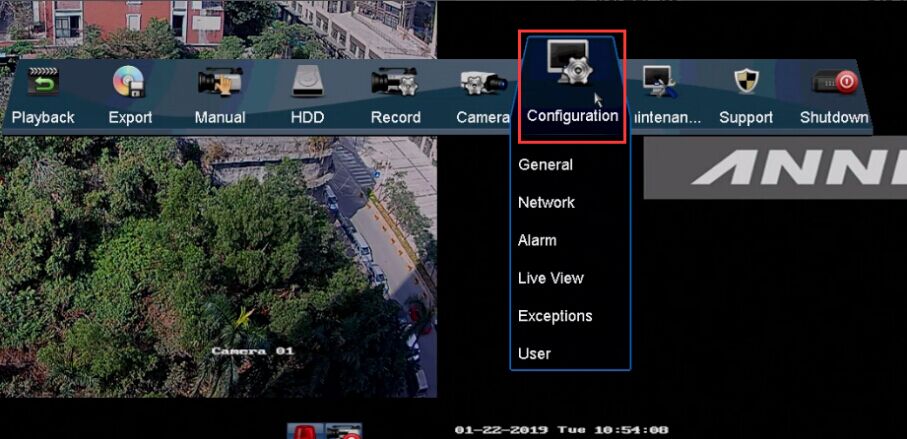
Go to Menu--Configuration--Network--Platform Access.
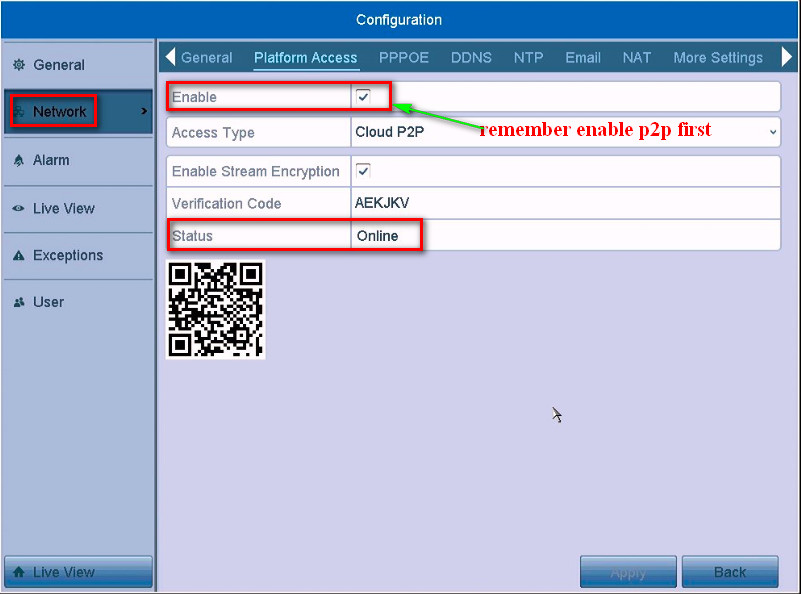
If the status is offline, please refer to this link to make it online at first.
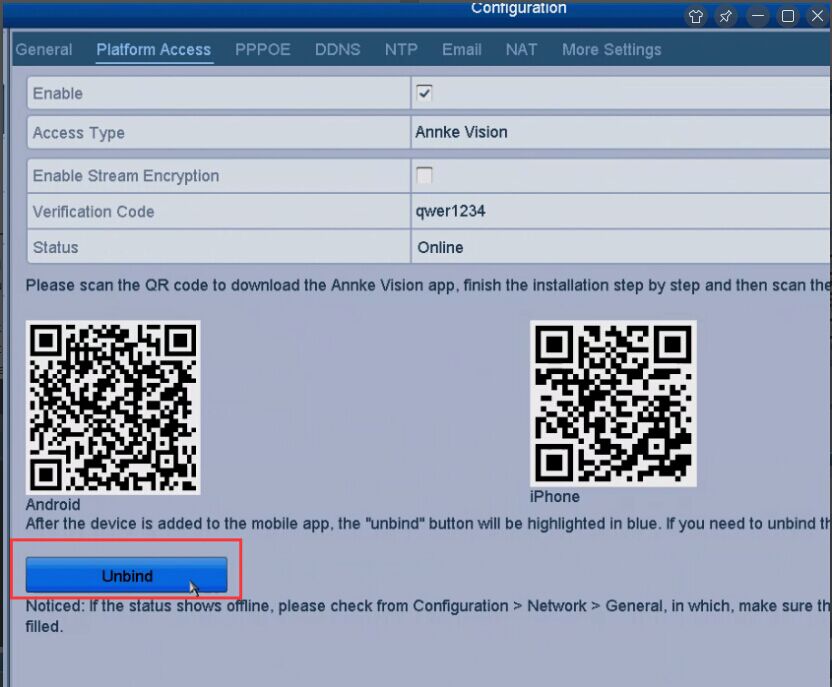
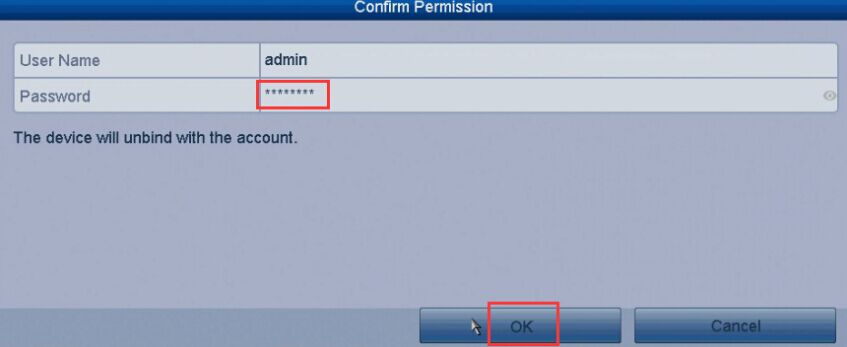
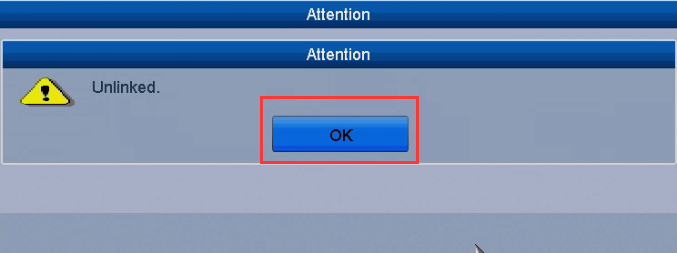
2. You can follow the path "Configuration--Network--Platform Access" and find the Unbind button. If the device has already been added, the button will be highlighted. Click to unbind from the account and then you can re-add the device or re-register an account to add the device again.

Was this article helpful?
Bu bilgiler sorununuzu çözmeye yardımcı oldu mu?
Still need help?
Uzman ekibimiz size yardımcı olmak için burada.