ConteraVMS: AV08ZMV-300 needs to be set at 60FPS
20 Aug 2026
343 views
Issue:
The AV08ZMV-300 is only displaying 30FPS.
Resolution:
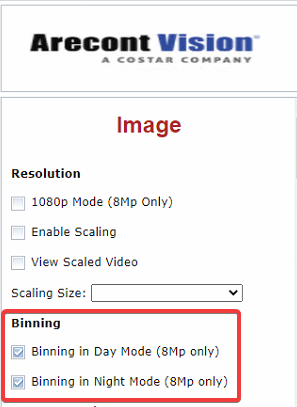
- From the camera web page, enable binning in day and night mode.
- From the ConteraNVR click Setup > Cameras > Add Cameras.

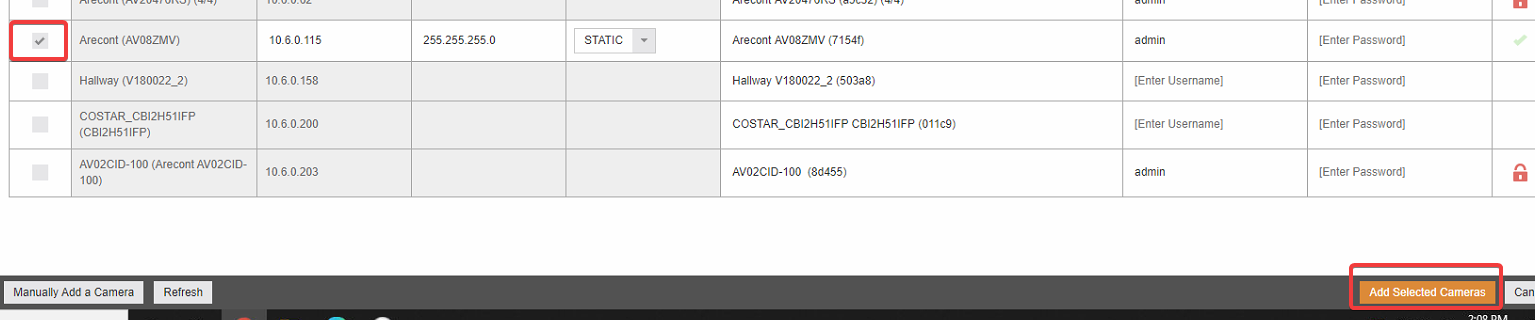
- Put a checkmark next to the AV08ZMV-300 then click Add Selected Cameras.
- Drag the camera into a cell.
- Click Live then hover at the top of the cell and enable the OSD to verify.

Was this article helpful?
Bu bilgiler sorununuzu çözmeye yardımcı oldu mu?
Thanks for your feedback!
Still need help?
Uzman ekibimiz size yardımcı olmak için burada.